




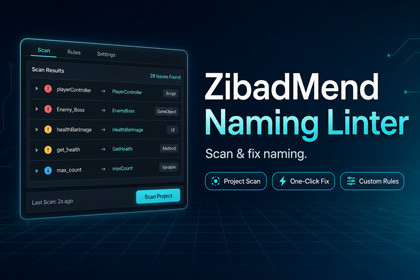
ZibadMend Naming Linter automates naming standards in Unity. It scans & fixes assets/GameObjects, ensuring project clean-up, team consistency, and seamless Git integration in one click.📦ZibadMend Naming Linter is a dedicated management tool designed to keep your Unity projects clean, organized, and professional. Think of it as an automated “naming supervisor” that constantly monitors your assets and hierarchy to ensure everything is exactly where it should be and named exactly how you want it. 🧹✨In a busy development environment, it’s easy for files to get messy—names like New Material 1, test_script, or Player_v2_final can quickly clutter your project. This package solves that problem by providing a central system to define, scan, and fix these naming issues instantly.🛠️ Fully Customizable to Your NeedsThis tool doesn’t force you into a single way of working. It is built to be highly flexible:Create Your Own Rules: You can easily set up specific naming patterns for every type of asset, such as Prefabs, Textures, or C# Scripts. ✍️Flexible Standards: Whether you prefer PascalCase, snake_case, or unique prefixes (like T_ for textures), you can configure the linter to match your personal or studio style guide perfectly.Whitelisting: You can tell the tool to ignore specific folders or files that don’t need to follow the rules, giving you full control over the scanning process. 🛡️🕹️ Perfect for Any Project GenreThe ZibadMend Naming Linter is “genre-agnostic,” meaning it works perfectly regardless of the type of project you are building:From Indie to AAA: It is just as useful for a small 2D platformer as it is for a massive 3D Open World game. 🌎For Every Team Size: If you are a solo developer, it helps you maintain professional habits. If you are part of a team, it ensures that everyone stays on the same page, preventing confusion during collaboration. 👥Scalable: As your project grows from 10 assets to 10,000, the linter scales with you, making sure that “Project Chaos” never happens. ✅🔍 Comprehensive Scanning EngineDeep analysis of your project structure and hierarchy:Asset Scan: Scans the entire Assets folder including Textures, Prefabs, and Scripts.Scene Scan: Real-time analysis of the active Hierarchy to ensure GameObjects are organized.Dual-Layer Reporting: View errors separated by “Severity” (Error, Warning, Info).Instant Filtering: Filter results by name, type, or specific rule violation.🛠️ Advanced Rule CustomizationTotal control over how your project should be named:Multi-Type Rules: Create independent rules for Scripts, Folders, Materials, and more.Naming Styles: Support for PascalCase, camelCase, snake_case, and kebab-case.Regex Power: Use Regular Expressions for complex patterns and mandatory prefixes/suffixes.Whitelisting: Exclude specific folders (like Plugins or Packages) with a single click.⚡ Automated One-Click FixingMassively reduce manual labor with smart renaming:Fix All: Automatically renames every non-compliant asset based on your defined rules.Smart Resolution: Prevents name collisions by adding incremental suffixes if a name already exists.Selective Fixing: Fix individual items or entire categories from the dashboard.Full Undo Support: Revert any renaming operation instantly with Ctrl+Z.🤖 CLI & CI/CD IntegrationEnsure project cleanliness outside of the Unity Editor:Python Wrapper: Dedicated script for running naming checks via terminal.Git Hooks: Automatically prevent commits that contain badly named assets.Headless Mode: Perfect for Build Machines and Continuous Integration pipelines.JSON Reporting: Export scan results to JSON for external analysis.📊 Professional DashboardAn intuitive interface designed for power users:Real-time Stats: Visual counters for Errors, Warnings, and Whitelisted items.Rule Management: Drag-and-drop rule ordering and instant toggle (Enable/Disable).History Log: Track who renamed what and when, stored locally for reference.Visual Icons: Modern, version-aware icons compatible with Unity 2022 and 6.💾 Preset & Data ManagementSeamlessly move your naming standards between projects:Template Presets: Built-in templates for 2D, 3D, and Programming standards.Export/Import: Save your entire rule set as a JSON file to share with the team.Auto-Save: Settings are stored in ProjectSettings to persist across sessions.Reset to Default: Quickly restore original industry-standard rules.🛡️ Safety & IntegrityProtection against accidental data loss or broken references:Unity Undo System: Full integration with Undo.RecordObject for all operations.Safe Renaming: Uses AssetDatabase.RenameAsset to preserve meta-file connections.Execution Safety: Deferred action system to prevent GUILayout layout errors during scans.Confirmation Dialogs: Alerts before performing bulk “Fix All” actions.🔌 Editor WorkflowPerfectly integrated into the Unity development environment:Quick Access: Found under Window > ZibadMend > Naming Linter.Hierarchy Integration: Right-click context menus for quick scanning.Help System: Built-in README and interactive help documentation.Responsive Layout: Flexible UI that works on both wide and narrow monitor setups.Some coding and banners were created with the help of AI tools.

