






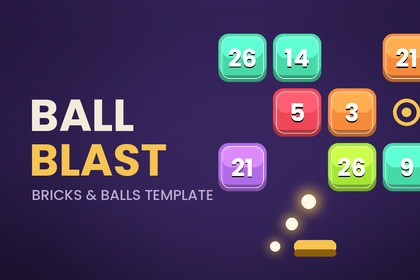
A complete bricks-and-balls template, built to be rebranded. Reskin, retune and extend it from ScriptableObjects and prefabs — no code changes, and it runs with zero SDKs installed.Ball Blast Kit is a finished bricks-and-balls game you can make your own.Import it, run the Setup Wizard, press Play. What you get is a complete, playable game — then every colour, number, sprite, sound and level sits in an asset you can edit, so making it yours doesn't mean editing scripts.One click to a playable sceneThe Setup Wizard generates placeholder art, prefabs, every config asset and a fully wired scene. Everything it produces is an ordinary project asset — nothing hidden, nothing locked, all yours to edit or delete. Re-running it repairs missing references without overwriting your work.What's in the boxExact ball simulation — swept circle casts give constant speed and no tunnelling at any frame rate or fast-forward multiplier, and the aim preview runs the same code so the guide never liesFour brick types: numbered, shifter (slides between shots), spinner (random deflection) and ball pickupProcedural endless levels and hand-authored levels with an in-Inspector grid painterStreak callouts, banners, toasts, camera shake and pooled particlesTwo power-ups (damage all, extra balls) as extensible ScriptableObjectsFull UI: splash, main menu, HUD, level-complete and game-over screens, settings sheet with a self-updating brick and power-up legend, and a power-up barSave system with per-level best scoresSetup wizard, config validator, level painter and a scene wiring diagnosticChange anything without touching codeLook — one ThemeConfig drives every colour, font and UI sprite, applied live in the editorBrand — app name, logo, splash, menu copy and legal links in one BrandingConfigDifficulty — starting balls, level length, brick health and rewards as animation curves, so you shape progression visuallyBoard — grid size, cell size and launch line; the camera reframes itself for any aspectContent — add a BrickDefinition to a spawn table and it appears in game and in the help legend, with no copy to keep in syncBuilt to extendNew brick behaviour is a component implementing IBallHitReceiver, IBrickDeflector or ITurnListener. A new power-up is one Execute override — the button, charges, audio and analytics come free. New content pipelines implement ILevelSource. New input schemes implement IPointerInputSource; legacy Input Manager and Input System backends are both included.Ads, analytics and IAP without the SDKsEach sits behind an interface with a working stand-in, so the project compiles and ships with nothing installed. Wire a real network by overriding one factory method on GameBootstrapper — nothing else in the project changes. Interstitial cadence, rewarded continues and remove-ads are policy in a config asset, separate from whichever network you choose.Clean architectureConfig never references scenes. Gameplay never references UI. UI reads event channels or calls the controller. Runtime and Editor assembly definitions keep the kit's compile time off your code. Every script is documented and written to be read.Included / not includedPlaceholder sprites are generated for you so the game runs on first launch — they're placeholders, meant to be replaced with your art. No audio clips or particle prefabs are bundled; the SoundEvent and effect slots are wired and empty, ready for yours.RequirementsUnity 6 (6000.x). TextMeshPro is the only dependency. Tested with URP 2D.DocumentationQuick start, customization, architecture and integration guides are included, plus a rebranding checklist in the wizard.Package contents87 C# scripts (78 runtime, 9 editor), ~10,000 lines, full source — no DLLs, no obfuscation3 assembly definitions: BallBlastKit.Runtime, BallBlastKit.Editor, and an optional BallBlastKit.InputSystem constrained to ENABLE_INPUT_SYSTEM25 ScriptableObject asset types under a single Ball Blast Kit create menu13 public interfaces for extension points5 documentation files: README, quick start, customization, architecture, integrations, plus a changelogGenerated by the Setup Wizard1 playable scene, fully wired: camera, board, launcher, controller, canvas, splash and main menu8 prefabs: ball, aim dot, three brick variants, pickup, power-up button, legend entry9 placeholder sprite PNGs, generated at import as real, replaceable assets (one is a nine-slice panel)21 configuration assets: 11 configs, 4 brick definitions, 2 power-ups, 4 event channelsSimulationManual swept-circle collision via Physics2D.CircleCast with a preallocated hit buffer — constant speed, no tunnelling at any frame rate or fast-forward multiplier, deterministic orderingStandard Collider2D shapes, so custom brick geometry works; no Rigidbody2D on ballsSurfaces respond through IBallHitReceiver with reflect, redirect or pass-throughAnti-stall correction and a per-shot timeout guarantee a turn always endsNo per-frame allocations in the ball or board hot paths; prefab pooling for balls, bricks, pickups, effects and aim dotsArchitectureConfiguration in ScriptableObjects with no scene references; gameplay never references UIDecoupling via ScriptableObject event channels and direct C# events — views bind to eitherPlatform services behind interfaces (ISaveService, IAudioService, IAdService, IAnalyticsService, IPurchaseService) resolved through a small service registry, each with a working default so the project compiles with no SDKs installedAdapters swap by overriding one virtual factory method on GameBootstrapperExtension interfaces: IBallHitReceiver, IBrickDeflector, ITurnListener, ILevelSource, IPointerInputSource, IAimKeyboardSource, IThemedElementEditor toolsSetup Wizard — generates content, builds the demo scene, validates a config setConfig validator with per-asset error reportingLevel Definition grid painter for hand-authored rowsScene wiring diagnostic — reports empty references, components on inactive objects, and which components share each event channelChannel repair command for scenes built before a config existedRequirements and compatibilityUnity 6 (6000.4) — the version the kit is developed and tested againstTextMeshPro is the only dependency (included with Unity)Universal Render Pipeline, 2D — tested; the kit uses SpriteRenderer and uGUI only, with no shaders or materials of its ownBoth input backends supported: legacy Input Manager and the Input System packageSave data as JSON in PlayerPrefs by default, swappable via ISaveServiceNot includedAudio clips — SoundEvent slots are wired and emptyParticle prefabs — effect slots are wired and emptyFinal art — the generated sprites are placeholders meant to be replacedAI assistance was used during the package creation process. Parts of the code for gameplay system, UI, editor tooling, and the Setup Wizard were drafted with AI assistance.

