






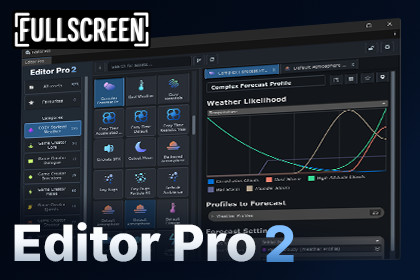
A powerful ScriptableObject editor for Unity. Browse, organize, search, create, and inspect your assets from one workspace.Editor Pro 2 - ScriptableObject Workspace for UnityWorking with dozens or hundreds of ScriptableObjects quickly becomes messy. You spend half your development time digging through deep folder hierarchies, losing track of related data, and constantly opening and closing inspector windows.Editor Pro 2 gives you a dedicated, tabbed workspace to browse, search, organize, create, and inspect all your ScriptableObjects in one unified editor.Whether you're managing gameplay data or assets from third-party packages, Editor Pro 2 keeps your entire workflow inside a clean, modern interface.🔥 LIMITED TIME LAUNCH SALE: $19.99 (50% OFF)The completely rebuilt successor to the original 5-star-rated Editor Pro.✨ Works with Any ScriptableObjectUnlike Editor Pro 1, Editor Pro 2 is no longer restricted to Game Creator assets. It works out of the box with any standard or custom ScriptableObject in Unity, giving you one unified workspace regardless of what packages or frameworks you use.🔍 Browse & Find Your Assets FastStop digging through project folders to find the exact asset you need. Editor Pro automatically discovers every ScriptableObject type in your project and installed packages.Smart Search: Search instantly by asset name or specific type.Multi-Type Filtering: Isolate and view multiple ScriptableObject types simultaneously.Flexible Views: Toggle seamlessly between visual Grid and clean List views.Custom Badges & Icons: Identify specific assets instantly with custom visual markers.📁 Organize Your WayBuild an asset organization system that matches your project's architecture rather than your folder layout.Custom Categories: Create tailored categories with custom names and icons.Drag-and-Drop Workflow: Easily organize assets by dragging them into categories.Auto-Categorization: Automatically generate categories based on discovered ScriptableObject types.Favourites: Pin your most frequently accessed assets for instant one-click accessSub-Categories: NEW IN 2.1.0 Organize categories into parent and child categories to build a hierarchy that fits your project.📑 Multi-Tab Workspace & Inspector LockSay goodbye to constantly clearing your inspector selection when navigating your project.Multiple Asset Tabs: Open multiple ScriptableObjects in tabs at the top of the inspector, then quickly switch between them without repeatedly reopening assets.Direct Reference Opening: Click any ScriptableObject field inside the inspector to open that referenced asset in a new tab immediately.Inspector Lock: Lock your active asset in the inspector while browsing or searching other assets.Persistent Layouts: Your workspace tabs remain intact while you navigate your project.⚡ Speed Up Asset Creation & ManagementCreate and modify assets without ever breaking your focus.Searchable Creation Picker: Instantly find and instantiate any ScriptableObject type without navigating Unity's nested Assets/Create menu.Native Package Preservation: Retains package-specific initialization routines and native setup workflows.In-Workspace Management: Rename, duplicate, delete, favourite, and ping assets directly inside Editor Pro.🎮 Built for ScriptableObject-Heavy ProjectsIf your architecture relies heavily on data-driven design, Editor Pro 2 provides the central hub you need. Perfect for managing:Items, Inventories & Loot TablesCharacter Stats & Skill TreesQuests, Dialogue & Story NodesGame Settings & Audio ConfigurationsAbilities, Buffs & Status EffectsCustom Frameworks & Modular Tools🔌 Integration APIExtend Editor Pro 2 to work effortlessly with your custom in-house tools or asset packages.Integrations allow you to inject custom icons, search keywords, visual badges, context menus, custom inspector tabs, and validation rules.⚡ Game Creator 2 SupportEditor Pro 2 includes out-of-the-box integration with Game Creator 2. It automatically fetches and displays native icons from all installed Game Creator 2 modules directly inside the asset browser for instant visual identification.✨ What's New in Version 2Editor Pro 2 was completely rebuilt from the ground up on modern UI Toolkit architecture:Rebuilt on UI Toolkit: Fully responsive layout with project-local settings.Package-Independent: Completely standalone with zero mandatory dependencies.Automatic Type Discovery: Zero setup required, scans project and package types automatically.Tabbed Browsing & Inspector Lock: Work across dozens of assets simultaneously.Custom Integration API: Deeply customize how your custom data types render in the editor.Category Statistics: Gain quick insight into asset counts across your project📦 What's IncludedFull Source Code (100% customizable & extendable)Quick Start GuideDocumentation🔗 Links🌐 Website | 📖 Documentation | 📚 Setup Guide | 💬 DiscordEditor Pro 2 is an editor-only Unity tool designed for working with ScriptableObjects across your project and installed packages.• Editor-only, no runtime components required• Works with any ScriptableObjects from your project and installed packages• UI Toolkit-based editor interface

