






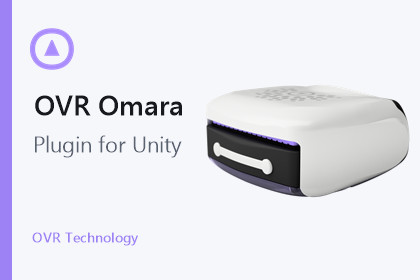
Connect Omara scent hardware to Unity with cross-platform BLE, Windows and macOS serial, battery telemetry, runtime events, and spatial scent playback.Render pipeline independent. Compatible with Built-in, URP, HDRP, and custom render pipelines.Add native scent interaction to Unity projects with the OVR Omara Plugin. The package provides Omara device discovery, connection management, battery telemetry, ready-state reporting, failure events, and one-shot or spatial scent playback through a consistent Unity-facing API.An Omara Scent Display is required to use the hardware features and is not included with this package.Use BLE on Android, Meta Quest, iOS, macOS, and Windows x64. Windows x64 and macOS (Apple silicon and Intel) also support USB serial. Android and Meta Quest can use the system Companion Device picker for in-app pairing, while standard scan workflows are available across supported platforms.Create reusable OdorAsset files, play normalized scent intensities, or add spatial Odorant sphere, box, cone, particle, and burst components to gameplay. Subscribe to explicit connection, battery, availability, and failure events to build clear player-facing device flows.Windows 10 is not an officially supported or routinely tested target. Wine and Proton, including Steam Deck Windows builds, do not support Omara BLE. Linux, WebGL, consoles, and other unlisted targets are not supported.Native BLE and serial operation do not require a cloud service.This asset uses BleWinrtDll under the WTFPL, UnityCoreBluetooth under the MIT License, Microsoft C++/WinRT under the MIT License, and Microsoft Windows Universal Samples BluetoothLE under the MIT License. See Third-Party Notices.txt in the package for details.The included macOS BLE and USB serial bundles are distributed with OVR Developer ID signatures and Apple notarization. Developers distributing a macOS player must sign all nested code and the final host application with their intended identity, then notarize the complete application. Sandboxed hosts must carry the applicable Bluetooth and serial-device entitlements.Features- Omara BLE discovery and connection management- Android and Meta Quest Companion Device pairing- Windows x64 and macOS USB serial support- Battery percentage and device ready-state telemetry- Explicit initialization, availability, pairing, connection, and disconnect events- Normalized and byte-based one-shot scent playback- Spatial sphere, box, cone, particle, and burst scent components- Reusable OdorAsset content- Optional localhost desktop companion bridge- Offline setup, platform, API, and troubleshooting documentationRequirements- Unity 2022.3 or newer- The Omara Scent Display hardware (not included)- Physical platform permissions and Bluetooth support as documentedSupported operating systems- Android 8.0 or newer, including Meta Quest 2 and Quest 3 runtime- iOS 15 or newer- macOS 12 or newer, Apple silicon and Intel, BLE and USB serial- Windows 11 x64, BLE and USB serialNative signing- Included macOS BLE and USB serial bundles carry OVR Developer ID signatures and Apple notarization- Sign all nested code and the final macOS application with your intended identity, then notarize the complete application- Sandboxed macOS hosts require applicable Bluetooth and serial-device entitlementsNot supported- Windows x86- Wine or Proton BLE, including Steam Deck Windows builds- Linux, WebGL, and game consolesThird-party components- BleWinrtDll (WTFPL)- UnityCoreBluetooth (MIT)- Microsoft C++/WinRT (MIT)- Microsoft Windows Universal Samples BluetoothLE (MIT)- Full texts are included in Third-Party Notices.txt and ThirdParty/LicensesDocumentation- Offline README.txt included in the package- Developer resources: https://docs.ovrtechnology.com/aosOpenAI Codex was used to assist with code review, targeted platform compatibility fixes, release packaging, documentation, and validation. OVR Technology engineers reviewed and tested the resulting functional code and platform binaries.

