






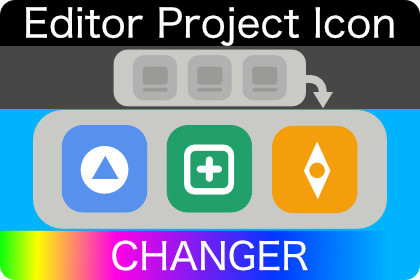
To each project assign its own unique Editor icon. Easily compose icon in project settings and apply it to your running Editor — macOS & Windows.Stop hunting for the right Editor window in your Dock and taskbar.If you work with multiple projects, every open Editor looks identical — same icon, easy to pick incorrect Editor and spend time waiting. EPI Changer fixes that by giving each project its own custom Editor icon. The icon lives with the project in version control, so every teammate sees the same visual identity the moment they open the project.Drop in any PNG or JPG as a background, stack an overlay on top (your studio logo, a build-flavor badge, a "WIP" sticker — anything), tweak position, size, and corner radius with sliders — Live Preview updates as you drag. One click on Apply pushes the composed icon to the running Editor.Why teams use it- Tell projects apart at a glance in the Dock / taskbar / Alt-Tab.- Brand a project so screen-shares and screenshots carry project identity.- Mark environments (prod / staging / sandbox) or build flavors with a single icon.- Version-controlled per-project — the icon follows the project for consistency.- Editor-only — nothing ships to player builds.Easy to useInstall package, open Project Settings → EPI, pick your images, hit Apply.Two minutes from install to a recognisable Editor.PlatformsmacOS & Windows 11Key features- Per-project Editor icon — icon can be stored in VCS for same visuals across team.- Intuitive layer-based composition — stack a background and overlays, reorder, toggle, and tune each layer independently.- Live Preview — preview modified icon as you change settings.- One-click Apply — applies icon to running Editor instantly without restarting.- Auto re-apply — the icon refreshes after assembly reloads and on Editor focus, so it survives compilation and play-mode cycles.- Disable without uninstalling — master toggle reverts to Editor's original icon while preserving all your layer settings.- Editor-only — zero runtime footprint; nothing is included in player builds.Platform support- macOS — Apple Silicon + Intel- Windows 11Compatibility- Unity 2021.3 LTS and newer- Works in any render pipeline (Built-in, URP, HDRP) — render pipeline is irrelevant, the package only touches the Editor process.NoteOn macOS, during progress operations (script compilation, asset imports) the Dock briefly shows the default Editor icon with a progress indicator. Your custom icon is restored automatically when the operation finishes.- update documentation- bug fixing

