






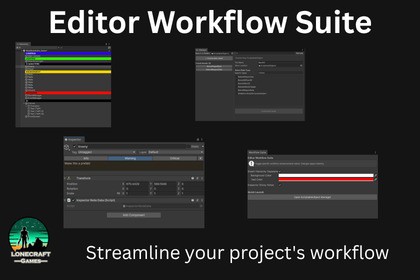
Editor utilities designed to color-code your Hierarchy, manage ScriptableObjects, and pin sticky notes directly to GameObjects. Streamline your project's workflow with zero compilation overhead.Take back control of your Unity Editor.When working on large, complex game architectures, the Unity Editor can quickly become a cluttered mess of uniform lists and buried data. The Editor Workflow Suite is a collection of three premium, high-impact utilities built to eliminate daily friction, keep your team organized, and speed up your development time.Built with a strict zero-clutter philosophy, these tools use native Editor APIs and Assembly Definitions to ensure they never slow down your compile times or interfere with your codebase.🔥 Core Features:1. Smart Hierarchy SeparatorsStop relying on empty GameObjects to organize your scenes. Simply right-click any GameObject to transform it into a bold, cleanly styled folder banner.Custom Colors: Color-code your scene (e.g., Red for Enemies, Blue for Managers) with a dedicated Inspector UI.Indentation Friendly: Perfectly respects Unity’s native foldout arrows and parent/child depth.2. Quick-Note Inspector Sticky NotesTeam members constantly forget why specific game components are configured a certain way, leading to bugs. Fix this by pinning stylized notes directly to your GameObjects.Global Injection: Injects a clean "Add Sticky Note" button at the very top of your Inspector.Severity Levels: Color-code your notes (Green for Info, Yellow for Warnings, Red for Critical Bugs).Build-Safe: Uses a tiny, zero-overhead runtime tag that won't break your builds.3. ScriptableObject ManagerCreating and finding ScriptableObjects natively requires hunting blindly through deep right-click menus. This dual-pane control center fixes that.Find & Edit: Search your entire project (or a specific folder) for existing data assets and edit them in a dedicated window.Rapid Creation: Search through all available SO types in your project, choose a target save folder, and instantiate new data in seconds.Why Choose This Suite?Plug & Play: No setup required. A centralized Hub window lets you toggle features on or off instantly.Professionally Sandboxed: Fully contained within custom namespaces and .asmdef files so it compiles once and never touches your game's code.Features:1 Centralized Settings Hub Window1 ScriptableObject Manager Window (Dual-pane UI)1 Hierarchy Rendering Override System (Color customizable)1 Global Inspector Sticky Note InjectorTechnical Specs:Dependencies: None (Uses standard Unity Editor APIs)Namespaces: Yes (Strictly contained in LonecraftGames.EditorWorkflowSuite)Assembly Definitions: Yes (Separated into Runtime and Editor to ensure zero impact on user compile times and guarantee build safety)Supported Render Pipelines: Built-in, URP, HDRPSupported OS: Windows, macOSIncluded Files:6 Editor Scripts2 Runtime Scripts (Lightweight, zero-overhead data tags)2 Assembly Definition Files (.asmdef)1 Demo Scene & Dummy ScriptableObject1 PDF Documentation ManualPrimarily used for documentation and a code review.

