






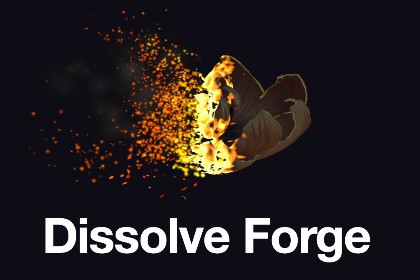
A procedural dissolve and materialize system for any 3D prefab, with 8 styles, front-driven ash and full runtime control.🔥 Dissolve Forge — 8 Procedural Dissolve StylesDissolve Forge is a procedural dissolve and materialize system for making any 3D object disintegrate or assemble with a visible front, glowing edge, surface transformation and trailing debris.Works directly with existing prefabs, including animated SkinnedMeshRenderer characters — no UV setup, extra material slots or custom meshes required.8 Dissolve Styles:🔥 Char · 🔥 Fire · ❄️ Ice · 🔮 Arcane☠️ Venom · ✨ Holy · 🌑 Shadow · ▫️ EraseDissolve & Materialize:💥 Front Dissolve · ✨ Front MaterializeBoth share the same styles, presets, tuning system, scale handling and API.🧩 Works With Your Prefabs:Static meshes · SkinnedMeshRenderer · Multiple renderersExisting textures and colours · No UV setup · No extra material slotsAutomatic preservation of base map, colour and normal map.⚡ Simple Integration:Add two scripts to your prefab and call the API.🚫 No additional installation🚫 No setup scene or special prefab preparation🚫 No external dependencies⚡ Built From Scratch:Custom HLSL shaders · Procedural noise · Procedural debris meshesHDR edge colours · Runtime material instances · Automatic scale compensation🚫 No Shader Graph🚫 No third-party dependencies🌪️ Front-Driven Ash:Ash is emitted only from the surface currently being consumed.Front: Material · Top · Bottom · Left · Right · Front · Back · CustomMovement: Surround · Sweep · Sky · Vortex🎛️ Runtime Tuning:Duration · Delay · Progress · Sweep · Front shape · AshGravity · Drift · Spread · Turbulence · Swirl · Collision · BounceEdge · Char · Colours · Automatic scalingEach component has independent settings for fully customizable results.💾 16 Presets:8 Dissolve · 8 MaterializeIncludes style, timing, scale, ash, sweep, edge and component settings.🎮 Interactive Demo:Dissolve / Materialize switching · Custom prefab support · Multiple camera viewsMouse orbit controls · Metric floor grid · Live ash tuning · Flat-front testingHideable UI · English / Spanish interface📖 Documentation:English and Spanish documentation covering installation, API, components, shaders, mechanics, styles, particles, debris, scale handling, presets, customization, performance and troubleshooting.Make any object disappear — or bring it back.⚙️ This Package Includes💥 8 Dissolve Styles — Char, Fire, Ice, Arcane, Venom, Holy, Shadow & Erase🔄 2 Runtime Components — Front Dissolve & Front Materialize✨ 8 Ash Prefabs — one procedural ash set per style🧩 5 Procedural Flake Meshes — generated debris geometry with no textures🎨 12 Materials — 8 style materials + 4 particle materials🚫 0 Textures — the effect is fully procedural⚡ 4 Custom HLSL Shaders — 3 for the effect + 1 for the demo floor, no Shader Graph🛠️ 5 Runtime Scripts — Front Dissolve, Front Materialize, Dissolve Field, Style Library & Tuning Preset🔧 1 Custom Inspector — dropdown-based style selection, tuning controls and preset management💾 16 Tuning Presets — 8 Dissolve + 8 Materialize📚 1 Style Library Asset🎮 1 Interactive Demo Scene📖 English & Spanish Documentation🧱 Assembly Definitions — Runtime, Editor and Demo code separated into independent assemblies📐 Automatic Scale Compensation — particle movement and effect size adapt to the target object🎯 Runtime API — Play, SetProgress, Begin, StopAndRestore and completion events🎬 Timeline / External Progress Support — manually drive the effect from 0 to 1💥 Depth-based Particle Collision — ash can settle against visible surfaces without requiring collidersAnthropic Claude was used to assist with C# runtime/editor scripts, HLSL shaders, procedural mesh and particle-system generation code, and documentation. All generated content was reviewed, tested and iterated on in Unity under the publisher's direction. The final concepts, visual targets, implementation decisions, testing and release decisions were made by the publisher. No AI-generated images, textures, audio or imported 3D models are included.

