






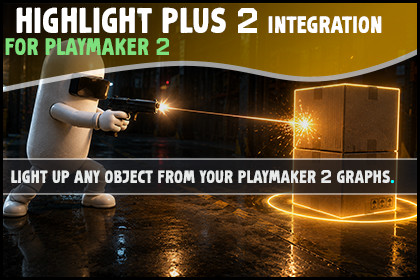
Highlight Plus 2 Integration for PlayMaker 2
Auxilium
$23.09
$32.99
30%OFF
(no ratings)
Jump AssetStore
This is the bridge between Playmaker 2 and Highlight Plus 2. Outline, glow, select, flash and label any object with Playmaker actions, no code.⭐ WHAT YOU GET🎛️ 13 DOING ACTIONS. Highlight, toggle, recolour, flash, select, label and more, all as PlayMaker actions you drop on a state.🔎 3 CHECK ACTIONS. Send a True or False event on whether an object is highlighted, is selected, or already carries an effect, and store the result in a Bool.📤 3 READ ACTIONS. Store the selected object, a label's text, or a glow colour into a variable and use it anywhere in your graph.📡 5 EVENT ACTIONS. Send an event the moment the mouse hovers, leaves, clicks, selects or deselects an object. Each stores the object it happened to.🩺 ONE CLICK SETUP. A button in the welcome window drops a ready made Highlight Manager into your scene, so the mouse driven events work with nothing to configure.✨ HIGHLIGHTING🔦 HIGHLIGHT ANY OBJECT. Point Highlight Object at anything with a renderer and it glows, easing in and out with its own fade. An effect is added for you if the object has none.🎯 OWNER BY DEFAULT. Every action defaults its Target to the owner of the FSM, so the common case needs no wiring. Point it at a variable or another object when you want.🎨 RECOLOUR ANY CHANNEL. Set Color changes the outline, outer glow, inner glow or overlay of an object live, and Set Glow Color is a shortcut for the outer glow. Turn one object red for danger and green when safe from the same effect.🖼️ SWAP THE WHOLE LOOK. Set Profile changes an object from a plain outline to a gold overlay or a red glow in one action, using the profiles you saved in Highlight Plus.🖱️ THE MOUSE👆 HOVER TO HIGHLIGHT. With a Highlight Manager in the scene, the mouse lights up whatever it is over. No per object wiring.🎯 CLICK TO SELECT. A click selects an object and keeps it lit after the mouse leaves, one at a time or many, your choice.🔔 EVENTS THAT STORE THE OBJECT. On Object Clicked, On Highlight Start and the rest store the object into a variable, so the rest of your graph runs against the very thing under the cursor.🔕 TURN IT OFF WHEN YOU NEED TO. Set Hover Enabled stops the mouse lighting things up during a cutscene or a menu, then turns it back on for play.💥 FEEDBACK⚡ DAMAGE FLASH. Flash Hit FX bursts a colour over an object the moment it takes a hit, then fades on its own. No highlight needs to be on first, so it reads cleanly in combat.🎯 TARGET RETICLE. Pulse Target FX plays the spinning target marker to call out an enemy or an objective.🏷️ FLOATING LABELS. Set Label writes a name tag over an object with your text, colour and size, and Show Label reveals it only while the player is looking.🧩 WHAT IS IN IT🎯 24 PlayMaker 2 actions in one Highlight Plus category: 13 doing, 3 checking, 3 reading, 5 events.🎛️ Doing: Highlight Object, Toggle, Set Profile, Set Color, Set Glow Color, Flash Hit FX, Pulse Target FX, Set Label, Show Label, Select, Deselect, Deselect All, Set Hover Enabled.🔎 Checking: Is Highlighted, Has Effect, Is Selected. Each sends a True or False event and can store a Bool.📤 Reading: Get Selected, Get Label, Get Glow Color. Each stores into a variable.📡 Events: On Highlight Start, On Highlight End, On Object Selected, On Object Unselected, On Object Clicked.✅ REQUIREMENTS📦 PlayMaker 2 by Hutong Games. Sold separately, not included.📦 Highlight Plus 2 by Kronnect. Sold separately, not included.🎨 Universal Render Pipeline. Highlight Plus 2 draws through URP in this project.🧊 Unity 6.3 LTS or newer. Built and tested there.

