






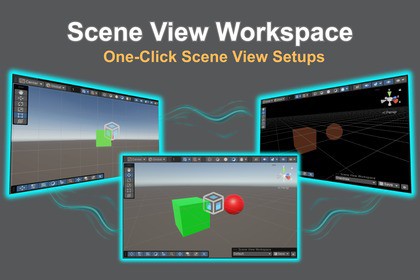
Scene View Workspace: One-Click Scene View Setups
TK-GizmoLab
$11.00
$22.00
50%OFF
(no ratings)
Jump AssetStore
Stop wasting time reconfiguring your Scene View. Scene View Workspace lets you save your entire Scene View setup and switch between task-optimized views — UI, Modeling, Lighting — with a single click.Is your Scene View fighting you instead of helping you?Every time you switch tasks, you reset the same settings by hand — over and over:- Toggling 2D/3D, projection, and draw modes for each job.- Turning Scene Lighting, Fog, Skybox, and post effects on and off.- Hiding Gizmos to see clean UI colors, then bringing them back.- Switching tools, pivot mode, and grid snap for modeling vs. layout.- Fixing a cluttered, noisy viewport just to focus on one thing.This context-switching tax adds up across a full day of development — and it breaks your concentration every single time.Meet Scene View Workspace.Inspired by the focused-workflow tools artists love, Scene View Workspace brings the concept of a "work context" to the Unity Editor. Capture the perfect Scene View state once, save it as a Workspace, and restore it instantly whenever you need it. Your Scene, your Prefabs, and your version control stay completely untouched.● Key FeaturesWhy choose Scene View Workspace?One-Click Workspace Switching: Switch your entire Scene View setup from a clean overlay dropdown right inside the Scene View. No windows to hunt through.Captures Everything That Matters: Camera & projection, 2D/3D mode, draw modes, Scene Lighting, Fog, Skybox, image effects, particles, grid & snap, active tool, pivot & coordinate mode, layer masks, and full Gizmo/icon visibility — all saved per Workspace.Truly Non-Destructive: Nothing calls `SetActive`. Your Scene stays clean, your Prefabs stay clean, and your Git history stays diff-free. It only changes what the Editor shows you, never your project data.Smart Isolation Auto-Switch: When you enter Unity's native Isolation view (Shift + H), Scene View Workspace automatically applies the right Workspace based on the selected object's name, tag, or layer — and restores your previous view the moment you exit.Fully Customizable Rules: Build your own auto-switch rules with And/OR conditions using Equals, Contains, StartsWith, EndsWith, Regex, and more. Reorder by drag-and-drop; disable any rule with a checkbox.Ready-to-Use Presets: Ships with UI, Modeling, Lighting, Overdraw, and Capture Workspaces so you feel the value the moment you import. Customize, overwrite, or reset them anytime.Export & Import: Back up your Workspaces and rules as JSON, or share them across projects and teammates.Note: Having multiple Scene Views open at the same time is not supported.Built for developers who wear every hat.Whether you're a solo creator juggling UI, gameplay, lighting, and VFX, or part of a studio standardizing Scene View setups across a team, Scene View Workspace is designed to reduce cognitive load and keep you in flow.Questions and feedback are always welcome.Data Storage: Workspaces are stored as a ScriptableObject inside your project's `Library` folder — kept as personal, per-user settings that never pollute your version control.No External Dependencies.Supported Unity Version: 6000.0.64+ or higher (including all Unity 6 versions)Source Code included: Full C# source code is included for easy customization.Detailed Guide: A comprehensive manual is included in the package as Readme.pdfImplementing the main features using an AI coding assistant. All generated code was manually reviewed, and verified to ensure proper functionality.Drafted and translated the Asset Store descriptions. I then made manual revisions to them.

