




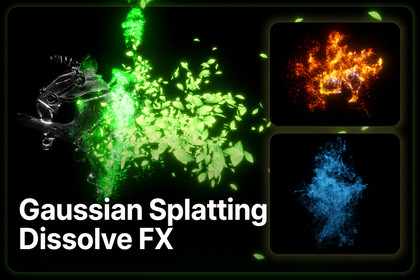
Cinematic dissolve effects for Gaussian Splatting objects using particle-based transitions that feel dynamic, volumetric, and visually rich.This Package needs Visual Effect Graph Unity Package.Designed for Gaussian Splatting VFXThis asset helps transform Gaussian Splat models into expressive dissolve animations, suitable for destruction, teleportation, reveal, disappearance, and stylized scene transitions.HDRP, URP pipeline supportStandard (Built-in) pipeline Not support.Included 11 dissolve styles and 29 ready-to-use samples.Included Dissolve Styles• Burn Dissolve• Dust Dissolve• Smoke Dissolve• Glitch Dissolve• Sweep Dissolve• Leaf Dissolve• Petal Dissolve• Spark Dissolve• Gravity Spark Dissolve• Light Dust Dissolve• Light Points DissolveFlexible ControlCustomize axis direction, particle color, size, physics, gravity, and edge noise for varied dissolve styles.• Axis-Based Dissolve ControlControl the dissolve direction along different axes, making it easy to create vertical fades, horizontal sweeps, or directional disintegration effects.• Particle Color CustomizationAdjust particle colors to match fire, dust, magic, digital glitches, nature effects, or sci-fi energy styles.• Particle Size ControlFine-tune particle scale to create anything from subtle point-based fading to large, dramatic scattering effects.• Physics Simulation SupportAdd motion and physical behavior to particles for more natural and immersive dissolve animations.• Gravity ControlApply gravity-driven movement to particles, allowing dissolves to fall, drift, collapse, or scatter with weight.• Edge Noise ControlUse noisy dissolve edges to avoid flat transitions and create a more organic, detailed breakup look.Good For• Gaussian Splatting object dissolve• Cinematic destruction effects• Magic reveal / disappearance• Sci-fi glitch transitions• Dust, smoke, spark, leaf, and petal-style effects• Real-time Unity visual effectsKey BenefitThe asset provides multiple ready-to-use dissolve presets while still allowing detailed artistic control over direction, color, size, physics, gravity, and edge behavior.PrerequisiteThe Visual Effect Graph package must be installed in advance.VFX Graph Configure Splat Data Settings > Particle Capacity.This value preallocates the rendering resources used by the VFX Graph based on its Capacity setting.Adjust the Particle CountSet the particle count according to your needs. The maximum value can be set up to the total number of Gaussian Splats.A higher particle count increases rendering resource usage, while a lower particle count may make the effect appear sparse or less visually impactful.Disable Dissolved ObjectsDisable the object after the dissolve effect is complete.Even if the dissolved object is no longer visible, it will continue to consume rendering resources as long as it remains active.Support Emailsupport@mn-nh.com

