






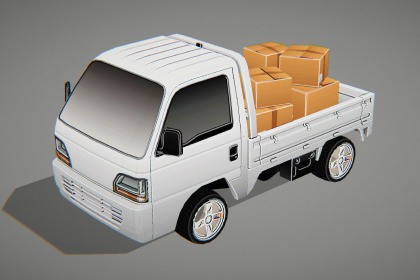
Screen Space Cavity & Curvature — for Unity 6 URP Volume Effect
FunBoosterGames
$12.31
$17.59
30%OFF
(no ratings)
Jump AssetStore
Blender-style screen-space cavity and curvature effect for Unity 6 URP, with adjustable ridges, valleys, colors, quality modes, debug views, and Volume support.Enhance surface definition and small geometric detail with a Blender-style screen-space cavity and curvature effect for Unity 6 URP.Screen Space Cavity & Curvature analyzes the camera depth and normal buffers to emphasize recessed details, convex edges, and concave surfaces in real time. It can improve the readability of vehicles, environments, props, architecture, and stylized scenes without requiring additional textures or changes to existing materials.The effect integrates directly with Unity’s Volume framework and supports both Global and Local Volumes. All major settings can be adjusted at runtime, including cavity strength, curvature intensity, radius, colors, distance fading, quality, and debug visualization.Designed for Unity 6 URP, the package includes support for the RenderGraph rendering path as well as Compatibility Mode.Key FeaturesBlender-style screen-space cavity enhancementConvex ridge highlightingConcave valley darkeningIndependent cavity, ridge, and valley controlsCustom colors for each effect channelAdjustable sampling radius and intensityDepth rejection to reduce edge halosCamera-distance fadingLow, Medium, and High quality presetsMultiple debug visualization modesGlobal and Local Volume supportRuntime parameter controlUnity 6 RenderGraph supportURP Compatibility Mode supportForward and Deferred renderer supportNo changes required to standard URP materialsSuitable for vehicles, props, architecture, and environmentsIdeal ForRacing and driving gamesStylized gamesVehicle presentationArchitectural visualizationProduct visualizationEnvironment artTechnical and debug renderingScenes that require stronger geometric readabilityPackage Content Disclaimer: The package includes the Screen Space Cavity & Curvature effect, source code, shader, documentation, and a demonstration scene containing a small Funbooster logo model, one texture, one mesh, and a prefab.All other vehicles, props, materials, and models shown in promotional screenshots are used for demonstration purposes only and are not included.Unity and the Unity logo are trademarks of Unity Technologies. This asset is independently developed and is not affiliated with, sponsored by, or endorsed by Unity Technologies.Supported Unity VersionUnity 6 or newerSupported Render PipelineUniversal Render PipelineThe Built-in Render Pipeline and High Definition Render Pipeline are not supported.Rendering SupportURP Forward RenderingURP Deferred RenderingRenderGraphCompatibility ModeGlobal VolumesLocal VolumesRuntime Volume blendingDynamic resolutionXR-compatible fullscreen samplingRequired Camera DataThe effect uses:Camera depth textureCamera normal textureThe included renderer feature automatically requests the required depth and normal inputs from URP.Custom materials and shaders must provide a compatible DepthNormals or DepthNormalsOnly pass to contribute correct surface normals to the effect.Volume ParametersEnable EffectOverall IntensitySampling RadiusCavity StrengthRidge StrengthValley StrengthCavity ColorRidge ColorValley ColorCavity ThresholdCurvature ThresholdDepth ThresholdDistance Fade StartDistance Fade EndQuality LevelDebug ViewQuality ModesLow — reduced sample count for mobile, split-screen, and performance-sensitive projectsMedium — recommended default for most gameplayHigh — increased detail for desktop, screenshots, and high-quality presentationDebug ViewsCombined EffectCavityCurvatureRidgesValleysScene NormalsPerformancePerformance depends on:Screen resolutionSelected quality modeSampling radiusNumber of active effect channelsTarget hardwareNumber of cameras using the effectFor mobile and split-screen projects, Low quality and a reduced sampling radius are recommended.Package ContentsScreen Space Cavity & Curvature Renderer FeatureVolume ComponentFullscreen HLSL ShaderRenderGraph implementationCompatibility Mode implementationDocumentationLicense fileKnown LimitationsThis is a screen-space effect. Only surfaces visible to the camera can contribute to the result.Hidden, occluded, and off-screen geometry cannot affect the effect.Transparent objects may not contribute unless their shaders write compatible depth and normal information.Strong depth discontinuities can produce screen-space artifacts when extreme radius or intensity values are used. The included depth-threshold control can reduce these artifacts.Source CodeFull C# and shader source code is included.The source can be modified to integrate the effect with custom rendering systems, gameplay logic, or project-specific visual requirements.

