




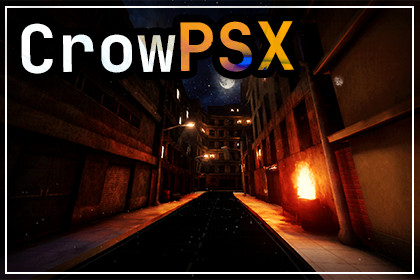
Retro rendering that holds up across a whole game, from foliage and terrain to decals and skies, with the authoring tools to keep hundreds of materials consistent. Built-in and URP.🎮 Give your Unity project the character of early 3D gamesCrowPSX is a complete retro shader and material-authoring toolkit for Unity's Built-in Render Pipeline and the Universal Render Pipeline.Create unstable geometry, warped textures, limited-color lighting, and the unmistakable visual energy of the PS1 era, without restricting every material to the same look. CrowPSX can produce anything from harsh survival-horror environments to colorful stylized worlds and retro-inspired PBR scenes.🧰 More than a single shaderCrowPSX includes a complete family of shaders for surfaces, vertex-painted materials, animated foliage, terrain, particles, projected decals, and procedural skies.Build environments with moving vegetation, layered ground materials, atmospheric skies, glowing signs, graffiti, smoke, distortion, painted surface transitions, and inverted-hull outlines while maintaining one consistent visual style.Default, Lite, and PBR options let you balance appearance and performance for each material. Retro effects can be subtle and stable or deliberately exaggerated depending on the needs of your project.🔁 One material, both pipelinesEvery lit shader carries a Universal and a Built-in SubShader in the same asset, and Unity selects the one matching the active pipeline. Materials keep working when a project switches pipelines, with nothing to copy, reassign or upgrade, and no separate URP shader menu. Detection is automatic, and builds strip the passes belonging to the pipeline you are not using.🎨 Powerful material creation without the clutterA custom themed inspector organizes CrowPSX's extensive controls into a clear, searchable workflow.Presets provide useful starting points for different retro styles, while contextual guidance and material diagnostics help identify ineffective, expensive, or incorrectly configured settings. Modified-property filtering makes it easy to see exactly what has changed.For larger projects, the included Material Manager can find and edit compatible materials across selections, scenes, or the complete project. Convert materials, copy settings, apply presets, and update rendering options in batches. It can also scan an entire scene or project for material problems in one pass, with the fixes one click away.🌍 Built for complete environmentsCrowPSX is designed to support an entire game rather than a single showcase material.The package includes:A self-contained playable demonstration sceneExample environments, materials, and effectsA first-person sample controllerMaterial presets and setup helpersAn installation validatorComplete documentation and troubleshooting guidesCrowPSX also supports stereoscopic rendering and includes comfort controls for adapting retro geometry effects to VR.📷 Optional free camera-effects companionWant to push the presentation further?CrowFX is a free, open-source companion package for adding camera-level effects such as virtual resolution, palettes, dithering, RGB bleed, channel jitter, ghosting, edge outlines, and more.CrowFX is completely optional. CrowPSX works independently and does not require it.⚙️ CompatibilityUnity 2022.3 LTS or newerBuilt-in Render Pipeline or Universal Render Pipeline. HDRP shaders are not included.Under URP, depth-volume decals and outlines need a renderer feature on the active Universal Renderer. The material inspector detects this and adds it in one click, and the installation validator reports it.The sample first-person controller uses Unity's legacy Input Manager, so the demo scene needs Active Input Handling set to Input Manager (Old) or Both. The shaders themselves have no input dependency.Polybrush and Bakery are supported as optional workflow additions but are not required.📜 Third-party noticeCrowPSX includes JetBrains Mono under the SIL Open Font License 1.1; selected Screaming Brain Studios and Kenney assets under CC0 1.0; Unity Built-in Terrain source under the MIT License; Pixabay sample audio under the Pixabay Content License; and publisher-authored Tree It model exports under the Tree It output terms.See Third-Party Notices.txt in the package for complete details.ShadersBuilt for Unity's Built-in Render Pipeline and the Universal Render PipelineEvery lit shader carries both a Universal and a Built-in SubShader in one asset, selected automatically14 user-facing shaders plus supporting Terrain passesSurface Default, Lite and PBR variantsVertex Painting Default, Lite and PBR variantsNature Default, Lite and PBR variantsBuilt-in Terrain PBR shaderStandard and Grab Distortion particle shadersDepth Volume decal shaderHDR Procedural Skybox shaderRetro renderingScreen-space vertex snappingAffine texture warpingPixel and vertex lighting modesStepped lightingFinal-color posterizationPixel-snap templatesOpaque, Cutout and Transparent renderingAlpha clipping and ditheringConfigurable culling, depth, stencil and render queueGPU instancing supportOutlinesInverted-hull outlines on all six mesh-surface shadersScreen-fixed or world-space widthDistance fade with adjustable start and endUV-transformable texture mask with channel selection and inversionOutline color matching against the sampled surfaceUV4-baked smooth outline normals for closing hard-edge gapsBaking stores normals in the vertex tangent frame, so it survives static batching and GPU skinningNon-destructive bake with source-mesh restoration and deterministic asset reuseZero submitted outline draws while disabledPBRSeparate Maps and Packed Map workflowsSmoothness or Roughness surface-response workflowsNormal, Metallic, Ambient Occlusion and Height mapsParallax occlusion mapping with adjustable height, floor and 1 to 64 stepsDetail normal, metallic and surface-response mapsSpecular and reflection controlsLinked or independent PBR UV transformsSigned normal-map strengthPacked-map layout: R Metallic, G Ambient Occlusion, B Height, A Smoothness/RoughnessBuilt-in packed PBR map creation and assignment toolVertex paintingFour Base/Red/Green/Blue material layersIndependent textures, tints and UV transforms per layerIndependent PBR map and Smoothness/Roughness workflows per layerPer-layer normal, metallic, AO, height and surface-response inputsPer-layer packed-map creationPolybrush Texture Paint configuration helperZero-weight layer sampling skipsNature and TerrainAnchored foliage wind deformationSway, gust, turbulence and leaf-flutter controlsLocal Height, Vertex Alpha, UV2 and texture-mask anchoringAnimated realtime shadowsWind presets and plant variationTerrainLayer Albedo, Normal, Metallic and Smoothness supportTerrain holes, additional layers and distant basemapsTerrain lighting, color and pixel-snapping controlsGrunge and emissionGrunge texture projection and maskingMultiple grunge blend modesGrunge influence on supported PBR channelsSigned grunge height for embossing or carvingTexture-driven emission and masksHDR emission color and strengthEmission source shaping and animationProgressive Lightmapper emission supportBakery-compatible alpha-meta outputParticles and decalsParticle flipbooksSecondary textures and packed VFX mapsCustom particle streamsSoft particlesDissolve and UV distortionDistance, camera and intersection fadingMulti-Pass framebuffer refractionStereo-safe distortion fallback for Single Pass Instanced and MultiviewDepth-volume decal projectionNormal, Premultiplied, Additive-family and Multiply decal blendingIndependent unlit and HDR-emission decal outputStencil blocker and receiver workflowsProcedural skyHDR zenith, horizon and ground gradientsMultiple textured celestial bodiesAnalytic moon phasesSpherical star fieldsOne or two animated cloud layersSun and Moon cloud lightingTransparent surroundings/skyline layerGlobal orientation and automatic rotationIndependent celestial, star, cloud and surroundings motionSky-specific material diagnosticsEditor toolsCustom themed material inspectorProperty search and modified-only filteringBuilt-in and custom presetsContextual guidance and channel guidesMaterial diagnostics with suggested actionsGroup and property reset controlsMaterial Manager for project-wide batch operationsProject and scene-wide diagnostic scanning, including renderer setup a material cannot check for itselfShader conversion, compatible setting copy and preset applicationBatch rendering, lighting and VR profilesOutline normal baking and restoration, from the inspector or the Tools menuInstallation validatorPolybrush setup helperVR and compatibilityUnity 2022.3 LTS or newerMulti-Pass VR supportSingle Pass Instanced supportAndroid Multiview supportStereo-stable geometry snappingIndependent VR snap and affine strengthsVR comfort profilesBuilt-in Forward rendering recommended for VRAutomatic pipeline detection, with build-time stripping of the passes the active pipeline does not useUnder URP, depth-volume decals and outlines need a renderer feature, added in one click from the material inspectorHDRP shaders are not includedShader Model 3.5-capable target recommendedIncluded contentSelf-contained playable demo sceneFirst-person sample controller, using Unity's legacy Input ManagerExample materials, textures and effectsPBR and vertex-painting examplesPresets and configuration helpersComplete documentation, shader reference and troubleshooting guideOptional compatibility with Polybrush and BakeryOptional free CrowFX camera-effects companionOpenAI Codex was used as a development assistant to help write and revise portions of the shader and editor code, troubleshoot lighting and inspector behavior, and draft documentation, validation checks, and third-party notices.ChatGPT image generation was also used to create some of the sample textures included for demonstration. These textures were reviewed, prepared for Unity, and integrated into the package’s materials and sample scene by the publisher.All AI-assisted output was reviewed, edited where necessary, integrated, and tested by the publisher in Unity. No models, audio, fonts, branding, or marketing artwork were AI-generated.

