






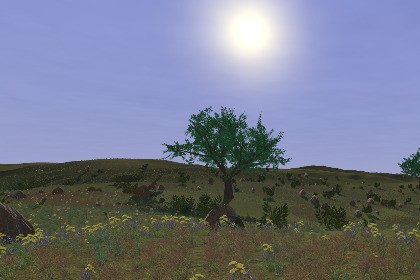
Create visually rich, high-performance procedural worlds at runtime! Stream world using a procedural ground shader, biome-based spawning, procedural sky, roads, weather, water and day/night system.Runtime World Generation is a modular runtime world generation system for Unity, designed to quickly generate and stream large, biome-based environments, world integrated weather effects, roads, a day/night cycle and water around the player. No manual terrain painting is required.It includes a multi-slot Save/Load system and documented multiplayer integration workflow with example code for Unity Netcode for GameObjects. A range of helper functions and events is also included for tasks such as removing objects, ground positioning and normal sampling, manual weather control, and reacting to world generation events, with further details covered in the documentation.RWG is designed to adapt to your project rather than force your project to adapt to it. With easy-to-use editor tools for creating and customizing biomes, you can configure the world to your needs, use, modify, or remove the included content, and integrate your own trees, vegetation, objects, and other assets into the generation system. RWG is not a fixed environment asset pack — it is a customizable runtime world generation system. The included assets are provided both as ready-to-use content and as examples for building your own worlds.Runtime procedural world generation with biome systemProcedural Roads & Bridges (Beta) – Connect biomes with road networks that have no dead ends.No manual terrain paintingContinuous world streamingDynamic Sky & Clouds (URP Only)Foliage and object spawningCustom asset integration editor panelsRendering millions of objectsWaterWeather System with wetness & snow coverage – Rain / Snow / ClearDay / Night Cycle (URP Only)World Time & Season System (URP Only)Environmental transitionsMulti-slot deterministic Save / LoadMultiplayer integration functions & synchronization workflow (Integration required, explained in documentation)Runtime terrain height & normal samplingRuntime foliage / object removalWorld generation events & helper functionsEasy-to-use editor toolsIncluded example assets such as trees, vegetation, rocks, flowers, bushes...URP & HDRP supportSupportEmail: runtimeworldgeneration@gmail.comDiscord: https://discord.gg/eJF55w7bHZUnity Version• Unity 6 or newer requiredRender Pipeline Support• Universal Render Pipeline (URP)• High Definition Render Pipeline (HDRP)Core World Generation• Runtime procedural world generation and automatic Region-based streaming• World generation follows the player, camera, or any custom World Follow Transform• World can start from any position with no predefined origin required• Configurable Areas, Regions, Biomes, mountains, hills, World Noise, and terrain heights• Spawn Matrix for controlling large-scale Area distribution• Procedural dual-layer ground material system with height, slope, and noise-based blending• Runtime Water System for both URP and HDRP• Configurable terrain render distance and foliage/object spawn distance• Instant Generation OnStart And Load option for completing the initial world build immediately instead of progressively streaming it over multiple framesVegetation and Object Spawning• Indirect GPU-instanced vegetation rendering for dense environments• Grass, Tree, and Other Object Pack systems• Biome-based spawning• Configurable density, grouping, randomized gaps, scale, rotation, terrain alignment, slope limits, height limits, and object spacing• Supports custom trees, grass, rocks, bushes, buildings, props, animals, resources, and gameplay objects• Dedicated editor tools automatically create the required materials, prefabs, and spawn data where applicable• Optional Tree Mesh Generator includedGrass is rendered directly using indirect GPU instancing, while trees and other objects can use prefabs and optional colliders.Weather, Sky and Time• Clear, Rain, and Snow weather states• Rain and snow particle effects• Snow and wetness effects on compatible terrain, foliage, trees, and objects• Indoor Layer support for preventing weather particles from entering interiors• Manual weather control through the runtime APIURP additionally supports the full Timing System, seasons, automatic time-based weather progression, Sky Shader, clouds, sun and moon movement, day/night cycle, and Time UI.HDRP supports manually triggered weather and surface effects, but weather does not currently control the HDRP sky, clouds, sun, or scene lighting.Multiplayer Integration• Optional multiplayer world-synchronization workflow• Synchronization support for generated Regions, spawned objects, world time, runtime removal operations, new world generation, and late-joining clients• Tested with Unity Netcode for GameObjects using Host-Client and Server-Client configurations• Server, Host, Client, and Single Player world states supportedRuntime World Generation provides the world synchronization workflow rather than a complete networking framework. NetworkManager, transport, connection flow, lobby, matchmaking, authentication, hosting, and other networking systems must be configured separately by the developer.Save / Load• Deterministic world regeneration• Multiple named saves• Runtime Save, Load, and New Save functions• Terrain and vegetation regenerate consistently after loading• Runtime foliage removal is persisted through saves• Clear Old Saves option includedRoad System• Roads connect different biomes.• No dead ends — every road connects to another road.• Bridges are automatically generated when roads cross water or very steep terrain.• This is currently a beta feature, so minor visual glitches may occasionally occur.Runtime API and Events• World start and after-start events• Time, season, Area, and weather change events• Region spawn, activation, deactivation, removal, and spawn-complete events• Runtime terrain position sampling• Runtime terrain normal sampling• Combined terrain position and normal sampling with RegionSurface• Runtime foliage removal API• BuildWorldInstant() for immediately generating missing Regions around the camera• Manual Clear, Rain, and Snow functions• Current weather, temperature, world time, and date accessAnti-Aliasing Recommendation• For foliage-heavy scenes, FXAA is recommended when TAA produces visible ghosting or smearing during camera movement• FXAA can provide a cleaner and more stable appearance for grass and fine vegetation affected by temporal artifactsPerformance• Recommended World Quality: Medium• Runtime world streaming designed for continuous gameplay movement• Standalone build tested at over 100 FPS on a GTX 1660 Ti in a world similar to the asset screenshots• Unity Editor Play Mode may introduce additional stuttering or overhead• Depending on project and hardware, standalone builds can run up to approximately 3× faster than Editor Play Mode• Actual performance depends on resolution, render pipeline, World Quality, render distances, vegetation density, object count, and hardwareIncluded Example Content• 5 Rocks• 20 Trees• 8 Grasses• 5 Flowers• 6 Bushes• 3 Dead Leaves• 9 Ground textures and normal maps• 5 Road textures and normal maps• Rain and wind soundsThe included models are example content and can be replaced with your own assets. Runtime World Generation is a world-generation framework rather than a 3D model pack.Requirements• Unity 6 or newer• URP or HDRP• VFX Graph required• TextMesh Pro (TMP Essentials) required for the included demo scenes and Time UI• HDRP Motion Vectors must be disabled for indirect GPU instancing• Mobile platforms are not officially supportedIncluded DocumentationQuick Start, World Setup, ground materials, Areas, Regions, Biomes, Spawn Matrix, vegetation/object setup, Tree Mesh Generator, Weather/Sky/Timing, Water, Save/Load, runtime API/events, multiplayer integration, URP/HDRP notes, performance guidance, and troubleshooting are covered in the included documentation.AI-assisted tools were used during the creation of some texture assets, for assistance with reviewing and improving parts of the written documentation, water shaders, and for limited assistance with certain code implementations.The overall system architecture, code structure, and nearly all of the source code were created by the publisher. Any AI-assisted code was reviewed, modified, and manually integrated into the package by the publisher.Generated or AI-assisted visual content was also reviewed, edited, adjusted, and prepared before being included in the package.

