







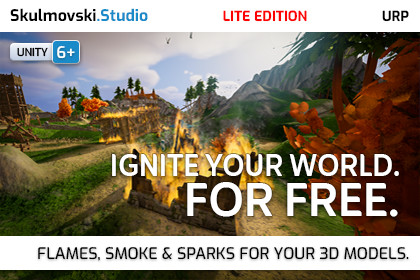
Set your own stationary 3D models on fire for free. Create flames that spawn across the mesh surface, with adjustable smoke and sparks. Built with VFX Graph for Unity URP.Requires Unity 6+ and the Visual Effect Graph package.Depth Texture and Opaque Texture must be enabled in your URP Asset settings — required for Heat Distortion and Soft Particles to render correctly.━━━━━━━━━━━━━━━━━━━━━━━━━━━━━━━━━━━━━Free Fire VFX for Your Own 3D ModelsSet stationary 3D objects on fire with Fire VFX Lite — a free, GPU-driven surface fire system built with Unity's VFX Graph for URP. Instead of placing generic fire particles in a volume near your model, the system uses baked Point Cache positions to spawn flames directly on its surface.Create burning buildings, environmental props, campfires and other stationary fire effects. Customize flames, smoke and sparks through exposed Inspector controls, and bring the same fire system to your own prepared 3D meshes.⚡ YOUR MESH. YOUR FIRE. FOR FREE.Free Surface Fire for Custom 3D MeshesGPU-Driven Point Cache SpawningMain Flame, Smoke & SparksFixed & Percentage-Based Spawn ControlAdjustable Flame, Smoke & Spark AppearanceLit & Unlit VFX Graph VariantsSoft Particle Blending37 Exposed VFX Graph Parameters5 Ready-to-Use Prefabs & 7 Point CachesVFX Setup AssistantFor a quick overview, see the “At a Glance” image in the gallery.━━━━━━━━━━━━━━━━━━━━━━━━━━━━━━━━━━━━━🔥 MAKE YOUR OWN 3D OBJECTS BURN━━━━━━━━━━━━━━━━━━━━━━━━━Fire VFX Lite uses Point Cache to distribute flame spawn positions across the surface of a prepared mesh. This mesh fire workflow allows you to create a burning effect that follows the baked shape of your object rather than relying on a generic particle volume.Use Unity's Point Cache Bake Tool to prepare your own geometry, then assign the baked position map to the effect. Adjust the point count and spawn rate to achieve the flame coverage you need.The system is designed for stationary objects, making it suitable for environmental fire, static props and decorative burning effects.🎨 CUSTOMIZE FLAMES, SMOKE & SPARKS━━━━━━━━━━━━━━━━━━━━━━━━━Shape your fire effect with 37 exposed parameters available through the Inspector.Adjust flame size, lifetime, animation speed and color over life. Fine-tune the single Smoke layer with independent size, movement, lifetime and color controls. Add Sparks with adjustable spawning, velocity and appearance.Choose between Lit and Unlit VFX Graph variants and use Soft Particles to create smoother transitions where flames, smoke and sparks intersect scene geometry.Start with the included flame flipbook and customize the effect's appearance without writing C# scripts for standard use.🎯 COMMON USE CASES━━━━━━━━━━━━━━━━━━━━━━━━━Burning Buildings & Environment Props — Add surface-based flames to stationary structures, ruins and prepared scene objects.Campfires & Fireplaces — Create adjustable campfire and fireplace effects with flames, rising smoke and sparks.Torches & Braziers — Build smaller stationary fire effects and customize their appearance to suit your environment.🛠️ GET STARTED WITH YOUR OWN MESHES━━━━━━━━━━━━━━━━━━━━━━━━━The package includes 5 ready-to-use prefabs, 7 Point Cache assets and a VFX Setup Assistant to help check your project configuration and access useful tools.To use a custom mesh, bake its surface positions with Unity's Point Cache Bake Tool, assign the generated position map, and set PointCacheCount to match the baked point count.The initial Flame spawn rate is intentionally set to 1 per second for safety. Increase it gradually, or switch to By Percent mode to scale spawning relative to the Point Cache size.⚙️ ADJUST SPAWN DENSITY & PERFORMANCE━━━━━━━━━━━━━━━━━━━━━━━━━Choose between Fixed and By Percent spawning for the main flames. Smoke and Sparks have their own spawn controls, allowing you to balance visual density and performance.For production use, choose an appropriate Point Cache density, review particle capacities and configure suitable VFX bounds. Higher spawn rates and longer particle lifetimes can increase GPU cost.🚀 WANT MORE CONTROL? EXPLORE THE FULL EDITION━━━━━━━━━━━━━━━━━━━━━━━━━Fire VFX Lite provides the core surface-burning workflow as a standalone free asset.For more advanced artistic control, Fire VFX · Mask-Driven Surface Burning — Full Edition expands the system with:6 Burn Mask ModesUV Texture & Vertex Color MaskingProcedural 3D Noise & Combined Masks3 Independently Adjustable Smoke LayersEmbers & Heat Distortion4 Flame FlipbooksAdvanced Color & Smoke ControlsCustom Flame Flipbook Support120+ Exposed VFX Graph Parameters👉 Explore the Full Edition on Unity Asset Store⚠️ KNOWN CONSTRAINTS & DESIGN TRADE-OFFS━━━━━━━━━━━━━━━━━━━━━━━━Designed for stationary objects. New particles spawn using the source object's current Transform, but existing particles remain in world space instead of following it. Movement or animation can leave visible particle trails.Custom meshes require Point Cache baking. The baked position map must be assigned, and PointCacheCount must match the number of baked points.Lite focuses on essential fire effects. Burn Masks, Embers, Heat Distortion, additional Smoke layers and advanced appearance controls are available in the Full Edition.The default Flame spawn rate is intentionally minimal. Increase it to obtain the desired fire coverage while monitoring particle counts.High spawn rates and long lifetimes can reach particle capacity limits or increase GPU load. Review optimization settings and VFX bounds for production.No sound effects are included. This is a visual effects package. Promotional environments and models are not included unless explicitly listed as package contents.💬 DOCUMENTATION & SUPPORT━━━━━━━━━━━━━━━━━━━━━━━━━The package includes PDF and Markdown documentation covering setup, Point Cache baking, exposed parameters, optimization and troubleshooting.For questions or technical support:Discord: Join the communityEmail: care@skulmovski.studio🧩 Check out other VFX by Skulmovski StudioVFX Graph Effects (2):• VFX_Fire_PointCache_Lit_URP• VFX_Fire_PointCache_Unlit_URPPrefabs (5):• 5x Ready-to-Use Fire VFX PrefabsPoint Caches (7):• 7x Ready-to-Use Point Cache AssetsTextures (3):• 1x Flame Flipbook Texture• 1x Smoke Texture• 1x Spark TextureMaterials (1):• 1x MaterialVFX Subgraphs (4):• 4x Visual Effect Graph SubgraphsDocumentation (2):• 1x PDF Documentation• 1x Markdown Documentation

