






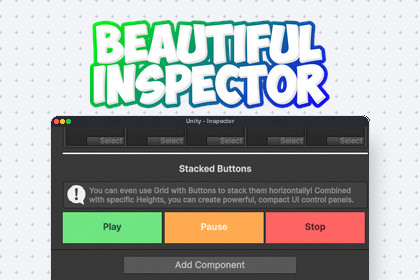
Beautiful Inspector is a complete overhaul of the Unity Inspector. It introduces a global search bar, zebra striping, polymorphism, native dictionaries, and over 20 powerful workflow attributes.Beautiful Inspector is not just a collection of attributes, it is a complete, lightweight overhaul of the Unity Inspector. It elevates your day-to-day workflow by introducing massive quality-of-life upgrades directly into the default inspector window, without ever overriding Unity's core serialization.Instantly upgrade your project with a global search bar to filter massive scripts, zebra striping to improve readability, and powerful native drawers that finally make Dictionaries and Polymorphism ([SerializeReference]) easy to use.On top of this global upgrade, it provides a massive suite of plug-and-play workflow attributes, including inline Buttons, sleek Foldouts, MinMax sliders, and conditional ShowIf toggles, allowing you to build stunning custom interfaces and editor tools effortlessly. It is genre-agnostic, infinitely customizable, and requires no runtime dependencies.Global Inspector Overhaul: Instantly upgrades the default inspector with zebra striping for readability and a global search bar to filter properties instantly, as well as saving and loading varaibles in playmode.Advanced Data Structures: Full, beautiful native UI support for SerializedDictionary and Polymorphism ([SerializeReference]).Zero Serialization Bloat: Relies entirely on Unity's native PropertyDrawers. It does not hack or replace how Unity saves data, keeping your project fast and conflict-free.Organization Attributes: Group and separate variables seamlessly using [Foldout], [Title], [Grid], and [Line].Interactive Workflow: Easily execute methods directly from the inspector using the highly customizable [Button] attribute.Logic & Conditionals: Dynamically hide or show fields with [ShowIf], or safely restrict fields with [ReadOnly] and [Required].Visual Aides: Display custom warnings and tips with [HelpBox], or preview textures directly with [AssetPreview].AI was used as a writing and structuring assistant to draft documentation text, organize sections, and improve clarity and consistency. Technical facts were based on the actual implemented scripts and feature behavior. Final content was reviewed and validated by the developer for accuracy, scope, and wording before use.

