






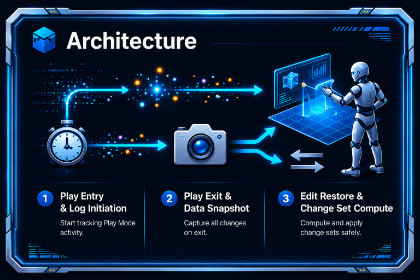
Never lose a Play Mode tweak again! Zero setup, zero lag. Automatically tracks and selectively saves your GameObjects, Components, and Material changes from Play Mode to Edit Mode.We've all been there: you enter Play Mode, spend 20 minutes perfectly tweaking physics variables, colliders, and colors... only to realize you forgot to exit Play Mode. When you press Stop, everything is destroyed.Enter PlaySave Pro, the ultimate zero-friction Play Mode saver for Unity.Unlike other tools that require you to attach special scripts, tag objects, or suffer through massive lag spikes when transitioning states, PlaySave Pro is completely invisible. Just press Play.When you press Stop, it instantly presents a beautiful, native Review Panel showing exactly what changed. You can review visual diffs, discard what you don't want, and selectively apply the perfect tweaks directly to your Edit Mode scene, Prefabs, and Materials.✨ Key Features:🚀 Zero-Friction Engine: Completely bypasses Unity's heavy SessionState serialization. It tracks changes in RAM, meaning zero lag when entering or exiting Play Mode.🏗️ Structural Tracking: Did you add a BoxCollider or attach a custom script to test something during gameplay? PlaySave Pro tracks components that are born or destroyed and perfectly restores them!🎨 Material Tracking: Play Mode changes to Material assets (.mat) are permanent by default, but PlaySave Pro tracks them anyway so you can review them and safely save them to the asset database.📦 Prefab Safe: Fully integrated with Unity's Prefab system. Changes made to Prefab instances in Play Mode are correctly saved as property overrides.💎 Native UI Integration: Looks and feels like a built-in Unity tool with native component icons, visual diffs (WAS → NOW), and a robust search/filter bar.Technical DetailsSupported Unity Versions: 2021.3 LTS and above.Dependencies: None. Completely standalone.Supported Data Types: Automatically tracks Integers, Floats, Booleans, Strings, Vectors (2/3/4), Colors, LayerMasks, Enums, and Quaternions.Limitations: Tracks components on GameObjects that existed before Play Mode started. Does not currently track the creation or destruction of entire GameObjects (e.g., dynamically spawned enemies).Codebase: Clean, fully documented C# using native EditorGUI rendering.

