






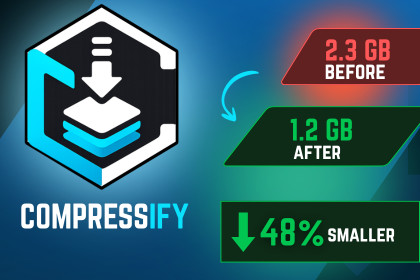
Compressify — Automate asset compression, duplicate detection, and build-size optimization for Unity. Apply platform-specific profiles and auto-optimize before every build.Compressify is a powerful Unity Editor tool designed to dramatically reduce project size and improve build times through intelligent asset compression, duplicate detection, and platform-aware optimization.KEY FEATURES:⚡ One-Click Quick CompressSelect your target platform and run full-project compression in seconds. Compressify intelligently applies platform-specific texture formats, audio codecs, and mesh settings without manual per-asset configuration.🎯 Platform Profiles (5 Built-In)• Android: ETC2 textures, Mono Vorbis audio, medium mesh compression• iOS: ASTC 6×6 textures, Mono Vorbis audio, medium mesh compression • PC: DXT5 textures, Stereo Vorbis audio, medium mesh compression• WebGL: DXT textures, Vorbis audio, high mesh compression• Console: BC7 textures, PCM lossless audio, medium mesh compression🔍 Duplicate Asset FinderMD5-based duplicate detection scans your entire Assets folder and identifies identical files regardless of name or location. One-click auto-delete keeps the first copy and removes all others, recovering gigabytes of wasted space.📊 Build Report ComparatorCompare two build reports to track asset changes, identify regressions, and see exactly what was added or removed between builds.📦 Auto-Optimize on BuildToggle a single checkbox to automatically run compression before every Unity build—perfect for CI/CD pipelines and team workflows.🔐 Safe & Non-DestructiveCompressify only modifies Unity's import settings (.meta files)—never touches your source files. All changes are version-control friendly and fully reversible.⚙️ Advanced Tools• Large Asset Scanner — Lists all files over a configurable size threshold• Backup Manager — Timestamped full-folder backups with one click• Shader Stripping — Removes unused shader variants• Sprite Atlas Compression — Enables tight packing and texture optimization• LOD Import Settings — Conservative model import settings for smaller builds📋 Activity LogEvery operation is logged with timestamps. Copy logs to clipboard for debugging or support requests.AI tools were used to assist with the development of this package. Claude and/or OpenAI coding tools were used to generate and refine portions of the C# editor scripts and supporting code.The generated code was reviewed, modified, integrated, and tested within Unity. Additional implementation work was performed to define the package architecture, editor workflows, user interface, feature behavior, error handling, Unity API integration, compatibility, and documentation.AI-generated output was not included without review. The final package was assembled and tested as a functional Unity Editor tool.

