






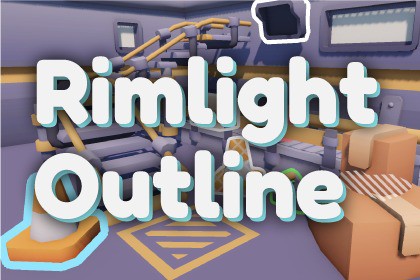
A Unity 6 URP outline system with patterns, occlusion modes, pulses, presets, easy setup, and an interactive FPS demo.Screen-space outline rendering for interactive objects in Unity 6 URP, with per-object styles, fill patterns, overlap styling, and simple runtime APIs.Interactable Outline Kit is a customizable screen-space highlighting system for Unity 6 URP.Help players quickly recognize interactive objects, selected items, quest objectives, hidden targets, and other important scene elements. Create anything from a clean solid outline to animated fills, patterns, custom textures, glow effects, and visibility through walls.Getting started is simple. The included Setup Wizard installs the Renderer Feature into your selected URP Renderer Data. Add InteractableOutlineTarget to an object, choose a ready-to-use profile or customize the style, and control it from the Inspector or gameplay code.Shared renderer defaults make it easy to establish a consistent visual language, while per-object overrides give important targets their own colors, patterns, pulses, visibility behavior, and priority. Profiles are applied explicitly, so your manual adjustments are not overwritten automatically.The included FPS Mission Demo demonstrates the system in a practical gameplay flow with hover feedback, a keycard objective, an unlockable console, and an exit sequence. A feature gallery presents the included outline and pattern styles side by side.Interactable Outline Kit is suitable for games, prototypes, training applications, visualization tools, and other URP projects that need clear, responsive, and customizable object feedback.Features:- Unity 6 URP screen-space outline renderer- URP Renderer Feature: Interactable Screen Space Outline Feature- Runtime target component: InteractableOutlineTarget- Setup Wizard for Renderer Feature installation and project validation- Runtime API: ShowOutline, HideOutline, ToggleOutline, SetOutlined(bool)- Shared Renderer Feature defaults- Per-object style overrides- Outline color and width controls- Optional glow with adjustable width and intensity- Independent outline and pattern pulse controls- Distance-based fading- Camera-facing intensity- Sorting priority- Renderer layer filtering- Normal, Through Occluders, and Occluded Only visibility modes- Solid, fill, dots, diagonal stripes, checker, cross hatch, rainbow gradient, and custom texture patterns- Pattern angle, scale, spacing, colors, scrolling, and pulse animation- Custom texture tiling independent of texture Wrap Mode- Optional overlap patterns, colors, and borders- Reusable InteractableOutlineProfile assets- General-purpose and feature-gallery profile presets- Edit Mode Preview in the Scene View- Global outline enable/disable helper- Interaction state and focus-selection helpers- Sample scripts for hover, click selection, and multi-selection- FPS Mission Demo and feature gallery- Performance, Balanced, and High sampling quality modes- Per Target and Merged rendering modes- Separate Runtime and Editor assemblies- Includes shaders, editor tooling, samples, presets, and documentationRequirements:- Unity 6 or newer- Universal Render Pipeline 17 or newer- A Universal Renderer Data asset- The Interactable Screen Space Outline Feature must be added to the Renderer Data used by the active cameraPerformance notes:- Only active outlined targets are submitted to the outline pass- Performance mode is recommended for gameplay- Glow, wider outlines, higher sampling quality, and individually composited targets increase GPU cost- Merged mode is recommended when multiple targets can share one style- Per Target mode preserves individual styles, visibility modes, and overlap orderingPackage structure:- Self-contained under Assets/InteractableOutlineKit- No required third-party Asset Store dependenciesAI/ML was used as part of the package creation process to assist with the development and testing of the outline generation functionality. The package includes an outline generation system designed for use in Unity projects. AI/ML was used to help generate and refine outline results, evaluate output quality, and improve the usability of the tool.All assets included in this package are either created by me or used with the appropriate rights and permissions. No copyrighted third-party content, trademarks, or protected characters were intentionally used to create the included assets.The package does not use customer project data to train any external or general-purpose AI/ML models. Any AI/ML-related functionality is used only for the disclosed outline generation purpose.

