






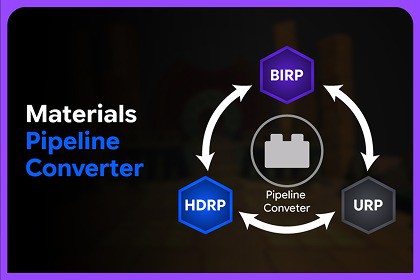
Auto Material Mapper is a Unity Editor tool that batch extracts materials from 3D models and automatically assigns textures using naming rules, saving time and keeping projects organized.Auto Material Mapper is a Unity Editor tool designed to save time when working with imported 3D models and textures.When models are imported from tools such as Blender, Maya, ZBrush, 3ds Max, or other 3D software, materials often need to be extracted, organized, and assigned textures manually. Auto Material Mapper helps automate this process.The tool allows you to batch extract materials from imported model files, such as .fbx and .obj, then automatically assign textures to those materials using naming rules such as _Albedo, _Normal, _MaskMap, and other texture keywords.With Auto Material Mapper, you can reduce repetitive setup work, avoid incorrect texture assignments, keep your project organized, and focus more on creating art instead of manually connecting materials and textures.Key FeaturesMaterial ExtractionExtract embedded materials from FBX and OBJ files.Automatically remap extracted materials back to scene objects.Preserve existing material references.Support for custom output folders or extraction beside the model.Texture ExtractionExtract embedded textures from FBX files.Automatically preserve original texture assets.Support for custom output folders or extraction beside the model.Skip models that have already been extracted.Automatic Texture AssignmentAutomatically detects and assigns textures.Supports Base Color, Normal, Metallic, Specular, AO, Height, Emission and other texture maps.Batch processes multiple materials at once.Works with custom texture naming conventions.Custom Shader ProfilesCreate unlimited shader profiles.Compatible with Shader Graph and custom shaders.Refresh shader properties after shader updates.Refresh texture keywords while preserving your custom keywords.Material Conflict HandlingChoose how existing materials should be handled:Skip ExistingOverwriteCreate CopyFlexible SearchSearch the entire project.Search only a selected folder.Separate search locations for Extraction and Texture Assignment.RequirementsUnity Version: 2022.3 LTS+Render Pipelines: Built-in, URP, HDRPSupported Formats: FBX, OBJTexture Formats: PNG, TGA, JPG, TIFF, PSD, EXR, BMPMaterial Workflow: PBRBatch Processing: SupportedProject-Wide Scanning: SupportedAutomatic Material & Texture Mapping: SupportedRuntime Dependency: None (Editor Tool)Package containsUnity Demo SceneHelp (Readme File)Unity Editor ToolWorkflowExtract MaterialsExtract embedded materials from selected FBX or OBJ models.Extract TexturesExtract embedded textures from selected FBX models.Configure Shader ProfileChoose or create a shader profile that matches your project's shader.Apply TexturesAutomatically assign textures to one or multiple materials.Refresh ProfilesIf your shader changes later:Refresh PropertiesRefresh KeywordsSupport and FeedbackWe value your feedback and are here to help!Reach out to 300 Mind via our contact page, email us directly, or join our Discord community for support, updates, and discussions.Our team is ready to help with any questions you might have about setup, implementation, or customization.

