






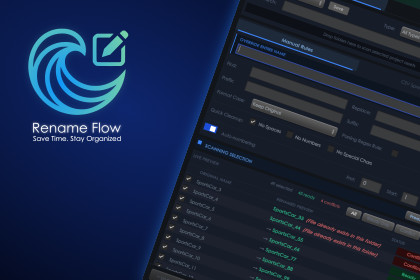
Rename Flow is a powerful batch renaming utility. Instantly organize assets and scene hierarchies with advanced string manipulation, CSV mapping, and full Undo support.Since It is a pure Editor utility and contains no materials, shaders, or 3D assets, it is 100% compatible with all Render Pipelines.Tired of manually renaming hundreds of imported assets, messy prefab instances, or disorganized scene hierarchies? Rename Flow is the ultimate asset management and batch-renaming utility for Unity. Built for technical artists, developers, and level designers, this tool eliminates the tedious process of organizing your project files.Whether you need to standardize a massive low-poly art pack, clean up string artifacts, or map exact names provided by your art team via an external spreadsheet, Rename Flow Pro handles it instantly and safely. It is highly customizable and fits seamlessly into any genre or development pipeline.Why choose Rename Flow?Data-Driven Pipelines: Uniquely features a CSV Import dashboard. Drop in a spreadsheet to automatically map new names to your assets by list index or by matching their original names.Visual Confidence: A real-time, color-coded Live Preview shows exactly what will change before you execute.Bulletproof Safety: Built-in conflict detection prevents duplicate names and OS-invalid characters. Full Undo support guarantees you can revert massive batch operations instantly.No Clutter: 100% native Editor GUI. Leaves zero footprint in your final build and requires no third-party dependencies.Asset uses Outfit under the SIL Open Font License 1.1; see Third-Party Notices.txt file in package for details.Dual-Scope Targeting: Rename Project Assets (files/folders) or Scene Hierarchy GameObjects.CSV Mapping: Rename assets via external .csv/.txt spreadsheets (Match by Index or Original Name).Advanced Formatting: Find & Replace, Regex support, Prefix/Suffix injection, and Case Formatting (CamelCase, Snake_Case, UPPERCASE, lowercase).Quick Cleanup Tools: One-click toggles to strip spaces, numbers, and special characters.Smart Auto-Numbering: Serialize assets with custom zero-padding formats (e.g., _01, _02).Live Diff Preview: Interactive grid showing Ready, Conflict, and Excluded states.Workflow Presets: Save your custom renaming rules as .asset files to load them instantly in the future.Engine Safeguards: Hierarchy prefab protection, deep path sorting for folders, and one-click Undo API integration.Documentation.md, Third-Party Notices.txt, Samples/README.txt and parts of README.md were drafted with AI. I checked every documented behaviour against the tool, corrected errors, and organised the result into numbered sections with a table of contents, the four placeholder textures in Samples/Sample Textures/ and the file SampleRenames.csv were generated by an AI-written script. They are placeholders for demonstrating the tool, not original artwork. AI was used to edit asset paths, add an exemption so the bundled sample assets can be renamed, and update file header comments. I reviewed, compiled and tested those changes.

