





Advanced Optimization Pro Kit
Circlesgames(assets department)
$54.45
$108.90
50%OFF
(no ratings)
Jump AssetStore
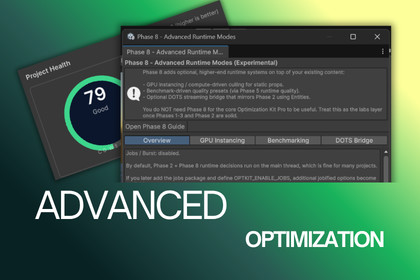
9 Phase: scanners, recovery tools, culling, streaming, visual optimization, runtime quality control, profiling, benchmarking, performance sessions, and before/after proof in one structured workflow.You can use this tool with all SRP, but where shaders are needed, it won't work. My default supported SRP is URP; aside from that, the tool is 96% usable by all SRP.Built for Unity developers who want optimization to be repeatable, reviewable, and provable. Not “press one button and pray to the frame-time goblin.”The package organizes optimization into a nine-phase workflow(for now) covering project scanners, scene diagnostics, culling, streaming, visual optimization, quality rules, runtime quality presets, adaptive performance helpers, profiling, benchmarking, session recording, heatmaps, spike forensics, and report/export workflows.It is designed for intermediate to advanced Unity users who already understand that performance work is not only about making numbers green. Real optimization means knowing what changed, why it changed, whether it helped, and whether the game still looks and behaves correctly after the change.Core workflow1. Create a snapshot before risky changes.2. Run Phase 1 scanners or the dashboard health check.3. Inspect issue details and locate the actual objects/assets causing cost.4. Fix the highest-impact problems first.5. Re-scan and compare results.6. Use runtime overlays, quality presets, profiling harnesses, and performance sessions to validate real gameplay cost.7. Export reports for planning, handoff, or proof. Phase overviewPhase 1: scanners and diagnostics-------------------------------------------------Find heavy textures, meshes, audio, particles, scripts, shaders/material issues, memory risks, missing scripts, prefab issues, scene structure issues, lighting/shadow concerns, draw call complexity, overdraw/transparency risks, navigation/pathfinding concerns, transform hierarchy cost, bounds/culling problems, static flags/occlusion issues, duplicate assets, import rule problems, canvas/UI cost, shader variants, post-processing cost, reflection probe/GI risks, physics layer collision issues, and budget target problems._______________________________________________________________________________________________________________________________________________________________________Phase 2: culling and world streaming-------------------------------------------------Use runtime culling, exclusions, per-object overrides, scene visualization, streaming profiles, chunk workflows, world streaming gizmos, and debug overlays to control loaded-world cost._______________________________________________________________________________________________________________________________________________________________________Phase 3: visual optimization tools-------------------------------------------------Work with LOD/impostor workflows, billboard generation, mesh/texture tools, instancing advice, and visual helpers that reduce rendering cost while keeping the scene understandable._______________________________________________________________________________________________________________________________________________________________________Phase 4: build quality and project-wide rules-------------------------------------------------Create quality profiles and project-wide checks so performance decisions are not scattered randomly across scenes and settings._______________________________________________________________________________________________________________________________________________________________________Phase 5: runtime quality presets-------------------------------------------------Use runtime quality presets and controllers for in-game quality menus, device/platform adaptation, and maintainable performance settings._______________________________________________________________________________________________________________________________________________________________________Phase 6: adaptive quality and runtime profiler-------------------------------------------------Use runtime profiler overlays, adaptive quality helpers, memory watchdogs, and runtime monitoring to understand frame-time spikes and memory pressure on real hardware._______________________________________________________________________________________________________________________________________________________________________Phase 7: advisor and project profile workflows-------------------------------------------------Generate project profiles and use advisor/reporting workflows for planning, audits, and handoffs._______________________________________________________________________________________________________________________________________________________________________Phase 8: advanced runtime and experimental systems-------------------------------------------------Use benchmarking, GPU culling/instance grouping, and optional DOTS/Entities pathways when your project needs deeper experimental runtime workflows._______________________________________________________________________________________________________________________________________________________________________Phase 9: performance sessions and regression proof-------------------------------------------------Record performance sessions, inspect trails/heatmaps, compare before/after results, investigate spikes, review stutter/percentile-style evidence, and export results for proof or regression checks._______________________________________________________________________________________________________________________________________________________________________Key features- Nine-phase optimization workflow.- Central dashboard and phase navigation.- Recovery/snapshot tooling before risky changes.- Broad Phase 1 scanner coverage for assets, scenes, rendering, physics, UI, scripts, memory, materials, lighting, and structure.- Advanced culling and streaming workflows.- Runtime world streaming and optional Addressables bridge.- Visual optimization helpers for LODs, impostors, billboards, meshes, textures, and instancing advice.- Project-wide quality profiles and build-quality checks.- Runtime quality presets and adaptive quality helpers.- Runtime profiler overlay and memory watchdog.- Build report analyzer.- Device tier presets.- Profiling harness tools.- Benchmarking tools.- Session recorder, trails, heatmaps, spike investigation, and regression/proof workflows.- Markdown/JSON-style reporting/export support.- Offline documentation and sample/playground scenes.- Editor/runtime separation through assembly definitions.- Optional URP/HDRP, Addressables, Burst/Jobs, and DOTS/Entities paths depending on project needs._______________________________________________________________________________________________________________________________________________________________________Dependencies and optional packagesThe main workflow can be used without forcing every optional package. Some features can use optional Unity systems such as Addressables, Burst/Jobs, URP/HDRP-specific helpers, or Entities/DOTS, depending on the workflow. DOTS/Entities features should be treated as experimental and enabled only when the project is prepared for them._______________________________________________________________________________________________________________________________________________________________________CompatibilityOfficially tested with Unity 2022.3 LTS and Unity 6000.x. Legacy compatibility is maintained for Unity 2021.3 LTS where possible._______________________________________________________________________________________________________________________________________________________________________What this asset is notOptimization Kit Pro is not a replacement for the Unity Profiler and it is not a blind auto-optimizer. It is a structured optimization toolkit for developers who want to scan, understand, change safely, test, measure, and prove results.- Nine-phase optimization pipeline- Central dashboard and phase navigation- Recovery and snapshot tools- Build report analyzer- Device tier presets- Profiling harness- Performance checklist export- Broad Phase 1 scanner library- Texture, mesh, audio, animation, physics, memory, particle, prefab, scene, script, shader, material, lighting, and structure scanners- Advanced scanners for draw calls, overdraw, duplicate assets, occlusion, navigation, bounds/culling, transform hierarchy, import rules, canvas/UI cost, post-processing, shader variants, reflection probes/GI, Addressables/Resources, and budget targets- Missing scripts tools- Network payload advisor- Regression checker- Runtime culling manager- Culling profiles and overrides- World streaming tools- Static scene chunk builder- Runtime streaming debug overlay- LOD, impostor, billboard, mesh, and texture tools- Instancing adviser- Quality profiles and build quality workflow- Runtime quality controller and presets- Adaptive quality manager- Runtime profiler overlay- Memory watchdog- Project profile and advisor tools- Benchmark runner and benchmark profiles- GPU culling and GPU instance grouping- Optional DOTS/Entities workflow- Phase 9 session recorder- Trails and heatmap recording- Spike investigation and regression proof workflows- Report/export support- Demo/playground scene generation- Offline documentationI used AI to brainstorm, get ideas, made the tools from her ideas then gave it to her to make comments, refactor the scripts based on my direction to better result.Also gave her my rough written documentation to update the Grammer used and spelling then I structured in inside word doc.


