






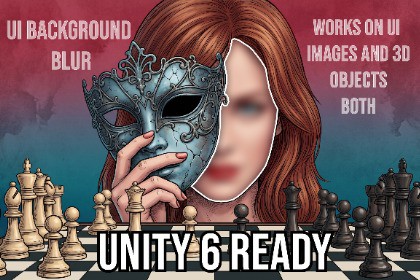
UI Background and 3D Blur - ( URP Supported ) - For Unity 6
Karsh
$16.82
$18.69
10%OFF
(no ratings)
Jump AssetStore
A high-performance real-time UI blur for URP Unity 6 Ready. Blur both UI backgrounds and 3D objects
Solves the problem of not being able to blur the UI and images behind your panels.
UNITY - 6 READYUniversal Render Pipeline (URP) only. Not compatible with the Built-In Render Pipeline or HDRP.Requires manually adding the included UI Blur Renderer Feature to your project's URP Renderer Data asset — it isn't applied automatically on import.Have attached the steps in description pdf.LINK TO STEPS_BEFORE_USE - https://karsh-25.github.io/karsh-portfolio/docs/STEPS_FOR_BLUR.pdfLINK TO MANUAL - https://karsh-25.github.io/karsh-portfolio/docs/UIBlur_Manual_Unity6.pdfReal-time UI Blur for Unity UGUI, built natively for the Universal Render Pipeline (URP) using Unity 6's Render Graph.No more fake glass effects—blur the UI and images behind your panels in real time.Create modern interfaces with a high-performance Kawase blur pipeline. Blur both UI elements and 3D scene content behind your panels with a single optimized solution.Key Features✅ Zero cost when idle – The blur pass only runs when a panel first appears, moves, resizes, or is manually refreshed. Static panels incur no per-frame blur cost.✅ Optional Continuous Refresh – Enable continuous updates for animated or moving backgrounds. Disabled by default for maximum performance.✅ One capture for all panels – A single blurred texture is shared across every visible blur panel.✅ Mask & RectMask2D support – Fully compatible with Unity UI masking.✅ Full source code included✅ Mobile-friendly – Designed with performance in mind.Package ContentsUIBlurFeatureUIBlurPanelKawase Blur ShaderMaterialsDemo SceneDocumentationFull Source CodeTested withUnity 6000.0 LTS or later (Render Graph)Supported OSAndroidiOSWindowsWebGL and XR/VR have not been tested.Performance depends on resolution and quality settings. Typical Editor GPU cost:~2–3 ms using default quality settings.Zero GPU cost while idle when Continuous Refresh is disabled and the scene is static.Limitations⚠️ URP only. Built-in Render Pipeline and HDRP are not supported.⚠️ WebGL and XR/VR have not been tested.Screen Space - Camera and World Space are fully supported for background content, but the canvas containing the blur panel itself must remain in Overlay mode. See the included demo scene for the recommended setup.All panels sharing one Renderer Feature instance use the same blur strength (Downsample / Blur Iterations). Add a second UI Blur Feature if you need independently different blur amounts on screen at once.SupportIf you have any questions or need assistance, feel free to contact me via the email address provided in the included documentation. I aim to respond within 24 hours.The images included for Demo are AI Generated.

