






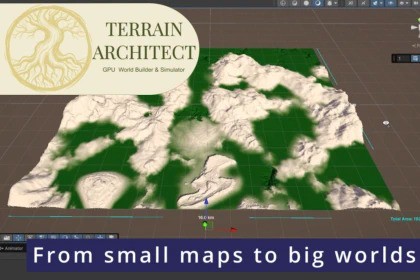
GPU-accelerated Terrain generation at large scale, using non-destructive stamps and optional geological simulations, including tectonic plate collisions, hydraulic erosion and climate modeling.Terrain Architect introduces a non-destructive, high-performance architecture that allows you to sculpt and simulate massive 80km²+ worlds directly on your GPU. Designed to be the ultimate foundational powerhouse for your landscape pipeline, it provides a clean, highly intuitive workflow to block out, simulate, and establish your world’s macro topography with absolute precision.Whether you want to manually drop stamp-based mountains onto your map or let the Voronoi tectonic simulator organically fold ridges and carve trenches, Terrain Architect adapts to your workflow. Once your base shapes are in place, simulate wind, rain shadows, rock stratigraphy, and millions of virtual raindrops to erode your world into a realistic landscape.Take it a step further with procedural hydrology that automatically finds flow channels to spawn rivers and lakes, a socio-economic simulator that mathematically suggests places for towns where humans would naturally settle.Seamless Asset InteroperabilityTerrain Architect is built to play nice with the entire Unity ecosystem. Once you click Bake to Unity Terrain, your world is converted into native, standard Unity Terrain tiles. This means you retain 100% full compatibility with your favorite third-party texturing shaders, advanced vegetation scatterers, and standard rendering tools on the Asset Store to add the final, high-fidelity polish to your world.⚠️ Simulation Workflow Note: While your terrain layout stamps remain entirely non-destructive (allowing you to adjust or iterate on your base geological shapes at any time), the hydraulic erosion simulation is a destructive physics pass. Modifying your structural stamps after running erosion will require you to re-run the erosion simulation stage to naturally carve the updated geometry.⚡ Blazing Fast GPU Architecture: All height, flow, and simulation data is processed non-destructively in VRAM via Compute Shaders.🌍 Infinite Clipmap Preview: View massive worlds in the editor with a multi-resolution LOD ring system that prevents editor lag.🌋 Procedural Tectonics: Simulate continental drift! Mountains fold where plates collide, and trenches form where they pull apart.🌧️ Climate & Erosion: Simulate wind direction, orographic precipitation (rain shadows), rock hardness, and advanced hydraulic droplet erosion.🏞️ Stamp Library System: Manually drag-and-drop heightmap stamps (mountains, craters, dunes) directly into the scene, or let the procedural spawner populate them based on tectonic fault lines.💧 Procedural Hydrology & Towns: Automatically trace water flow to spawn lakes and rivers. Calculate terrain desirability to place settlements perfectly.🔗 R.A.M.3 Integration: One-click support for River Auto Material 3 to instantly convert your hydrology data into beautiful river splines.🗺️ Tiled Unity Terrain Export: When you are ready, bake your simulated world directly into tiled Unity Terrains, Optionally with auto-generated splatmaps for rock, grass, and riverbeds.⏬Export all data for use with other tools: Data can be exported to textures ready to be imported by other tools for faster texturing, spawning / masking.LimitationsTerrain Architect simulates world geometry entirely on local GPU Compute Shaders. Because data buffers are held in high-speed video memory for real-time performance, the maximum size of your active generation workspace is directly bound by your graphics card's available VRAM.As a real-world baseline example:A lower-end GPU with 2 GB of dedicated VRAM can comfortably manage a massive 12km x 12km (144km²) total world footprint. This translates directly to a standard Unity layout configuration of:A 6 x 6 grid array of individual terrain tiles.Each tile configured to a standard dimensions size of 2000m x 2000m.A native resolution density of 1025 pixels/vertices per tile (yielding an exact pixel density of ~1.95m per pixel).Scaling up your total tile counts or pushing individual tile resolutions to 2049+ will exponentially increase VRAM requirements. The tool features a built-in, live VRAM Estimator in the Project Configuration panel to help you safely profile your world dimensions against your physical hardware limits before starting a simulation run.Generative AI (LLMs) was utilized during the development phase to assist in drafting mathematical algorithms, optimizing noise functions, and structuring custom HLSL ShaderLab code. No AI-generated assets, textures, or third-party models are bundled within the package.

