






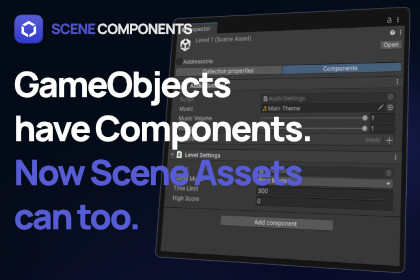
GameObjects have Components.
Now Scene assets can too.UPGRADE OPTION: Get This Tool And 3 Others For A Discounted Price In The Scene Management Bundle.Add components directly to Scene assets using Unity's familiar Add Component workflow.Scene Components brings Unity's component system to Scene assets, allowing you to create and attach your own custom components, then access them through a familiar GetComponent() API.If you've used Components before, you already know how to use Scene Components.If you're using Advanced Scene Manager, the same familiar workflow also extends to Collections.Extend your ScenesScene assets are often used by far more than the Scene itself. Editor tools, gameplay systems, build pipelines, and custom frameworks frequently need information associated with a Scene.Without built-in support, developers typically rely on companion ScriptableObjects, hidden "Scene Settings" GameObjects, or custom lookup systems to bridge the gap.Scene Components replaces those workarounds with a workflow that feels like a natural part of Unity.Build exactly what your project needsScene Components doesn't define how your project should work.Instead, it gives you the tools to create your own Scene Components in just a few lines of code.Need scene categories? Create them.Need music settings? Create them.Need gameplay configuration? Create it.Need something completely unique? Build it.Your components support serialized fields, asset and prefab references, inheritance, custom inspectors, and everything you'd expect from a Unity component.A workflow you already knowWorking with Scene Components feels just like working with GameObjects.Select a Scene asset.Click Add Component.Add your custom component.Access it anywhere using GetComponent().No new concepts.No special asset types.Just the familiar component workflow, now available for Scene assets.Find what you're looking forAs projects grow, so does the number of Scenes.Scene Components includes editor tools that let you quickly find Scenes by the components they contain, making it easier to navigate large projects, validate content, and build your own editor tools.FeaturesAdd Components directly to Scene assets.Familiar Add Component workflow.Create your own custom Scene Components.Simple GetComponent() and GetComponents() API.Supports serialized fields, asset references, and prefab references.Search Scenes by Component.Runtime and editor support.Lightweight and easy to integrate into existing projects.Perfect forEvery project is different, and that's exactly the point.Use Scene Components for music settings, gameplay configuration, scene categories, preview images, environment settings, dialogue references, analytics, editor tools, or anything else your project needs.If you can imagine a Component for a Scene, you can build it with Scene Components.Documentation | DiscordAdd Components directly to Scene assets using Unity's familiar Add Component workflow.Create your own custom Scene Components by inheriting from the provided base class.Access components through a familiar GetComponent() and GetComponents() API.Supports serialized fields, asset references, and prefab references.Works in both the Unity Editor and at runtime.Scene Components can be accessed without opening or loading a Scene.Includes editor tools for finding Scenes and Components.Supports custom inspectors and editor tooling.Designed to integrate naturally into existing Unity projects.Integrates with Advanced Scene Manager, extending the same Component workflow to Collections.Lightweight architecture with minimal setup.Extensible and designed for project-specific Components.

