






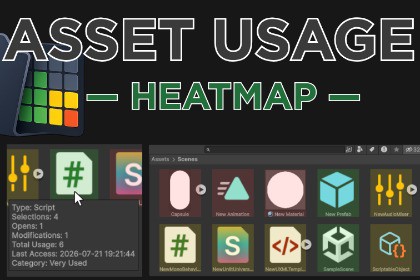
Track how your Unity project assets are used and visualize the results directly in the Project window with a configurable heatmap.Asset Usage Heatmap lets you see how assets are being used across your Unity project Window.As you work, it records when assets are selected, opened, or modified and visualizes that activity directly in the Project window with a color overlay. You can instantly identify the assets you use every day, files that haven't been touched in a while, and content that has never been accessed since tracking began.Whether you're maintaining a large production, cleaning up an older project, or simply trying to stay organized, Asset Usage Heatmap makes it easier to understand how your project's assets are actually being used.FeaturesDisplays a visual heatmap directly in the Unity Project window.Supports both full-row and icon-only display modes.Customize colors and usage thresholds to match your workflow.Tracks asset selections, openings, and modifications.Maintains separate statistics for selections, openings, modifications, and total activity.Configure which asset types are tracked, including scenes, scripts, prefabs, materials, textures, models, audio clips, animations, shaders, fonts, and more.Optional tooltips show usage information directly in the Project window.Exclude specific folders and file extensions from tracking.Stores all usage data locally.Supports manual database saving.Prevents duplicate data registrations.Includes maintenance tools for rebuilding the database, removing missing asset entries, and clearing usage history.Export usage data to CSV for external analysis.NotesAsset Usage Heatmap is an Editor-only tool.DocumentationDocumentation

