






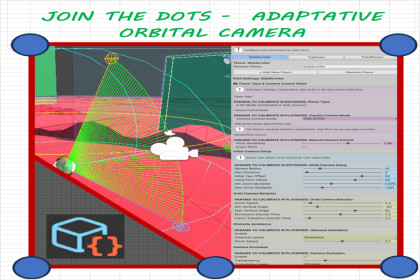
That one well-designed camera is more powerful than a hundred specific solutions.Adaptive Orbital Camera System is a plug-and-play camera and character solution that gives your project a smooth, professional orbital camera without writing a single line of code. Instead of forcing you to choose one fixed camera style for your whole game, this system introduces "Flavors": fully configurable camera calibration profiles that you can switch on the fly to instantly change how your game feels — from a tight third-person action view, to a 2.5D side-scrolling perspective, to a wide exploration angle — all sharing the same character and the same scene.What problem does it solve?Setting up a responsive, collision-aware orbital camera that follows a character, respects level geometry, and can smoothly change behavior across different areas of a level is time-consuming and error-prone. Most developers end up hand-coding camera logic, tuning magic numbers, and fighting camera clipping through walls. This package removes all of that: you drop in the components, calibrate visually in the Inspector (in both Edit Mode and Play Mode), and everything is applied instantly in real time.Who is it for?Perfect for solo developers, small teams, prototypers, and anyone building third-person, 2.5D, or hybrid-perspective games who wants a polished camera experience quickly, and the freedom to fine-tune it without deep programming knowledge.Key Features•Orbital camera that follows your character with smooth yaw, pitch and zoom, and configurable angle limits.•"Flavor" system — create multiple named camera calibration profiles and switch between them at runtime for completely different camera feels in the same project.•2.5D and 3D support — each Flavor can constrain movement to a single axis for side-scrolling gameplay, or use full 3D freedom.•Trigger-based Flavor zones — automatically change the camera Flavor when the character walks into a designated zone in your level, with no scripting required.•Obstacle avoidance — the camera intelligently zooms in to avoid clipping through walls and geometry, then smoothly returns when clear.•Real-time calibration — every parameter updates instantly in the Inspector, both in Edit Mode and while playing, so you can tune the exact feel you want without restarting.•One-stick and two-stick control modes, plus mouse and gamepad support via Unity's Input System.•Automatic character & camera setup through an initializer, so you can get running in minutes.•Smooth Flavor transitions with configurable blend times so switches never feel jarring.Spend your time building your game, not fighting your camera.https://www.jointhedotsmapgenerator.com/Core Components•CNBCameraOrbitSystem — main orbital camera controller (yaw/pitch/zoom orbit math, follow smoothing, obstacle avoidance, Flavor application).•CNBCharacterCore — central character hub that holds the active Flavor index and calibration data, with real-time Editor/Play Mode change detection.•CNBInputHandler — input abstraction built on Unity's Input System (mouse, keyboard and gamepad).•CNBCharacterInitializer — automated scene/character/camera setup helper.•CNBFlavorZoneTrigger — trigger-volume component that swaps camera Flavors when the character enters a zone.•Helper utilities: CNBMovementCalculator, VectorMath.Data-Driven Configuration (ScriptableObjects)•CNBFlavorCalibrationDataSO — stores a list of CalibrationSet structs, each defining a complete Flavor. Exposed, tooltip-documented parameters include:•Initial setup: orbit sphere radius, max linear distance, initial yaw/pitch offsets, min/max zoom multipliers.•Orbit behavior: zoom speed, min/max vertical angle limits, orbital movement smooth time, Flavor transition smooth time.•Manual control: mouse sensitivity, camera control mode (ONE_STICK / TWO_STICKS).•Obstacle avoidance: enable toggle, layer mask, approach zoom speed, safety margin.•is2_5D flag to constrain movement to a 2.5D plane per Flavor.•CNBCharacterInitializerSO — configuration asset for automated setup.Requirements & Compatibility•Requires the Unity Input System package (UnityEngine.InputSystem).•Uses Rigidbody-based character movement and physics-based obstacle detection (layer-mask driven).•Scripts are namespaced under CNBControllerAndCamera to avoid conflicts.•Editor-only calibration and change-detection code is wrapped in #if UNITY_EDITOR, so it is fully stripped from production builds with zero runtime overhead.Performance Notes•Real-time parameter synchronization uses hash-code change detection to avoid unnecessary work each frame.•Camera state (radius, yaw, pitch, velocities) is cached and updated with SmoothDamp-style smoothing for stable, allocation-free per-frame updates.Included•Full C# source code (no DLLs), documented Inspector tooltips, and example ScriptableObject assets.

