






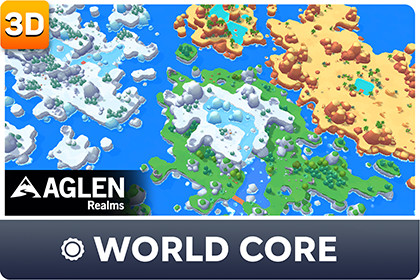
Create dual-grid landscapes and paint biome environments with an intuitive world-building editor. Includes Grasslands, Frozen Tundra, and Golden Desert biomes for URP.Aglen Realms - World Core is an editor workflow for building tile-based outdoor scenes in Unity without juggling separate terrain, water, and prop tools.It solves a practical problem: paint ground and liquid on a dual-grid landscape, organize work into levels and layers, then place biome props in the same world hierarchy — all from one window.WHAT'S INCLUDED• World Core editor (Landscape + Environment tabs)• Dual-grid landscape painting (Ground / Liquid, multi-level)• Environment placement with random rotation, random scale, and surface align• Shared low-poly mesh library (tiles, liquid, rocks, vegetation, props)• Toon atlas unlit shaders + water shader• 3 starter biomes: Grasslands, Frozen Tundra, Golden Desert• Demo scene + per-biome Scene_* and Showcase scenes (7 total)• Docs: User Guide + Custom Biome GuideSTARTER BIOMES• Grasslands — green outdoor base biome• Frozen Tundra — snow / ice outdoor biome• Golden Desert — arid outdoor biomeHOW IT WORKS1. Open Window → Aglen Realms → World Core2. Landscape tab: add a level, pick a biome, paint Ground / Liquid3. Environment tab: pick rocks, vegetation, or props and place them in the scene4. Optional: create your own Biome Definition to extend the systemREQUIREMENTS• Unity 2022.3 LTS or newer• Universal Render Pipeline (URP)NOTES• Painting and placement work in Edit Mode (exit Play Mode first)• Premium biomes (for example Volcanic Ashlands, Red Forest, Misty Swamp) are separate packages and appear in the biome list after import• Custom content you create is yours; Aglen Realms meshes/materials stay under the Asset Store EULASuitable for stylized / low-poly / toon outdoor games, prototyping, and indie level blockout that needs a fast path from empty scene to readable environment.TECHNICAL DETAILS — Aglen Realms - World CorePackage type• Editor tool + low-poly environment content (UPM: com.aglenrealms.world-core)Compatibility• Unity 2022.3 LTS or newer• Render pipeline: URP (Universal Render Pipeline)• Built-in / HDRP: not supportedContent counts• Number of textures: 7• Texture dimensions:- Biome color atlases: 256×256 (3)- Ground textures: 1024×1024 (3)- Water utility noise: 1024×1024 (1)• Number of unique meshes (FBX): 75• Number of prefabs: 182- Grasslands: 61- Frozen Tundra: 59- Golden Desert: 62• Number of materials: 9• Number of shaders: 3 (ToonAtlasUnlit, ToonAtlasUnlit_2, UnlitWater)• Demo / showcase scenes: 7 (Demo + 3 biome Scene_* + 3 Showcase)Polygon counts (triangles per mesh, from source FBX)• Minimum polygon count: 2 (simple tile / liquid pieces)• Maximum polygon count: 646 (prop_ruin_02)• Typical range: ~20–360 for rocks, vegetation, and props• Example models:- env_rock_small_03 ≈ 97 tris- env_tree_pine_06 ≈ 346 tris- prop_ruin_02 ≈ 646 trisRigging: NoAnimation count: 0Animation types: noneUV mapping: Yes (atlas-based toon materials)LOD: No LOD groups includedVertex colors: not required by the workflowMaterials / maps• Stylized toon atlas workflow (Unlit), not full PBR• Typical maps: color atlas + ground texture; water uses a noise utility texture• Shaders: ToonAtlasUnlit, ToonAtlasUnlit_2, UnlitWaterMesh library breakdown (unique FBX)• Environment: 42• Props: 8• Tiles: 9• Liquid: 5• Plus biome-unique meshes inside starter biomesEditor features (not counted as “props”, but part of the package)• Landscape brush (paint / erase)• Environment placement tools• Levels / layers, bake static tiles, legacy world migration• Custom biome authoring via Biome Definition + Environment LibraryAglen Realms – World Core was conceived and designed from the perspective of a game artist who wanted a faster and more intuitive workflow for creating stylized worlds in Unity. AI was used as a collaborative development assistant to support implementation, code reviews, documentation, UX refinement, and editor workflow discussions. The overall architecture, feature design, artistic direction, assets, and all final implementation decisions were created, reviewed, and approved by the author. AI was used to accelerate development and improve productivity, not to autonomously generate the package.

