






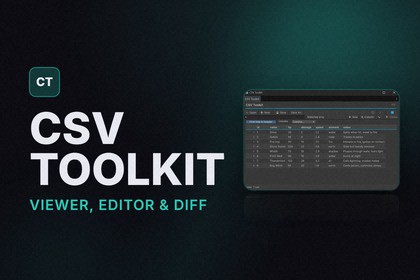
Read, edit, create, and diff CSV files as clean tables, right inside Unity. Spreadsheet-style editing, automatic delimiter handling, and faithful round-trips.Inside Unity, a CSV file is just a wall of comma-jammed text in the inspector. Item databases,localization sheets, enemy stats, loot tables, dialogue, balance data: huge amounts of it live in .csv files, and to actually read or change any of it you leave Unity for a spreadsheet app, then tab back, reimport, and hope you didn't break a quote or a delimiter.CSV Toolkit makes CSV usable without leaving the editor. Select a file and it becomes a clean, readable table: a distinct header row, aligned columns sized to their content, alternating row shading, and live row and column counts. The moment you can finally read your data is the whole point, and editing it is one click away.It is built for the people who touch CSV every day: balance designers tuning stats, localization owners managing translation sheets, gameplay programmers wiring up item and spawn tables, and tools developers building data pipelines. Non-programmers get a lightweight spreadsheet that just works. Engineers get correctness, speed, and an embeddable renderer.Editing is spreadsheet-familiar. Click a cell and type. Enter commits and moves down, Tab moves across, Esc cancels. Add, duplicate, and remove rows. Add, rename, and remove columns. Search and filter across every cell, sort any column, and undo anything. Saving is explicit, dirty state is always visible, and untouched data round-trips byte for byte, including the original line endings, so the tool never quietly rewrites your file.Correctness is the part you never have to think about. The delimiter and header row are detected for you, with a manual override for the rare case. Quoted commas, quoted line breaks, and escaped quotes all parse correctly, the edge cases that break naive split-on-comma tools. Large files stay responsive instead of freezing the editor.Comparing two versions of a sheet is its own feature. Load two CSVs and see added rows, removed rows, and every changed cell shown old to new, with a count summary and a differences-only view. When nothing changed, you get a clear "these files are identical" result instead of an empty window. Perfect for tracking balance changes between builds or reviewing a localization export.Building your own editor tool? Drop the same clean table into any custom window or inspector you already have with a single call (CsvTableView), so you never have to write a CSV parser and a table renderer yourself.Works with: any .csv file, in or out of your Assets folder. Comma, semicolon, tab, and pipedelimited data. Unity 2021.3 LTS and newer, in both the light and dark editor themes.What this does not do: it is not a spreadsheet engine, so there are no formulas or computed cells. It is CSV only, so no JSON, XML, YAML, or Excel .xlsx. It does not chart or plot your data, and it does not sync live with Google Sheets or Excel. Importing CSV into ScriptableObjects or generated classes is not part of this version. The diff compares rows in order rather than detecting moved or inserted rows.Editor-only with zero dependencies: nothing runs in your build, and there are no third-partylibraries to conflict with your project.Questions, bugs, or feature requests? Email raycaster.xr@gmail.com**Readable table view** — Distinct header, aligned auto-sized columns, alternating shading, and live row and column counts.**Spreadsheet-style editing** — Click a cell and type. Enter moves down, Tab moves across, Esc cancels, with full undo and redo.**Smart format handling** — Auto-detects delimiter (comma, semicolon, tab, pipe) and header row, with a manual override and correct handling of quoted commas, embedded line breaks, and escaped quotes.**Rows and columns** — Add, duplicate, move, and remove rows. Add, rename, move, and remove columns, from the toolbar or right-click.**Search, filter, and sort** — Find text across every cell with match highlighting and a matches-only view. Sort any column numerically or alphabetically, non-destructively.**Faithful save** — Explicit saving with visible dirty state. Untouched data round-trips byte for byte, including original line endings and byte-order mark.**CSV diff** — Compare two files for added rows, removed rows, and changed cells old to new, with a summary, a differences-only view, and a clear identical result.**Inspector integration and embeddable renderer** — Selected .csv assets preview as a table with a raw text toggle, and CsvTableView drops the same table into your own editor windows.**Editor-only, zero dependencies** — No runtime or build footprint and no third-party libraries to conflict with your project.

