






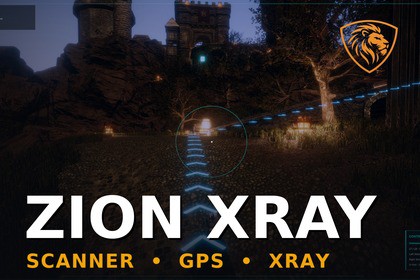
Scanner mode, XRay highlighting, world markers and NavMesh GPS trails for Unity third-person games. Works with any controller or quest system.Zion XRay is a controller-agnostic scanner and objective visualisation toolkit for Unity 6.It adds scanner mode, through-wall active objective highlighting, world markers, a UI Toolkit HUD, keyboard/gamepad control hints, optional compass heading, and a NavMesh-based GPS trail to guide players to the active objective.Use it for third-person games, RPGs, exploration games, stealth games, shooters, adventure games, and projects where the player needs to locate, scan, or track important objectives.Zion XRay does not replace your player controller, camera controller, quest system, combat system, AI system, inventory system, or interaction system. Your own game decides what the active objective is. Zion XRay visualises it.Core features:• Scanner / XRay mode• Stable through-wall active objective highlighting• NavMesh GPS trail with floor arrows• UI Toolkit HUD overlay• Optional compass heading• Keyboard and gamepad control hints• World markers with names, distances, and optional icons• Target type colours and presets• Active objective marker emphasis• Screen-edge indicators for off-screen targets• Distance fade and marker readability options• Demo objective switching• Setup Wizard• Diagnostics window• Diagnostics tab inside the Setup Wizard• Optional feature-test layout tool• Works with any third-person controller• Works with any quest/objective systemTarget types:• Objective• Enemy• Pickup• Interactable• Custom/ObjectZion XRay includes a guided setup workflow to help new users quickly add the required scanner, controller, GPS, HUD, marker, target, and objective-provider components to a scene.The Diagnostics window checks common setup issues such as missing controller references, missing input actions, missing HUD references, missing marker systems, missing GPS arrow prefabs, missing objective providers, invalid active objectives, missing NavMesh routes, missing targets, and missing highlight references.The included demo tools are designed for testing and learning. In a production project, you can connect Zion XRay to your own quest, objective, interaction, or mission system by supplying an active objective provider.Requirements:• Unity 6 Any version• Unity Input System• URP recommended• Baked NavMesh required for GPS trail arrowsZion XRay is ideal if you want a polished scanner/objective tracking layer without replacing the rest of your game architecture.🌐 Online docs: Zion XRay Documentation - ZionGames Docs💬 Support: Discord: Here🦁 More tools: https://ziongames.co.ukUnity version:• Unity 6Render pipeline:• URP recommended• Through-wall highlight shader designed for URP• Core scanner, marker, HUD, GPS, and diagnostics systems are not tied to a specific player controllerInput:• Unity Input System• Scanner input uses an InputActionReference• Keyboard and gamepad control hints includedUI:• UI Toolkit HUD• Runtime HUD controller• World marker system• HUD presentation settings asset• Marker presentation settings assetNavigation:• Unity NavMesh required for GPS trail arrows• GPS trail uses an active objective provider and generated arrow prefabIncluded systems:• ZionXRayScanner• ZionXRayController• ZionXRayTarget• ZionXRayTargetHighlighter• ZionXRayGpsTrail• ZionXRayHudController• ZionXRayWorldMarkerSystem• ZionXRayDemoObjectiveProvider• ZionXRayDemoObjectiveSwitcher• Setup Wizard• Diagnostics Window• Feature Test Layout toolGenerated assets:• GPS arrow prefab• HUD UI assets• Panel settings• Materials• Marker presentation asset• HUD presentation assetDocumentation:• README• Quick Start• Tutorial• User Guide• Release NotesNotes:• Zion XRay does not include a player controller.• Zion XRay does not include a quest system.• Zion XRay does not include an interaction system.• Your game supplies the current active objective.• The included demo provider and switcher are for testing and learning.Marketing images were generated and enhanced using AI tools and Python scripts.

