






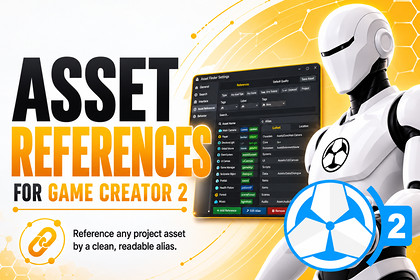
Register project assets once and reference them anywhere in Game Creator 2 via stable, readable IDs. Supports direct loading and Addressables-backed streaming out of the box!✨ Key Features & Technical SpecificationsAsset References for Game Creator 2 gives you a clean, powerful, and designer-friendly way to reference project assets directly inside Game Creator 2.Create stable Reference IDs for prefabs, audio clips, materials, sprites, textures, animation clips, scenes, and more — then use them across GC2 Properties, Conditions, Instructions, and Events without constantly dragging references around your project. 🚀No messy scene dependencies.No repeated manual assignments.No fragile hardcoded paths.Just clean, searchable, reusable asset references built for real production workflows.🎮 Deep Game Creator 2 IntegrationBuilt to feel natural inside Game Creator 2:• PropertiesGet references for GameObject, AudioClip, Material, Sprite, Texture, Texture2D, AnimationClip, and Scene build index.• ConditionsCheck whether a reference exists, is loaded, is enabled, or which load mode it uses: Direct or Streamed.• InstructionsPreload streamed assets, release streamed assets, release all streamed assets, and resolve supported asset types directly into GC2 variables.• EventsReact when an asset reference is resolved, loaded, released, or missing.Events can listen globally or filter by a specific Reference ID.🗂️ Powerful Database Editor WindowManage your entire asset reference library from one dedicated editor window.• Search & FilterQuickly search metadata and filter by asset type, state, category, or custom tags.• Usage ScanningFind exactly which serialized assets are using a specific Reference ID.Perfect for renaming, cleanup, refactoring, and avoiding broken references.• Validation SuiteRun one-click validation to detect missing assets, duplicate IDs, scene object references, disabled references, and mismatched Addressables metadata.• Rapid WorkflowAdd references directly from the Inspector, register selected assets, or use context-menu bulk generation tools.• C# Code Snippet ExporterCopy raw IDs or static runtime API snippets like AssetReferences.Get() directly into your custom scripts.🌊 Dynamic Addressables-Backed StreamingFor larger projects, Asset References supports streamed assets using Unity Addressables.• Preload PoliciesChoose between Auto, Preload On Start, On Scene Load, or Manual loading.• Release PoliciesUse Auto release on scene change, Manual release, or Immediate release after resolving.• Integrated Addressables ToolsSee real-time sync status, detect mismatches, sync assets with one click, repair metadata manually, and automatically unregister assets when needed.⚡ Performance Optimized RuntimeDesigned to stay lightweight, safe, and fast during gameplay.• Fast dictionary-based lookup cache• Safe synchronous and asynchronous APIs• TryGet support for graceful missing-asset handling• No heavy editor database scanning during runtime• Clean separation between editor tooling and runtime resolvingYour assets stay organized in the Editor, while runtime lookups remain simple and efficient.🧩 Requirements & Compatibility• Requires Game Creator 2 by Catsoft Works• Compatible with Unity 2021.3 LTS, Unity 2022.3 LTS, or newer• Streaming features require the Unity Addressables package• Addressables can be installed directly from the Database window when needed📚 Useful LinksOnline Documentation:https://skyward-games.github.io/Asset-References-For-GC2-Documentation/Skyward Games Website:https://skywardgames.com.br/Support Discord:https://discord.gg/DTXjRH5TVz✨ Key Features & Technical SpecificationsAsset References for Game Creator 2 is built to make project assets easier to organize, select, validate, stream, and use directly inside Game Creator 2 workflows.Create clean Reference IDs for prefabs, audio clips, materials, sprites, textures, animation clips, scenes, and more — then access them through GC2 Properties, Conditions, Instructions, and Events without constantly dragging asset references around your project.🎮 Game Creator 2 IntegrationDesigned to feel fully integrated with Game Creator 2.• PropertiesGetters for GameObject, AudioClip, Material, Sprite, Texture, Texture2D, AnimationClip, and Scene build index.• ConditionsCheck if a reference exists, is loaded, is enabled, or whether it uses Direct or Streamed load mode.• InstructionsPreload streamed assets, release streamed assets, release all streamed assets, and resolve supported asset types directly into variables.• EventsListen for asset reference events such as Resolved, Streamed Asset Loaded, Released, and Missing. Events support both global listening and filtering by a specific Reference ID.🗂️ Powerful Database Editor WindowA dedicated editor window gives you full control over your asset reference library.• Search & FilterSearch metadata and filter references by type, state, category, or custom tags.• Usage ScanningLocate exactly which serialized assets are using specific Reference IDs.Perfect for renaming IDs, cleaning up unused references, and preventing broken workflows.• Validation SuiteRun one-click editor validation to detect missing assets, scene object references, duplicate IDs, disabled references, and Addressables metadata mismatches.• Rapid WorkflowAdd references directly from the Inspector or use context-menu bulk generation tools to register assets faster.• C# Code Snippet ExporterCopy raw Reference IDs or static runtime API lines like AssetReferences.Get() directly into your custom scripts.🌊 Dynamic Addressables-Backed StreamingFor larger projects, Streamed Mode allows references to be backed by Unity Addressables.• Preload PoliciesUse Auto, Preload On Start, On Scene Load, or Manual loading.• Release PoliciesChoose between Auto, Manual, or Immediate release behavior.• Integrated ToolsIncludes real-time sync status indicators, Synced/Mismatch warnings, one-click Sync Now, manual metadata repair, and automatic unregistration when assets are removed.⚡ Performance OptimizedBuilt to be lightweight and safe at runtime.• Fast dictionary-based lookup cache• Synchronous and asynchronous safe APIs• TryGet support to handle missing assets gracefully• No editor database overhead during runtime• No expensive project scanning in builds🧩 Requirements & Compatibility• Requires Game Creator 2 by Catsoft Works• Compatible with Unity 2021.3 LTS, Unity 2022.3 LTS, or newer• Streaming features require the Unity Addressables package• Addressables can be installed directly from the Database window when needed📚 Useful LinksOnline Documentation:https://skyward-games.github.io/Asset-References-For-GC2-Documentation/Skyward Games Website:https://skywardgames.com.br/Support Discord:https://discord.gg/DTXjRH5TVz

