






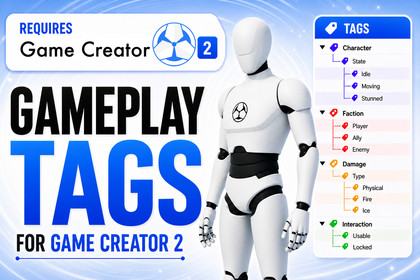
Hierarchical Gameplay Tags for Game Creator 2. Organize states, factions, damage types, quests, interactions, and visual scripting logic with clean reusable tags.🏷️ Gameplay Tags for Game Creator 2 is a tag-driven workflow extension for Unity projects using Game Creator 2.It helps you organize gameplay logic with clear, reusable, hierarchical tags instead of scattered booleans, hardcoded strings, or messy one-off checks.Create readable gameplay facts like:Character.State.StunnedFaction.EnemyDamage.Type.FireInteraction.Usable.DoorQuest.Main.Completed✨ Why use it?As your project grows, gameplay rules can become difficult to maintain across prefabs, Actions, Conditions, triggers, save data, and custom scripts. Gameplay Tags gives your project a shared vocabulary that designers and programmers can reuse everywhere.🎮 Great for:• RPGs and action RPGs• Adventure games• Survival games• Shooters• Quest-driven games• Combat systems• Interaction systems• AI targeting and faction logic• Ability, buff, debuff, and status effect systems🧩 Designer-friendly workflowDefine tags in a central Gameplay Tags settings page, assign them to GameObjects with a GameplayTagComponent, and use them directly inside Game Creator 2 Actions, Conditions, Events, Variables, and save workflows.🌳 Hierarchical matchingUse exact checks when you need one specific tag, or use parent/child matching when you want broader logic.For example, a query for Damage.Type can match:• Damage.Type.Fire• Damage.Type.Ice• Damage.Type.Poison⚡ Example use cases:• Add Character.State.Stunned to block movement, attacks, and interaction• Use Faction.Enemy to find, filter, or target enemies• Use Interaction.Usable for raycast-based interaction prompts• Use Damage.Resistance.Fire to branch damage logic• Use Quest.Main.Completed to unlock dialogue, doors, rewards, or world changes📚 Useful links📖 Online Documentation💬 Discord Community🌐 Skyward Games Website✅ Built for Game Creator 2 usersThis package is designed to make tag-based gameplay logic easier to read, easier to reuse, and easier to scale inside Game Creator 2 projects.⚙️ Technical Details🏷️ Core Tag System• Hierarchical Gameplay Tags using dot syntax• Tags such as Character.State.Stunned, Faction.Enemy, and Damage.Type.Fire• Central Gameplay Tags database inside Game Creator settings• Searchable tag picker dropdowns• Exact matching• Include Children parent/child matching• Tag validation for invalid paths, duplicates, missing redirect targets, and redirect cycles🧱 Runtime Components• GameplayTagComponent for assigning tags to GameObjects• Container mode for multiple simultaneous tags• Single Tag mode for one primary active tag• Runtime tag containers for objects, variables, and properties• Runtime add, remove, clear, set, query, and compare operations• Save memory support for runtime tags on GameplayTagComponent🎮 Game Creator 2 Actions• Set Gameplay Tag• Add Gameplay Tag• Remove Gameplay Tag• Clear Gameplay Tags• Set Exclusive Gameplay Tag• Set Parent Group Gameplay Tag• Cycle Sibling Gameplay Tag• Clear Parent Group Gameplay Tags• Find Game Objects by Gameplay Tag• Find Closest Game Object by Gameplay Tag• Filter Game Objects by Gameplay Tag• Raycast by Gameplay Tag• Raycast 2D by Gameplay Tag• Overlap Sphere by Gameplay Tag• Overlap Circle by Gameplay Tag🔎 Game Creator 2 Conditions• Has Gameplay Tag• Game Object Has Gameplay Tag• Gameplay Tags Empty• Gameplay Tags Contains Any• Gameplay Tags Contains All• Gameplay Tag Equals• Gameplay Tag Container Equals⚡ Game Creator 2 Events• On Gameplay Tags Changed• On Gameplay Tag Added• On Gameplay Tag Removed• On Trigger Enter Gameplay Tag• On Trigger Exit Gameplay Tag• On Collision Enter Gameplay Tag• On Collision Stay Gameplay Tag• On Collision Exit Gameplay Tag🧑💻 Scripting Support• Runtime C# API• GameplayTag• GameplayTagContainer• GameplayTagComponent• GameObject extension methods• GameplayTagObjectQuery scene queries• GameplayTagRegistry validation and lookup tools📦 Requirements• Unity project using Game Creator 2 Core• Tested in the development workspace with Unity 6000.3.4f1• Minimum supported Unity and Game Creator 2 versions should be verified before publishing📚 Useful links📖 Documentation💬 Support Discord🌐 Publisher WebsiteGenerative AI tools were selectively used as development assistants during the production process, including promotional artwork, code prototyping, implementation support, refactoring, and review. All AI-assisted outputs were manually evaluated, edited, tested, and integrated by the developer. The product’s design, architecture, feature decisions, and final quality remained human-directed.

