






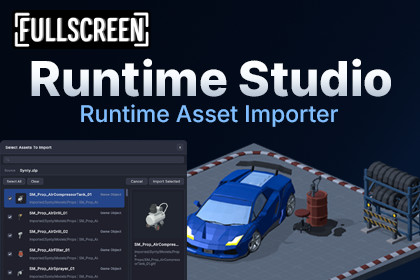
Import models, textures, audio, materials, and more at runtime from files or URLs, with Runtime Studio save, sharing, and Bundle Export support.Runtime Studio – Asset ImporterBuilding a sandbox editor is one thing. Giving players the freedom to build with their own assets is another.Runtime Studio – Asset Importer extends Runtime Studio with a complete runtime asset importing system, allowing players to import their own models, textures, audio, materials, and more directly from their computer or from a URL.Imported assets become part of the current level, allowing players to build with custom content just like any other Runtime Studio asset.When a level is saved, exported, and shared, imported assets are included automatically, making it easy for other players to load the complete creation without missing content.Instead of limiting players to a predefined asset library, you can let your community bring their own creations into your game.Import Assets from Files or URLsBring new content into the game while it's running.Players can import supported assets directly from their computer using the native file picker or download assets from a URL without leaving the game.The importer integrates directly into Runtime Studio's Scene Settings, providing a familiar workflow for bringing external content into player projects.Broad Format SupportImport a wide range of asset formats.Runtime Studio – Asset Importer supports common runtime formats including images, audio, materials, static 3D models, archives, and Runtime Studio packages.Supported formats include PNG, JPG, TGA, HDR, WAV, OGG, OBJ, FBX, glTF, GLB, ZIP, MTL, and Runtime Studio material files.Import Review WindowReview assets before importing.The Asset Importer overlay allows players to preview imported assets before confirming the import. Search, filter, select individual assets, select everything, or remove unwanted assets before they become part of the project.Runtime Model ImportingImport static 3D models directly into Runtime Studio.Supported model formats include OBJ, FBX, glTF, and GLB with support for meshes, materials, and textures.For the broadest feature support, including characters and complex prefabs, use the Runtime Bundle Export tool to create Runtime Studio packages for import.Save, Load, and ShareImported assets become part of the level.All imported assets integrate directly with Runtime Studio's persistence system. Imported models, textures, materials, audio, and other supported assets are saved alongside the level and restored automatically whenever it's loaded.When players export and share their Runtime Studio levels, imported assets are packaged with them, allowing other players to load the level with all of its custom content intact.WebGL SupportImport assets across desktop and browser platforms.Runtime Studio – Asset Importer supports WebGL builds with browser-compatible file importing alongside native file dialogs on standalone platforms, allowing players to continue importing content regardless of where your game is running.Runtime Bundle ExportExport Unity assets for Runtime Studio.Runtime Studio – Asset Importer includes a Runtime Bundle Export tool for the Unity Editor, allowing you or your players to package Unity assets into portable Runtime Studio ZIP files.Export GameObjects, rigged characters, skinned mesh renderers, meshes, materials, textures, audio clips, and more, then import them directly into Runtime Studio while preserving far more Unity-specific data than standard file formats.Extensible Import APIAdd support for your own file formats.Runtime Studio – Asset Importer includes a simple API for extending the import pipeline. Register custom file types, create import processors, or build entirely custom runtime importers to support your own asset formats and workflows.Whether you're importing proprietary files or integrating third-party systems, the Asset Importer API makes it easy to expand Runtime Studio without modifying the built-in importer.Additional FeaturesImport assets from local filesImport supported assets directly from URLsImport review window with previews and searchAutomatic asset organizationRuntime Studio Bundle ZIP package supportRuntime save, load, export, and import integrationWebGL-compatible file importingExtensible importer API for custom formats🎮 Try It Yourself!You can explore Runtime Studio & all plugins directly in your browser via WebGL, or download the Windows build on Itch.io📦 What’s Included✔ Full Source Code✔ Quick Start Guide✔ Examples🧩 Runtime Studio Plugins🌄 Runtime Studio – Terrain Editor📥 Runtime Studio – Asset Importer🎮 Runtime Studio – Game Creator 2 Integration🔗 Links🌐 Website📖 Documentation📚 Setup Guide💬 DiscordRuntime Asset Import Pipeline: Extends Runtime Studio with runtime file and URL importing for textures, materials, audio, models, archives, and Runtime Studio packages.Supported Runtime Formats: Supports PNG, JPG, JPEG, TGA, HDR, RTMAT, MTL, WAV, OGG, GLTF, GLB, OBJ, FBX, and ZIP files. Runtime Studio ZIP packages provide the broadest supported feature coverage.Import Review Overlay: Optional review window with asset previews, search, selection toggles, duplicate detection, select-all, and clear functionality before confirming imports.Runtime Model Importing: Imports static OBJ, FBX, GLTF, and GLB models with support for meshes, materials, textures, and object hierarchies where available. Runtime Studio ZIP packages are recommended for Unity-authored content requiring the broadest feature support.ZIP Export & Import: Includes a Unity Editor export tool for creating runtime-importable ZIP packages containing GameObjects, meshes, materials, textures, audio clips, and imported assets.Persistence & Asset Repair: Imported assets are embedded into Runtime Studio scene saves and automatically restored before object references are rebound. Mesh, material, collider, and skinned mesh references are repaired after loading.Automatic Asset Organization: Imported assets are placed into organized runtime folders such as Imported/Textures, Imported/Materials, Imported/Models, and Imported/Audio. ZIP imports automatically create folders named after the imported archive.Extensible Import Framework: Register custom import processors through IAssetImportProcessor, add new picker-visible file types, or implement fully custom runtime importers through IRuntimeAssetImporter.RequirementsRuntime Studio 1.4.0 or laterUnity 6 LTSUnity New Input SystemPlatform Support & TestingTested on Windows (IL2CPP and Mono) and supports the same platforms as Runtime Studio, including WebGL, within Unity's runtime limitations.Rigged Character SupportRigged characters and Skinned Mesh Renderers are currently supported through the included Runtime Bundle Export tool for the Unity Editor. Export your GameObjects as a Runtime Studio package inside Unity, then import them directly into Runtime Studio with the broadest supported feature coverage.FBX Compatibility: Runtime Studio supports both ASCII and binary FBX files and has been tested with many different FBX models. Because FBX is a large and evolving format with many exporter variations, some files may contain features that are not supported at runtime. For the best direct-import experience, glTF (.gltf/.glb) is recommended thanks to its more consistent runtime support and automatic material and texture setup.NoteRuntime Studio – Asset Importer is an extension for Runtime Studio and requires the base Runtime Studio asset.Runtime asset importing is constrained by Unity's runtime environment. While the Asset Importer supports a broad range of asset types and workflows, some Unity features cannot be exported, imported, or fully reconstructed at runtime.Due to Unity runtime limitations, importing animations is not currently supported.The Asset Importer includes an extensible API, allowing developers to add custom file types, import processors, and fully custom runtime importers through plugins or direct integrations.

