






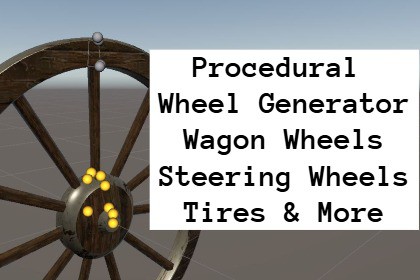
Procedural Wheel Generator - Wagon Wheels, Ship Steering Wheels, Tires & More
Danilec
$12.31
$17.59
30%OFF
(no ratings)
Jump AssetStore
Create procedural wheels, wagon wheels, ship steering wheels, racing wheels, tires, rims, pulleys, rollers, and other radial meshes directly inside the Unity Editor.This asset is designed to be compatible with Unity 2020 through Unity 6. If you encounter any compatibility issues, please don't hesitate to contact me via email. I'll be happy to help.Procedural Wheel Generator is an editor tool for creating all kinds of radial meshes by simply drawing a 2D profile or editing the mesh directly in 3D. Whether you're building historical vehicles, racing games, industrial machinery, or ships, you can generate clean, customizable meshes in just a few minutes.Perfect for creating:Wagon wheelsShip steering wheelsRacing wheelsTrain wheelsTiresRimsPulleysRollersDecorative radial objectsFeaturesIntuitive 2D profile editorDirect 3D mesh editingFlat and round spoke generationSmooth profile curves with adjustable subdivisionsMultiple profile sectionsMulti-material supportClean topologyClean UV mapping optimized for seamless materialsAdjustable UV mapping for wheel sections and spoke groupsIndependent Side, Cap, and Overall UV controlsCap UV rotation for directional texture alignmentEditable procedural project files (.wheelgen)FBX exportBuilt-in, URP and HDRP supportIncluded sample projectsTwo Editing Modes2D ModeDesign your wheel by drawing its profile in a dedicated 2D editor. Add, move and delete profile points while the generated mesh updates in real time.3D ModeEdit the generated wheel directly in the Scene View by manipulating profile points on the mesh itself.Switch between both modes at any time during the design process.Powerful Curve SystemEach profile point supports left and right curves, allowing smooth transitions without manually adding dozens of control points.Adjust:Curve strengthCurve shapeNumber of subdivisionsCurve offsetsFlexible Spoke GeneratorCreate both flat and rounded spokes with complete control over:Number of spokesWidthThicknessShapeResolutionMultiple spoke groups can be combined to create complex wheel designs.Adjustable UV MappingWheel sections and spoke groups each have independent UV controls, making it easy to fine-tune texture tiling without leaving the Unity Editor.Adjust:Overall UV ScaleSide U/V ScaleCap U/V ScaleCap UV RotationPerfect for quickly aligning wood grain, metal textures, painted details, and other seamless materials.Optimized WorkflowCreate a new wheel or load a sample.Edit the wheel profile.Add curves.Create spokes.Assign materials.Adjust UV mapping.Preview the result in 3D.Save the procedural project.Export the final mesh.Included Sample ProjectsThe package includes several ready-to-use examples demonstrating different workflows, including:Racing WheelWagon WheelShip Steering WheelTiresMulti-material examplesCompatible WithBuilt-in Render PipelineUniversal Render Pipeline (URP)High Definition Render Pipeline (HDRP)NoteThe package size is relatively large because it includes high-resolution sample textures and materials. Feel free to remove the included textures and replace them with your own to reduce the package size for your project.Unity 2020 - Unity 6 compatibleEditor tool (not a runtime generator)Supports Built-in Render Pipeline, URP, and HDRPConfigured for URP by default2D profile editorDirect 3D mesh editingFlat and round spoke generationAdjustable profile curves with subdivisionsMultiple profile sectionsMulti-material supportClean topologyClean UV mapping optimized for seamless materialsAdjustable UV mapping for wheel sections and spoke groupsIndependent Overall, Side, and Cap UV controlsCap UV rotation for directional texture alignmentEditable procedural project files (.wheelgen)FBX export (requires Unity FBX Exporter package)Includes multiple sample projectsSource code includedCode refactoring

