






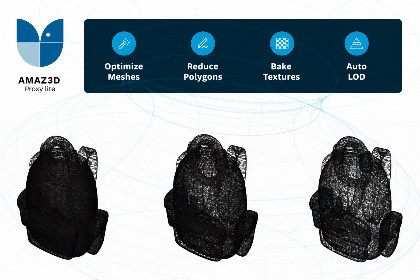
Create optimized 3D proxy assets. AMAZ3D Proxy Lite simplifies meshes and bakes textures. This plugin supports reduction up to 80k polygons. FULL: https://assetstore.unity.com/packages/slug/308496AMAZ3D Proxy Lite is a Unity Editor tool designed to streamline the creation of optimized proxy assets for complex 3D models.Select an FBX asset, prefab, or GameObject, configure the desired geometry and texture settings, and generate an optimized proxy without leaving the Unity Editor.Due to architecture limitations this plugin only supports reduction up to 80k polygons and or 80%. You can check out the full version: https://assetstore.unity.com/packages/slug/308496The plugin combines the source meshes, preserves multiple materials, simplifies the geometry, generates new UVs, bakes diffuse and normal textures, and automatically imports the resulting FBX into your project.AMAZ3D Proxy Plugin is suitable for environment assets, scanned models, architectural scenes, props, and other complex objects that require lighter geometry for improved runtime performance.Key FeaturesPercentage-based polygon reductionSix point-cloud precision levelsWatertight and open-boundary geometry supportAutomatic UV generationConfigurable spacing between UV islandsAdjustable texture margins to reduce bleeding artifactsDiffuse and normal texture bakingTexture resolutions from 128×128 to 8192×8192PNG and JPG output formatsGamma and Linear color-space optionsTransparency-aware diffuse bakingOpenGL and DirectX normal-map standardsOriginal or baked high-frequency normal combinationOptional diffuse baking using the original shadersLow, Medium, and High rendering-bake precisionMulti-mesh and multi-material processingStatic and skinned mesh supportAutomatic 32-bit mesh indices for large assetsReusable configuration presetsCustom suffix for generated assetsAutomatic LOD Group creation and integrationBaking progress display inside the Unity EditorSimple WorkflowSelect an FBX asset, prefab, or GameObject.Choose the desired output polygon percentage.Configure geometry, UV, diffuse, and normal-map settings.Optionally enable automatic LOD Group integration.Click Create Proxy.Find the generated FBX and textures inside the automatically created Proxies folder.Rendering-Based Diffuse BakingFor materials that rely on more complex shaders, AMAZ3D Proxy Plugin provides an optional rendering-based diffuse baking workflow.The source object is sampled from multiple camera angles using its original shaders, and the resulting colors are projected onto the proxy texture.This mode includes configurable baking precision and an integrated progress bar.Preset SystemSave the current proxy settings as a reusable Unity asset and load them whenever needed.Presets can store:Polygon reduction settingsPoint-cloud precisionWatertight configurationUV margin and island spacingDiffuse texture settingsNormal-map settingsRendering-based baking optionsAutomatic LOD Group configurationThis makes it easy to maintain consistent optimization profiles across multiple assets or target platforms.Automatic LOD IntegrationAMAZ3D Proxy Plugin can automatically create a LOD Group when one is not already present.If the selected object already contains a LOD Group, the generated proxy is appended as its final level while preserving the existing LOD renderers.LOD transition thresholds should be reviewed after generation to match the scale and visual requirements of your project.RequirementsUnity FBX Exporter packageUnity Editor Coroutines packageUniversal Render Pipeline for the optional Bake Diffuse By Rendering featureThe standard proxy-generation workflow does not require rendering-based diffuse baking.Important NotesFBX is the recommended and primarily tested input format.Embedded materials and textures must be extracted before generating a proxy.Very aggressive reductions below 20% of the original polygon count may require additional testing.Generated assets are stored in a dedicated Proxies/_proxy folder next to the source asset.Rendering-based diffuse baking is intended for URP projects.Ability to create 3D proxies from within UnityAbility to specify various parameters for optimization, such as the percentage of faces to be removed, the precision of the point cloud, and the size of the diffuse and normal texturesOptional suffix: An optional suffix to add to the optimized mesh for easier identification.Custom directory: A custom directory to save the optimized output to.Face Reduction: The percentage of faces to be removed from the object.Precision: The precision level for the point cloud. Higher precision results in more points and details but requires more computational time.Watertight: If set to true, the boundary edges will be preserved in the generated proxy mesh.Diffusive texture size (px): The resolution of the baked diffuse textures.Diffusive texture margin: The number of pixels to add to the margins of the baked diffuse textures.Diffusive texture format: The format of the diffuse textures (PNG or JPG).Consider Transparency: If enabled, colors behind alpha areas are baked directly into the diffuse map.Preserve Color space: If set to true, the color space of the original scene (linear or sRGB) will be preserved.Bake diffuse by rendering: If set to true, the original scene will be rendered using an unlit shader, and each rendered color will be baked into the diffuse map of the proxy scene.Precision for Bake Diffuse by rendering: The precision level for baking the diffuse map by rendering the original scene.Normal texture size (px): The resolution of the baked normal textures.Normal texture format: The format of the normal textures (PNG or JPG).Normal texture margin: The number of pixels to add to the margins of the baked normal textures.Normal texture standard: The standard for normal textures (DirectX or OpenGL).Normal combine option: How to combine normal textures.Ability to add an optional suffix to the optimized mesh for easier identificationAbility to choose a custom directory for the optimized output

