






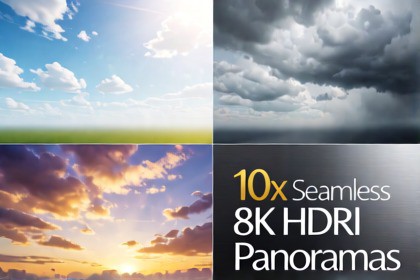
10 premium 8K seamless sky and cloud HDRI panoramas. Perfect for realistic day/night cycles, atmospheric outdoor rendering, and high-quality dynamic reflection maps across all render pipelines.URP: Use the Panoramic shader or Cubemap. Pre-configured rendering settings are included in the demo package.HDRP: Add HDRI Sky to your Volume Profile. Enable Indirect Lighting Controller and Exposure for the best visuals.Custom SRP: Raw 8K textures are fully compatible and can be mapped to any custom shader.Elevate your worlds with the Sky and Clouds HDRI 8K Panorama Pack! This package features 10 ultra-high-resolution, 360-degree equirectangular HDRI environments tailored for architectural visualization, open-world games, flight simulators, and realistic outdoor environments.Every panorama has been meticulously hand-polished to achieve flawless seamless stitching and eliminate polar pinching, ensuring crisp clouds and beautiful horizons from any camera angle. The textures offer a rich dynamic range, making them perfect for generating authentic ambient lighting and sharp, realistic reflections on metallic, glass, or water surfaces. Whether you are building a serene sunny day or a moody overcast landscape, this pack delivers the professional lighting your project needs.- 10 high-quality seamless 360° equirectangular sky textures- Crisp 8K resolution (8192 x 4096) for stunning clarity- Pre-configured, interactive demo scenes for Built-in, URP, and HDRP- Custom camera script with automated 360-degree preview rotation and manual override- Built-in UI controls for exposure adjustment, texture switching, and fog toggles- Linear color space ready with full support for Unity 6- Optimized texture settings recommendations for mobile and performance-sensitive projectsFile count: 10 HDRI textures (plus 2 .unitypackage files for render pipeline demos)Animated: NoAnimation type list: NoneAdditional: Pixel-based (HDR High Dynamic Range images)The base environment layouts and initial cloud formations for these HDRI panoramas were generated using local AI image synthesis models within ComfyUI pipelines. After the generative stage, extensive manual post-processing, upscaling, color grading, and technical blending workflows were performed locally using Photoshop. This process ensures perfect 360-degree seamless stitching, completely eliminates polar pinching artifacts, and balances the final dynamic range to meet professional game engine standards.

