






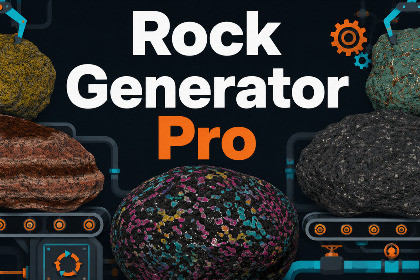
Procedurally create Unity rocks from 100 editable presets or custom settings. Bake 4K PBR maps, output LOD prefabs and batch variants, pack textures into atlases, and place rocks by scatter or brush.Procedural Rock Generator Pro is a procedural rock creation and environment workflow for Unity. Design custom rock meshes, preview them in the Editor, bake PBR texture maps, generate reusable prefabs, create batches and compound formations, combine compatible materials, place the results, and generate lightweight rocks at runtime.The asset is intended for users who need more than a fixed collection of rock prefabs. It can create boulders, field stones, slabs, cliffs, pillars, outcrops, layered formations, volcanic rocks, ores, crystal-like masses, snow and ice forms, clusters, and stylized fantasy rocks. Editable settings and random seeds allow one profile to produce many related variations.100 Built-In Rock PresetsProcedural Rock Generator Pro includes 100 built-in presets. These are editable procedural starting points rather than 100 fixed prefab assets.The presets are organized into practical categories:General Boulders & Field StonesDesert & SedimentaryVolcanic & IgneousLayered & MetamorphicCliffs, Slabs, Pillars & OutcropsRiver, Coastal, Cave & MossySnow, Ice & AlpineOres, Crystals & FantasyRock ClustersVertex-Color LightweightExamples include Desert Sandstone, Granite Mountain Boulder, Folded Metamorphic Schist, Mossy River Boulder, Alien Geode, and Crystal Nodule Cluster.Each preset can be modified, reseeded, and saved as a reusable RockSettings profile. Use them to begin quickly, generate related variations, study how the controls work together, or develop your own rock styles.Core Rock GenerationThe generator starts from an Icosphere or CubeSphere and applies configurable proportions, displacement, silhouette shaping, and surface detail.Main generation controls include:Size and Proportions: Set a target diameter, use fixed proportions, or randomize proportions from the seed.Macro and Detail Noise: Shape the large silhouette separately from smaller surface breakup.Fractal Modes: Standard, Billow, Ridged, PingPong, and Swiss Erosion.Domain Warping, Voronoi, and Terracing: Create folded, cellular, faceted, cracked, stepped, or layered forms.Shape Asymmetry: Add taper, waist, side bulge, shear, and broad silhouette variation.Baked Lean and Slicing: Lean the geometry or create a flat grounded face.Compound Rocks: Merge procedural parts into clusters, outcrops, rubble, and larger formations.LOD meshes are generated from different procedural resolutions instead of a general mesh-collapse pass, providing direct control over the topology used at each level.Procedural Texturing and PBR BakingProcedural Rock Generator Pro supports two main output methods:Vertex Colors: Store procedural color information directly in the mesh for lightweight or custom-shader workflows.Procedural Texture Bake: Generate image-based PBR texture maps and a pipeline-compatible material for URP or HDRP.Texture-baked rocks can use solid-color layers or optional tiling albedo and normal textures. Input textures are projected triplanarly and combined with procedural masks before being baked into regular texture assets.Surface controls include organic patches, sedimentary strata, directional slope overlays, cavity overlays, edge wear, procedural bump, micro-detail, ore veins, cavity deposits, and crystalline nodules with optional physical mesh extrusion.The baker can generate albedo and normal maps, plus either a packed metallic, ambient occlusion, and smoothness mask map or separate metallic, ambient occlusion, and smoothness maps. Height can be exported separately when enabled. Albedo baking supports 256x256 through 4096x4096, with separate relative resolution controls for normal and auxiliary maps.A separate texture seed can change the baked surface appearance without changing the shape seed.Live Preview and Reusable ProfilesThe Rock Window combines the settings editor with a 3D viewport. It includes live geometry and vertex-color feedback, baked PBR preview, LOD inspection with triangle counts, wireframe view where supported, and camera and light controls.RockSettings profiles can be loaded by drag and drop, edited without changing the source, applied back to the source, or saved as new profiles.Single, Batch, and Compound OutputGenerate a single rock prefab or create organized sets with the Batch Generator.Unique Seed Variants generate each item with a different shape seed and can vary the generated diameter before baking. Texture-baked results normally receive separate material and texture sets.Same Seed Dimension Variants generate the source once and create multiple prefab-scale variants that share the same mesh, material, and textures. Uniform scaling preserves proportions, while independent XYZ scaling can create flatter, taller, wider, or elongated versions without rebaking.Compound Rock generation combines two to five procedural parts into one output. Parts can reuse the same shape or use different shape seeds. Radial and scattered layouts include controls for overlap, spread, vertical offset, scale, rotation, and cluster proportions. Compound meshes are merged, but overlapping geometry is not boolean-unioned.Generated output can include prefabs, meshes, materials, textures, LODGroups, colliders, and optional Rigidbody configuration. Baked prefabs are normal Unity assets and do not need a Rock Generator MonoBehaviour to remain attached.Advanced Rock PlacerThe included Rock Placer can distribute generated rocks or other prefab assets across Unity Terrain or collider-based surfaces.Area Scatter supports an entire Terrain or a custom rectangular or circular region. Brush Paint provides local Scene-view placement with Paint and Erase modes.Placement controls include weighted prefab palettes, Terrain Heightmap or Physics Raycast sampling, slope and height filters, painted Terrain Layer masking, scale and rotation variation, surface alignment, vertical offset, clumping, brush falloff and spacing, optional collider stripping, and Undo-aware scatter groups.Material CombinerThe included Material Combiner is intended for generated rock sets and compatible non-rock static prefab assets. It processes prefab assets built from MeshRenderer and MeshFilter components. SkinnedMeshRenderer prefabs are not supported.Unique-seed texture-baked rocks often create one material and texture set per rock. The combiner can pack selected textures into atlases, remap the corresponding meshes, and create new prefab, mesh, material, and atlas assets. Original source assets are not deleted automatically.Atlasing can reduce material fragmentation and improve batching opportunities, but it can also increase atlas memory use. Predictable results require compatible materials, preferably using the same shader and matching shader feature states. Same-seed dimension batches already share material assets and usually do not need combining.Runtime Rock GenerationProcedural Rock Generator Pro includes a RuntimeRockGenerator component and request-based workflow for generating rock meshes during Play Mode.Runtime requests can use prepared RockSettings profiles, randomized seeds, transforms, LODs, optional colliders, completion callbacks, and optional Rigidbody output. The included workflow is intended for vertex-color profiles using a shared material that reads mesh vertex colors.Runtime generation creates scene meshes and GameObjects. It does not run the Editor texture-baking and asset-import pipeline or create project asset files at runtime.Demo OrchestratorThe Demo Orchestrator can generate a temporary Terrain canvas, batch-bake rocks from presets or custom profiles, send results to the Material Combiner or Rock Placer, build an optional runtime sample, and remove generated demo content. It is provided for onboarding and is not required by the core generator.Generated Rocks Are YoursRocks generated with Procedural Rock Generator Pro are yours. You may use, modify, sell, and redistribute the generated meshes, materials, textures, and prefabs for commercial or non-commercial purposes, including in games, rendered media, asset packs, or other products sold with your own content.This includes rocks created from the built-in presets. It does not permit redistribution or resale of the Procedural Rock Generator Pro package, scripts, Editor tools, runtime code, compute shaders, documentation, demos, preset definitions, or other original package files.Try the Free Version FirstIf you are unsure whether the workflow fits your project, Procedural Rock Generator Lite is available as a free introduction to single-rock generation and texture baking. Pro is intended for users who need the larger preset library, expanded shaping and texturing, 4K baking, batches, compound formations, advanced placement, runtime generation, or material atlasing.Lite and Pro can coexist without script conflicts, with or without assembly definitions, but Pro replaces and expands the Lite workflow. Removing Lite after upgrading is recommended unless there is a specific reason to keep both. Lite and Pro scripts and RockSettings profiles are separate and are not interchangeable.Related Veridian ToolTexture Converter is available separately for broader texture-map conversion, resizing, adjustment, and channel-packing work outside the rock-generation workflow.Requirements and DependenciesProcedural Rock Generator Pro uses Unity’s C# Job System and requires:Unity BurstUnity CollectionsUnity MathematicsUnity Input SystemUnity UI (UGUI)The Input System and UGUI are used by the included Runtime Rock Factory demo and its controls. The core generator, Editor baker, Rock Placer, and Material Combiner do not depend on the demo scene itself.Editor texture baking requires GPU Compute Shader support. Texture-baked material output supports URP and HDRP. Already-generated baked prefabs can be used as normal Unity assets without running the texture baker.Package Content and PresetsThe package primarily contains C# runtime and Editor scripts, Compute Shader baking code, preview and utility shaders, demo helpers, and 100 built-in procedural presets.The presets are settings configurations rather than 100 pre-baked prefab assets. They can be modified, reseeded, and saved as RockSettings profiles.Generated Prefab OutputEditor-baked output can include:PrefabLOD mesh assetsMaterialTexture mapsLODGroupOptional colliderOptional dynamic or kinematic RigidbodyGenerated prefabs use standard Unity components. A Rock Generator MonoBehaviour is not required on a baked prefab.Vertex-color output requires a material or shader that reads mesh vertex colors. One compatible material can be shared by many vertex-color rocks.Mesh Generation and LODsBase topology options:Icosphere: Subdivision values from 0 to 6CubeSphere: Per-face resolutions from 1 to 50Mesh construction, procedural displacement, normal calculation, vertex-color generation, and LOD processing use Burst and the C# Job System where applicable.LOD meshes are generated from separate procedural resolutions rather than a generic mesh-collapse pass. Each RockSettings profile stores its LOD list and screen-relative transition values.Geometry systems include fixed or randomized proportions, macro and detail noise, five fractal modes, domain warping, Voronoi, terracing, asymmetry, baked lean, slicing, and compound generation.Texture Baking and OutputsAlbedo bake resolutions:256x256512x5121024x10242048x20484096x4096Normal and auxiliary maps can be generated at Full, Half, Quarter, or Eighth resolution relative to albedo, with an internal minimum dimension of 32 pixels.Depending on settings, output can include:AlbedoNormalPacked Mask Map, or separate Metallic, Ambient Occlusion, and Smoothness mapsHeightPacked Mask Map layout:Red: MetallicGreen: Ambient OcclusionBlue: Unused / zeroAlpha: SmoothnessMetallic, ambient occlusion, and smoothness data can be exported as a packed mask map or as separate maps. HDRP output may also generate the mask map required by the generated HDRP material. Height is exported separately when enabled.Texture layers can use solid colors or optional tiling albedo and normal inputs. Inputs are projected triplanarly and combined with procedural patches, strata, slope, cavity, edge wear, bump, micro-detail, and mineral masks.Crystalline Nodule mode can physically offset mesh vertices through the Ore Extrusion setting. It does not create separate crystal GameObjects.A separate texture seed can randomize material appearance without changing the shape seed. The baker uses a Jump Flood Algorithm style padding pass around UV islands to reduce mipmap bleeding at seams.Batch and Compound GenerationBatch generation is capped at 50 rocks per operation.Unique Seed Variants:Uses a different shape seed for each itemSupports generated-diameter variationProduces independent meshesTexture-baked items normally receive separate materials and texturesSame Seed Dimension Variants:Generates and bakes the source onceCreates multiple prefab-scale variantsSupports uniform or independent XYZ scalingShares the same mesh, material, and textures across all variantsCompound generation combines 2 to 5 parts. Parts can reuse the same rock shape or use different shape seeds. Radial Ring and Random Scatter layouts include controls for overlap, spread, vertical offset, scale, and rotation.Compound meshes are merged into one output mesh per LOD, but overlapping geometry is not boolean-unioned. Texture-baked Different Seed compounds use the Material Combiner bridge to create compatible shared atlas output.Rock PlacerSurface methods:Terrain HeightmapPhysics Raycast with Layer MaskWorkflows:Area ScatterScene-view Brush Paint and EraseArea Scatter supports an entire Terrain, custom rectangle, or custom circle, with up to 10,000 requested objects per operation. Counts above 5,000 display a confirmation warning.Brush controls include world-space radius, Constant, Linear, SmoothStep, Gaussian, or Custom Curve falloff, stroke spacing, minimum object spacing, edge scale reduction, erase scope, and up to 250 requested objects per stamp.Shared placement controls include weighted prefab selection, slope and height filters, terrain-relative height, painted Terrain Layer masking, uniform or independent XYZ scale, rotation variation, surface alignment, vertical offset, clumping, and optional collider stripping.Placed objects are organized under generated scatter groups. Creation and clearing use Unity Undo where applicable.Material CombinerThe Material Combiner accepts prefab assets or folders containing prefab assets. Scene objects are not valid inputs. It supports generated rock sets and compatible non-rock static prefabs using MeshRenderer and MeshFilter components. Prefabs containing SkinnedMeshRenderer components are not supported.Source modes:Generated Rock SetGeneral PrefabsThe tool can analyze material texture properties, select atlas channels, process LODs, create square or rectangular power-of-two atlases, use custom dimensions, add padding, downscale inputs or final atlases, optionally combine submeshes, and generate new mesh, material, atlas, and prefab assets.Original source prefabs, meshes, materials, and textures are not deleted automatically.For predictable results, combined materials should use the same shader and compatible keywords, render queues, transparency modes, and feature states. General Prefabs mode can separate shader groups, but unrelated material states may not reproduce correctly in one result.Atlasing can reduce material fragmentation and improve batching opportunities, but larger atlases and padding may increase VRAM use. Same-seed dimension batches already share material assets and usually do not need combining.Runtime GenerationRuntimeRockGenerator provides a queued, request-based mesh-generation API.A request supplies a RockSettings profile, transform, shared material, and completion callback. Output can include multiple LOD meshes, an LODGroup, an optional collider, and an optional dynamic or kinematic Rigidbody.The included runtime workflow is intended for Vertex Color profiles and a shared material that reads vertex colors. Runtime generation creates scene GameObjects and memory-owned meshes.Runtime texture baking and AssetDatabase import are not included. Runtime generation does not create prefab, material, texture, or mesh asset files in the project.The included Runtime Rock Factory sample expects single-rock, non-compound, vertex-color profiles. Its one-click scene builder is URP-only and uses the Input System and UGUI. This limitation applies to the sample builder rather than the RuntimeRockGenerator API.Physics and Collider RulesCollider options:NonePrimitive BoxPrimitive SphereConvex MeshExact MeshConvex Mesh is suitable for most dynamic Rigidbody rocks. Exact Mesh uses a selected visual LOD as a non-convex MeshCollider and is intended for static rocks or kinematic Rigidbody output. Dynamic Rigidbody output must use a primitive or convex collider.Rigidbody mass is assigned directly from RockSettings; it is not calculated from rock volume or diameter.Demo ContentThe Demo Orchestrator can create a Terrain test canvas, batch-bake presets or profiles, send results to the Material Combiner and Rock Placer, build the optional runtime sample, and remove generated demo content. The demo is removable after onboarding.Lite and Pro CoexistenceProcedural Rock Generator Lite and Pro can exist in the same project without script conflicts, with or without assembly definitions.Pro replaces and expands the Lite workflow, so uninstalling Lite after upgrading is recommended. Lite and Pro scripts and RockSettings profiles are separate and are not interchangeable.Generated Asset Usage RightsGenerated meshes, textures, materials, and prefabs may be used, modified, sold, and redistributed for commercial or non-commercial purposes, including in games, rendered media, asset packs, or other products sold with your own content.The Procedural Rock Generator Pro package, scripts, Editor tools, runtime code, compute shaders, documentation, demos, presets, and other original package files may not be redistributed or resold.

