






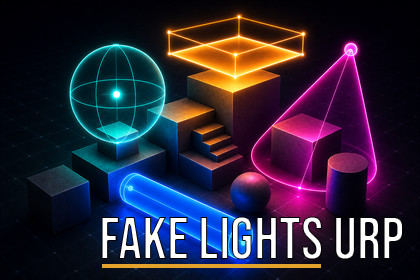
Additive fake lighting for URP: point, spot, tube, disc, and area lights with a small performance cost, suited to VR and mobile.Fake Lights URP adds additive fill and mood lighting to Universal Render Pipeline scenes at a low, predictable cost. All lights are evaluated together in a single screen-space pass, so adding more of them scales gently — which is why it suits VR, mobile, and other projects where the real-time light budget is tight.Use it for the lighting that real-time lights make expensive: neon signs, fill light in shadowed areas, colored washes along hallways, panel and screen glow, and interior lamps. Place a light, set its color and intensity, and it contributes immediately, in the editor and at runtime.Supported lightsPoint — omni-directional glow for lamps, fires, and effectsSpot — focused cones with adjustable edge softnessTube — long emitters for neon strips and fluorescent fixturesDisc — round lights for ceiling fixtures and portholesArea — rectangular light for windows, screens, and panelsIn URP, area lights are available only as baked rectangular lights — there is no real-time area light, no disc light, and no tube light at all. Here, tube, disc, and rectangular area emitters all work in real time, with no baking step.ControlsEvery light exposes color, intensity, range, diffuse softness, and a specular highlight, plus shape-specific settings (cone angles, tube length and radius, disc focus, area size, spread, and edge softness). The Albedo option tints lighting by surface color, with optional metallic or glossy surface response. Every parameter is also a public C# property, so lights can be driven from script at runtime.Controlling light spillFake lights are additive and cast no shadows, so their contribution can spill through walls. Mask Volumes — box or sphere regions in Include or Exclude mode — define which lights a given region shows, which keeps lighting separated room by room without any shadow-map cost. Per-light distance culling, a visible-light cap, and a half-resolution composition mode are available to manage cost in dense scenes.LimitationsFake lights are a purely additive, screen-space effect. That is the source of their performance, but it comes with trade-offs:They don't cast shadows. Light passes through walls and objects, so they work best as fill light, mood, and decorative glow — not as your main (key) lights. A built-in Mask Volume keeps a light from spilling into the next room.They light solid surfaces only. See-through objects — glass, water, particles — won't pick up fake light. Light those with regular Unity lights or glowing (emissive) materials.They sit on top of your scene. They don't mix with baked lighting, lightmaps, or reflection probes.One camera at a time. Split-screen (two views showing different fake lights at once) isn't supported.Linear color space only. Gamma is not supported.Modern graphics API required. Shader model 4.5 (DirectX 11+, Vulkan, Metal); OpenGL ES 2.0/3.0 are not supported.RequirementsUnity 6000.0 or newer with Universal Render Pipeline (URP 17.x)Linear color spaceDirectX 11+, Vulkan, or Metal (modern desktop, mobile, and VR)Fake light shapes: point, spot, tube, disc, and rectangular areaTube, disc, and area shapes work in real time — URP otherwise offers area only as a baked rectangular light, with no disc or tube lightSingle additive screen-space pass — low, predictable cost suited to VR and mobileMask Volumes (box and sphere, Include/Exclude) to control light spill between regionsAlbedo tinting by surface color, with optional metallic or glossy surface responseFull C# scripting API — every parameter is a public property, updated immediatelyCost controls: visible-light cap, per-light distance culling, half-resolution compositionSingle-pass instanced VR supportUniversal Render Pipeline (URP 17.x), Unity 6000.0 or newerAI assistance (Claude) was used as a development aid — to help write and refactor the C# code, author and optimize the HLSL shaders, and draft the documentation and store text. All output was reviewed, tested, and edited by me.

