






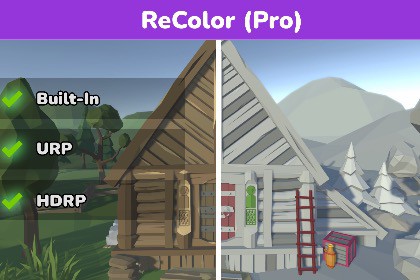
ReColor (Pro) is a powerful Unity extension for recoloring your 3D models - make new skins, variants, biomes, levels and more directly from Unity.🛠 Pipelines✅ Built-In RP✅ URP✅ HDRP🖥 Unity Editor (Tested LTS)2021.3.45f22022.3.62f26000.0.76f1⚡ Custom Shaders (Tested)AmplifyShader GraphReColor (Pro) enables you to change the colors of any textured 3D GameObject. You can use the traditional Color Palette method and edit individual colors -- or recolor entire regions and Scenes all at once.The latest version of ReColor (Pro) has been updated with a dedicated Advanced Mode built to recolor high-definition models using a number of different methods – including a simple click-to-recolor approach that enables you to click on individual parts of your model to quickly recolor them.Also included in the latest update is the Mesh Cutting feature that enables you to cut out parts of a GameObject’s Mesh and turn them into their own prefabs!💡 Quick Highlights✅ Unity 6 Support✅ No setup requirements✅ Simple workflow✅ Bare-Metal design (no jetfighter-style controls)✅ Supports all known art styles: Voxel, Low Poly, Stylized, High-Definition✅ Supports custom Shaders: Amplify, Shader Graph✅ Active development✅ Manual included✅ Source Code included⭐ Features❖ Recolors a single GameObject❖ Recolors a whole Scene with a shared Texture + Material❖ Supports GameObjects with multiple Materials and Children❖ Supports PBR Textures + Materials❖ Traditional Color Palette Extraction method❖ Pop-out Color Palette window (Optional)❖ Color Isolation❖ Smart Color Grouping❖ Parent/Child Ghosting❖ UV Island Isolation❖ UV (Seam) Cleaning❖ Emission Editing❖ Mesh Cutting🛠 RoadmapThe current state of ReColor (Pro) is a Texture recoloring tool. As development continues the intention is to keep expanding it with more features that extend beyond this scope - the first of these updates being the Mesh Cutting feature.All PDG assets start as in-house tools that I build during the development of my own indie game. With each major internal update the UAS version is updated accordingly.The pricing of ReColor (Pro) might be adjusted in the future as its capabilities are expanded.💬 Support🌐 Emailprogressivedestructiongames@gmail.com🌐 Discordhttps://discord.gg/jtPe9S9AzWIf you are not sure whether ReColor (Pro) is the right solution for your project(s), please reach out to me and I will do my best to assist you.ReColor (Pro) uses a Color Palette Extraction method to map all the different UV's inside of a Texture. The UV mapping method is a industry-standard approach for many similar tools, but ReColor (Pro) also contains other methods for recoloring an object other than just updating a model's Color Palette.This makes ReColor (Pro) a great solution for recoloring all types of art styles, including high-definition Textures.The Surface Selection feature enables you to recolor complex models (with a lot of sub-meshes and UV Islands) by simply clicking on a part of your Mesh and extracting the UV Island belonging to that Mesh area. Selecting a surface area which shares UV's with other areas will also cause the other areas to be included in the selection.For example: if you are recoloring an aircraft, and both wings use the same UV's, selecting and recoloring one wing applies the same recolor to the other wing.Included in the latest update is the Mesh Cutting feature, through which you can cut out parts of a Mesh and turn them into separate prefabs. Those prefabs will have their own Mesh, Texture and Material separate from their former parent.

