






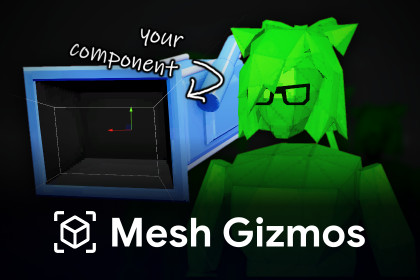
Attach 3D meshes to script components to easily identify and select them in the scene.In game editors, a common practice is to add visual gizmos to entities to identify them in the world. With Mesh Gizmos, you can define any mesh for any script, and have that mesh be drawn for every game object that has that script component.Mesh Gizmos solve the limitations of Unity's built-in 2D gizmos, providing ground truth about an entity's position, orientation, and state, as well as being easier to isolate and select from a gizmo clump. No mesh renderers or any other objects are added to your scene - the entire logic sits at the back.⚙️ How does it work?Mesh Gizmos can either be statically defined from the project settings, or implemented from code to dynamically manipulate them.From Project Settings:Add a new entry, assign your script asset.Set the desired mesh and adjust properties.From Script:Implement the "IMeshGizmo" interface.Define an array of MeshGizmo structs with your desired properties.⭐ FeaturesUse pre-defined primitive shapes, or provide your own custom mesh. Supports any shader and any material.When defined in script, gizmos can have their properties adjusted dynamically from anywhere, including OnDrawGizmos/OnDrawGizmosSelected for edit mode.Can be drawn in both the scene view and the game view, so long as gizmos are enabled in the respective window.Selectable in the scene view.Supports all render pipelines (BIRP, URP, HDRP).Optimized using the Burst Compiler, Jobs, GPU Instancing and View Frustum Culling. Can draw up to thousands and tens of thousands of gizmos.❓ FAQQ: How is this better than the built-in 2D gizmos?A: The nature of the built-in 2D gizmos makes them messy when having many gizmos drawn together. They render on top of everything, they take up more screen space the farther away you are, they are difficult to select, and you can't tell which way they're facing. Mesh gizmos solve all of these problems.Q: How is this better than Gizmos.DrawMesh?A: Gizmos.DrawMesh does not support custom shaders/materials, is not selectable, and most of all, does not draw to the depth buffer - meaning the meshes you draw with it are always drawn on top of everything. Mesh gizmos solve all of these problems, and also provide better performance.Q: Runtime safety?A: The gizmo renderer itself is not compiled to build, but the scripting API is still safe to use from a runtime context. If you want to trim the gizmo data from the build, you can wrap it in an #if UNITY_EDITOR directive.📦 Supports Unity 2021.3 and above.🔗 Community Thread | Documentation❤️ For any questions or support, please reach out at noam@agiriko.digital.

