






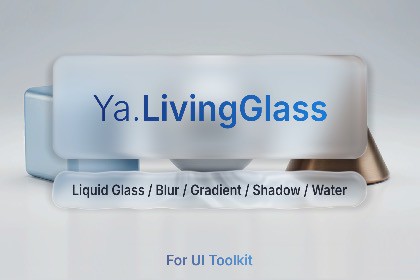
Ya.LivingGlass for UI Toolkit - Liquid Glass UI Kit
Mind Shift Sl
$21.99
$32.99
33%OFF
(no ratings)
Jump AssetStore
Runtime refractive UI, backdrop blur, animated glass controls and theme editor for Unity 6Ya.LivingGlass is a tactile UI layer for Unity 6 UI Toolkit. Buttons ripple under the finger, breathe on idle, bulge toward a hovering cursor and spring back on release. Refraction picks up the scene behind the UI; edge waves trace the rim of every droplet. Disable the dynamics and the same element falls back to polished static glass.▶ Live DemoWhat you getFull living component. Refraction, rim, inner shadow, chromatic aberration, drop shadow, variable backdrop blur, tap ripples, edge & surface waves, drifting highlights, hover-magnet, press scale, scene-aware lighting. Every effect is independently toggleableYaLivingGlass is the full liquid-glass component (refraction, rim, inner shadow, chromatic aberration, drop shadow) and "live effects" and this is a waves, a magnet. Extensive customization options allow you to style the interface to suit any game.YaBlur is a cheeper backdrop-only element for surfaces that don't need refraction (supports Gaussian and Dual Kawase Blur).YaPlain is the cheapest of the four - shadow + gradient overlay on a plain VisualElement, with no backdrop capture and no compositor RT.Ready-to-use UI components - Button, Selector (Menu), Tab Bar, Dropdown, Slider, Switch, Picker.30+ presets - Water · Glass · Abyss · Aurora · Blood · Cosmic · Crystal · CyberShield · Ember · Emerald · Fire · Honey · Ink · Jelly · Lacquer · Lava · Lens · Mirage · Mirror · Neon · Obsidian · Pearl · Pixel · Plasma · Quicksilver · Rainbow · Sakura · Singularity · Slime · Smoke · SoapBubble · Storm · Sunset · Toxic · Velvet.Image inside the glass. Assign any texture, sprite, or RenderTexture as the element's `background-image` and it appears beneath the water surface - refracted by the spherical cap, pulled by chromatic aberration, and blurred in lockstep with the scene backdrop. Icons, photos, gradients: anything you place warps with the component.Per-element knobs. Tint, refraction strength, glass depth, rim color and width, inner shadow, chromatic aberration, per-element blur radius, waves, ripples, light - every parameter is exposed as a UXML attribute and editable in UI Builder.Drop shadow built in. Alpha-zero shadow color disables the effect entirely so non-shadowed elements pay no GPU cost.Six quality presets (Low, Lite, Medium, High, Ultra, and Auto) tune blur passes, composite resolution, and sample counts in one click. Auto reads the GPU tier at startup and picks the right level silently; any manual slider edit switches to Custom and holds your values.Blur that won't tax your GPU. Pile on as much glass as you want without watching your frame rate drop - works fine even on mobile.Press highlight on YaGlassButton emanates from the touch point and rides with the pointer until release. Spring-back scale is a render transform.Unity 6000.0+.Render pipelines: URP 17.0.0+ or HDRP 17.0.0+ or Built-in.Support Mobile, PC, WebGL, Game consoles.⚠️ UI Toolkit only. Not support Canvas.⚠️ NO VR Support: World-space UI Toolkit not support.⚠️ There is one blur value for YaLivingGlass components per scene, and one blur value for YaBlur components per scene that is independent of YaLivingGlass.⚠️ The glass and blur effect is NOT captured by Overlay UI Toolkit & Canvas.Shader code generated with assistance of AI tools, reviewed and modified by the author.

