






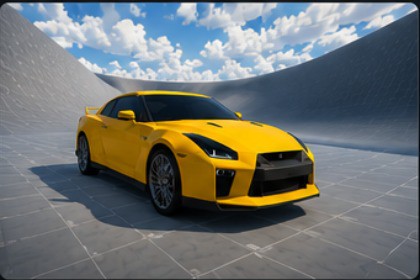
Raycast Vehicle Pro (URP Ready) With Setup Window And CustomizationsRaycast Vehicle Pro is a high-performance, raycast-based vehicle physics system designed to deliver realistic and responsive driving similar to modern open-world games like GTA IV. Built without Unity’s WheelColliders, it provides superior control, stability, and customization for both arcade and simulation-style driving experiences.This package includes a complete toolkit for creating advanced vehicles with dynamic suspension, anti-roll stabilization, aerodynamic downforce, and realistic weight transfer. Whether you're building racing games, open-world experiences, or driving simulators, Raycast Vehicle Pro offers a professional and optimized solution.Fully compatible with the Universal Render Pipeline (URP), the system is modular, extensible, and easy to integrate into any Unity project.🧰 Included ScriptsVehicleController – Core physics and vehicle behaviorWheelSetup – Raycast suspension and tire simulationVehicleGizmos – Real-time debugging and visualizationVehicleBrakeEffect - Brake and Skid SystemVehicleCamera - Camera For Visuals and Good EffectsVehicleSetupEditor – Automated vehicle configurationCarAudio – Dynamic engine audio systemSpeedCalculator – Speed measurement for HUD and gameplayGetting Started1. Import the package into your Unity project.2. Open: RaycastVehiclePro/Scenes/DemoScene.unity3. Drag the vehicle prefab into your scene.4. Open: Window > Vehicle Setup Wizard5. Click Build Vehicle Controller.6. Press Play.👨💻 Publisher InformationPublisher Name: SpiderGamerSupport Email: mittal88832@gmail.comAI was used as a development assistant during the creation of this package. All functionality, testing, validation, and final quality assurance were completed by the publisher.Third-Party NoticeThis package does not include any third-party or open-source software requiring separate licensing. All included content is original work created by the publisher.📜 LicenseStandard Unity Asset Store License.Technical DetailsUnity Version 6000.3 LTS or newerRender Pipeline URP CompatiblePhysics Type Raycast-BasedPlatforms PCNamespace SpiderGameCode Quality Modular and documentedDependencies Cinemachine, old Input System.AI was used as a development assistant to help with code suggestions, API research, documentation, and writing some descriptive content. Some code was initially generated with AI assistance, but it was manually reviewed, modified, tested, debugged, and optimized before being included in the package. The package's design, implementation, testing, and final quality assurance were completed by me.

