






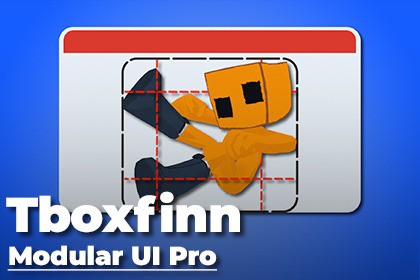
Editor tool that visually configures 9-sliced UI sprites and generates scene-ready panels in one click.Set up 9-sliced UI panels the way they should be — visually. Modular UI Pro replaces the tedious back-and-forth between Unity's Sprite Editor and the Inspector with a single, purpose-built window. Drop in a texture, drag the slice guides to where they feel right, choose your render settings, and generate a fully configured UI panel directly into your scene — Canvas included if you don't have one yet.⚡ Live Visual Slice EditorDrag four Figma-style blue guide lines directly on the texture preview to set Top, Bottom, Left, and Right slice borders interactively.The preview panel scales responsively to fit any window size while preserving the texture's exact aspect ratio.FloatFields and guide lines stay in sync — typing a value moves the guide; dragging the guide updates the field.🎨 One-Click Panel GenerationClicking "Generate UI Panel" applies import settings, creates a Canvas if none exists, and instantiates a ready-to-use Image GameObject — all in one action.Generates panels named after the source texture (e.g. UI_Panel_button_bg) for easy identification in the hierarchy.Every generated object is registered with Unity's Undo system, so Ctrl+Z cleanly removes it.📂 Folder-Wide Batch ProcessorDrop a project folder to scan it for all Texture2D assets automatically.Review the full sprite list with per-item toggles, then use Select All / Deselect All for quick control.Runs with a progress bar and applies the current slice configuration to every selected sprite via the TextureImporter — no GameObjects created, just clean asset reimports.🔧 Render SettingsChoose any Unity Image.Type (Sliced, Simple, Tiled, Filled) per panel before generating.Pixel Art Perfect mode switches filter to Point and disables compression for crisp, unaliased sprites.All import settings (border, filter mode, compression, mesh type FullRect, sprite mode Single) are written permanently to the asset.🔒 Safe DefaultsValidates that a texture is assigned before generating and shows a clear dialog if not.Rejects non-folder drops in Batch mode with an explanatory dialog and resets the field.Uses SpriteMeshType.FullRect on all generated sprites to prevent 9-slice rendering artefacts.Unity 2022.2 or higher (UI Toolkit EditorWindow API)Editor + Runtime4 files total: ModularUIEditorWindow.cs, ModularUIEditorWindow.uxml, ModularUIEditorWindow.uss, ModularPanel.csNo external dependenciesUses UI Toolkit (UIElements) — no IMGUICode refactoring and cleanup

