






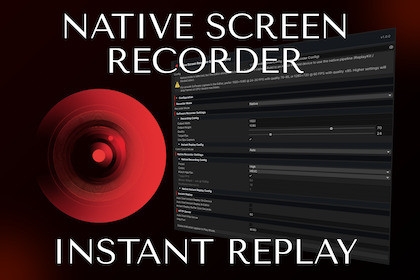
Native, hardware-accelerated H.264/HEVC screen recording for Unity. ReplayKit on iOS, MediaCodec on Android. Video capture, instant replay, screenshots, browser dashboard. Software fallback included.Native Screen Recorder & Instant Replay is the screen-capture toolkit we wished we had on every project. Bug repros that are faster to record than to describe. An Instant Replay feature that lets players save the last moments of gameplay on demand. Trailer footage pulled straight from a device. One package, three problems solved properly. Built natively where it matters.Add a single MonoBehaviour and drop it to the scene, then call its API. That's the entire setup. The facade is DontDestroyOnLoadEXAMPLE USAGE // --- Screenshots --- recorder.TakeScreenshot(jpeg => { /* ... */ }); // --- Manual recording (start/stop) --- recorder.StartRecording(); recorder.StartRecording(() => Debug.Log("recording started")); recorder.StopRecording(mp4 => File.WriteAllBytes(path, mp4)); // --- Fixed-duration recording --- recorder.RecordFor(10, mp4 => File.WriteAllBytes(path, mp4)); // records for 10s // --- Instant replay (rolling buffer) --- recorder.StartInstantReplay(); recorder.StartInstantReplay(() => Debug.Log("replay buffer running")); recorder.SaveInstantReplay(15, mp4 => Save(mp4)); // Saves last 15s recorder.SaveInstantReplay(0, mp4 => Save(mp4)); // Saves entire buffer recorder.ClearInstantReplayBuffer(); // drop all buffered frames without stopping the replay recorder.StopInstantReplay(); // --- HTTP dashboard server --- recorder.StartHttpServer(); recorder.StartHttpServer(8080); recorder.StopHttpServer(); // --- State queries --- if (recorder.IsRecording) { /* ... */ } if (recorder.IsInstantReplayRecording) { /* ... */ } if (recorder.IsHttpServerRunning) { /* ... */ } // --- Configuration & logging --- recorder.Initialize(myConfig); // re initialize recorder with a new config ScreenRecorderFacade.SetLogger(myLogger); // set your custom logger for recorder // --- UniTask integration (optional, when UniTask is installed) --- byte[] jpeg = await recorder.TakeScreenshotAsync(ct); await recorder.StartRecordingAsync(ct); byte[] mp4 = await recorder.StopRecordingAsync(ct); byte[] mp4 = await recorder.RecordForAsync(10, ct); await recorder.StartInstantReplayAsync(ct); byte[] clip = await recorder.SaveInstantReplayAsync(15, ct); byte[] clip = await recorder.SaveInstantReplayAsync(0, ct);NATIVE WHERE IT MATTERSMobile recording goes through the platform's own hardware encoders, not a CPU readback loop. This means:- Full game framerate- Full game resolution- No thermal cliff.- No dropped frames or any additional bottleneck.• iOS - ReplayKit + AVAssetWriter. The included Xcode build post-processor links ReplayKit.framework and writes the required Info.plist keys for you.• Android - MediaProjection + MediaCodec + MediaMuxer behind a foreground service. Manifest is merged into your build automatically.• Editor and other platforms - Pure C# software pipeline.Choose H.264 or HEVC. Bitrate, framerate, and keyframe interval are configurable with the presets.INSTANT REPLAYA rolling in-memory buffer that records continuously in the background. Just call SaveInstantReplay and the last N seconds become an MP4 clip.Buffer length is configurable from 1 second up to 10 minutes, with its own independent quality settings so you can run the Instant Replay buffer lighter than your on-demand recordings without compromising either.DEBUG DASHBOARDThe package ships with a built-in browser dashboard, served by an embedded HTTP server. Open it on browser, point it at the device's IP, and trigger recordings, instant replays, andscreenshots from your PC while your game runs on a phone in your hand. No cables, no third-party tools, no screen-sharing apps.Easy save/share your recordings and screenshots from device via dashboard!Turn it on in development. Leave it off in release builds.EASY CUSTOMIZABLEPackage allows you to configure almoast everything that matters via ScreenRecorderConfig ScriptableObject with a custom inspector!• Recorder mode (native or software)• Native presets: Low, Medium, High, VeryHigh, or Custom• Codec: H.264 or HEVC• Match Application.targetFrameRate, or override it• Software path: output resolution, target FPS, JPEG quality• Independent settings for normal recordings and the Instant Replay buffer• Instant Replay buffer length: 1 to 600 seconds (up to 10 minutes)Different settings per scene or requirements? Just create two seperate configs and swap them! As simple as that!UNITASK SUPPORTEvery public API method has it's UniTask extension method that lights up automatically if UniTask is in your project.WHAT YOU GET• Full C# source included• iOS native plugin and Xcode build post-processor• Android native plugin and SDK-validating build pre-processor• Pure C# software encoder that works everywhere out of the box.• Embedded HTTP server and the browser dashboard (optional but helpfull)• AndroidPermissionHelper for front-loading the MediaProjection consent dialog• App Store-ready privacy manifest (PrivacyInfo.xcprivacy) included• Runnable Basic Usage demo scene, importable from Package Manager• Full documentation.Recording• Native MP4 recording on iOS (ReplayKit + AVAssetWriter) and Android (MediaProjection + MediaCodec + MediaMuxer)• Hardware-accelerated H.264 and HEVC encoders• Configurable bitrate, framerate, and keyframe interval, presets, etc.• Pure C# software-pipeline fallback for Editor and every other platform.Instant Replay• Continuous rolling in-memory buffer• Configurable buffer length, from 1 second up to 10 minutes (1–600 s)• Independent quality settings, separate from on-demand recording• SaveInstantReplay(seconds) — save the last N seconds of the buffer to MP4 on demandScreenshots• Full-screen capture including Screen Space Overlay UI• JPEG output with configurable qualityHTTP Server & Dashboard• Embedded HTTP/REST server, off by default• Built-in browser dashboard, served by the package. Zero setup, no external assets• Remote-control recording, Instant Replay, and screenshots from any device on the same network• Auto-stop on app background, auto-restart on resumeBuild Integration• Xcode build post-processor (iOS): auto-links ReplayKit.framework, writes required Info.plist keys• Android library AndroidManifest.xml automatically merged into the host build• Android SDK-validating build pre-processor• App Store-ready PrivacyInfo.xcprivacy privacy manifest includedCompatibility• Unity 2022.3.62 LTS or newer• iOS 11+ for native path (ReplayKit)• Android minSdkVersion 24+ for native path; lower targets fall back to software automatically• Windows, macOS, Linux Standalone use the software path• Full C# source included — no DLLsAI was used in a limited capacity during the development of this package:• The browser-based dashboard (HTML/CSS/JS served by the embedded HTTP server) was generated with AI assistance.• AI was used for performance analysis and profiling guidance on the C# software-recording pipeline.• Chinese, Japanese and Korean documentation part was done with the AI assist as well.The native iOS plugin (ReplayKit / AVAssetWriter) and the native Android plugin (MediaProjection / MediaCodec / MediaMuxer, foreground service), as well as Core C# Runetime were written without AI

