






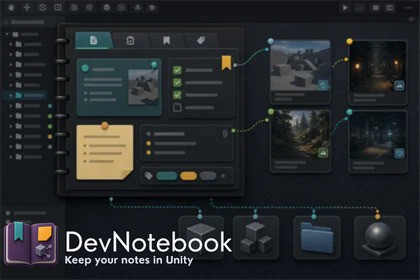
Unity editor notebook for scenes and assets. Organize pages, tags, checklists, scene links, and asset references in a clean workflow with startup tools, samples, and fast project context.DevNotebook is a Unity editor tool for keeping production notes attached to the actual work. Create notebooks with sections and pages, track checklists and statuses, add tags, and link scenes or project assets so review notes, polish tasks, and follow-up items stay easy to revisit.It is built for real day-to-day editor use: scene review, UI feedback, art follow-up, release punch lists, and general project organization. The workflow stays lightweight and visual, with a focused notebook window, startup options, Getting Started flow, and sample content to help teams adopt it quickly.Key features:Notebook, section, and page organizationPage statuses, tags, and checklist itemsLinked scenes and multiple linked assets per pagePinned sections and pinned pagesSearch, filtering, and recent-history supportStartup behavior controls in Project SettingsGetting Started windowStarter and Advanced sample notebooksCalm editor-focused UIEditor-only workflow with no runtime overheadRuntime impact: None during gameplayMain data format: ScriptableObject assetsUI: UI ToolkitSupported workflows: scene review, asset review, polish notes, production tracking, release notesRender pipeline dependency: NonePlatform support: any Unity editor platform supported by Unity 2022.3Installation layout: Assets-based Unity packageDefault notebook content location: Assets/DevNotebooksAI was used for asset store metadata and documentation.

