






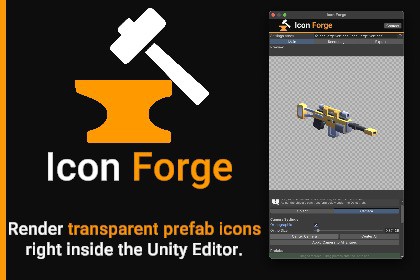
Render transparent PNG icons from 3D prefabs inside the Unity Editor. Per-prefab camera presets, animation frame selection, batch export, spritesheet and turntable support with auto sprite setup.Icon Forge is a Unity Editor tool for rendering crisp, transparent PNG icons directly from your 3D prefabs — no scene setup, no extra camera, no manual compositing.Drop in your prefabs, frame each one with its own saved camera angle, and export with one click. Batch render your entire library, pack everything into a spritesheet, or generate a full turntable animation sheet for any prefab. Perfect for inventory icons, skill UI, item databases, and any project that needs consistent, high-quality 2D icons from 3D assets.Key features:Live checkerboard preview — transparent background, what you see is what you exportPer-prefab camera settings — angle, distance, projection mode, and focal point saved individually per object Camera orbit, pan, and zoom directly in the preview (drag / Cmd+drag / scroll)Perspective and orthographic projection modesAnimation frame selection — pick any clip and scrub to the exact frame before rendering; works with both Animator and legacy Animation componentsTurntable export — orbit the camera automatically and output a full rotation as a spritesheet gridSpritesheet export — pack all prefabs into a single texture with configurable columns and paddingAuto sprite import setup — exported spritesheets and turntables are automatically configured as Sprite (Multiple) with named slicesUnlit rendering mode for flat, lighting-independent iconsInteractive directional light with color, intensity, and drag-to-rotate controlsSmart file naming with dynamic tags: [name], [index], [count], [resolution], [width], [height], [date], [timestamp], [preset]File conflict resolution with "apply to all" for batch exportsCopy current render to clipboard (macOS and Windows)Reorderable prefab list with drag-and-drop from the Project windowFull Undo/Redo support throughoutScriptableObject-based presets — version-control friendly, shareable across your teamWorks with Built-in, URP, and HDRP render pipelinesFull source code includedFor questions or issues, contact nregoblin@gmail.com — quick replies guaranteed.Weapon and character assets used in demo screenshots are from Kenney's Asset Packs (CC0 1.0). 3D models are not included.Unity Version: 2022.3 LTS or later (compatible with 2023 and Unity 6)Render Pipelines: Built-in, Universal Render Pipeline (URP), High Definition Render Pipeline (HDRP)Platform: Editor-only — Windows and macOS fully supported; Linux supported except clipboard copyDependencies: com.unity.2d.sprite (included with Unity)Source Code: Full C# source includedEditor Integration: Adds a dedicated Window → Icon Forge editor windowExport: PNG with alpha channel; individual icons, spritesheet, or turntable animation sheet; batch export supportedAnimation: Per-prefab clip selection with normalized time scrubbing; supports Animator and legacy Animation components; pose baked into all export pathsSprite Import: Automatic Sprite (Multiple) configuration with named slices for spritesheet and turntable exportsPresets: ScriptableObject-based settings — version-control friendly, shareable across teamsUndo/Redo: Fully integrated with Unity's Undo systemDocumentation: Full user guide included (PDF and Markdown); fast developer support at nregoblin@gmail.com

