






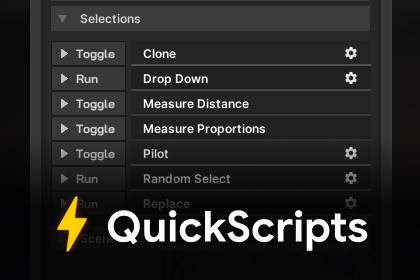
Write and execute scripts in edit mode - no windows, menus, or other boilerplate required.Ever had that moment where you wanted to automate something quickly in editor, but the thought of dealing with all the boilerplate that comes with it daunted you? Writing an editor window, cluttering your toolbar, etc. Or better yet - what if you don't even know how to write editor tools?QuickScripts strips away all boilerplate - all you have to do is write the desired function, and it will be available from the QuickScripts window for you to run at any time.⚙️ How does it work?Create a new script, inherit from "QuickScript" instead of "MonoBehaviour".Override "Name" property and "Execute" method.Write your function inside the Execute method.Save and run it from the QuickScripts window. No need to manually add or configure it - it's all automatic!QuickScripts feature many other (optional) overrides, described below.⭐ FeaturesConfigure as button or toggle. When configured as a toggle, Execute will run for every editor update while the toggle is on.OnSceneGUI allows you to draw to the scene while a toggle is on.Split into groups, where group name can be overriden in the QuickScript class. In addition, classes deriving from QuickScriptCustomGroup allow you to define a custom sort order and even drawing function for a given group.Built-in abstractions inside the QuickScript class, such as "Assets" and "Selections", allow you to easily get what user has selected in the scene hierarchy or project assets.Supports serialized fields. Serialized fields are displayed when you unfold your script in the QuickScripts window, and they persist between editor sessions.Window designed to hold many scripts and make them easily accessible at any time - no need to throw away small utilities and automations any longer. Personal recommendation? Dock it next to your inspector and enjoy having all your utilities available in one place.Comes with a few example QuickScripts, such as "Replace" to replace all selected game objects in the scene with another prefab, "Measure Distance" to measure the distance between selected game objects (with scene view visualization!), "Drop Down" to drop all selected game objects to the ground, and more.Editor only - has no effect on your runtime build.📦 Supports Unity 2021.3 and above.🔗 Community Thread | Documentation❤️ For any questions or support, please reach out at noam@agiriko.digital.

