






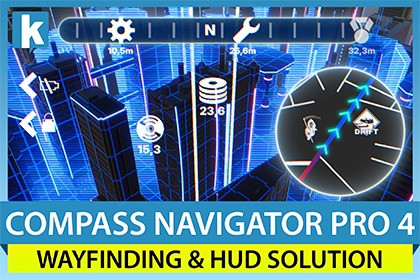
The ultimate UI navigation system including compass bar, mini-map with fog of war, radar, screen indicators, beacon effect, world scan effect, full-screen scrollable map, in-world routes and more.Compass Navigator Pro 4 is a complete and powerful UI navigation system for adventure, RPG and open-world games: a fully customizable compass bar, a live mini-map with fog of war and radar, on/off-screen POI indicators, and a new animated Route system that guides players straight to their destination.Drag the prefab into your scene, customize everything from one centralized inspector, and you're ready to go.★ New in version 4: - Route system: draw an animated, guided path to any destination, shown on the mini-map, projected as a holographic line in the 3D world, and as a directional cue on the compass bar. Provide waypoints from script, the inspector, or Unity's NavMesh. - Save / Load State: persist fog of war, the active route, visited and runtime POIs and the mini-map view into your own save files, and restore them instantly. - Up to 4 compass instances: independent compasses, each with its own screen viewport and POI groups, for split-screen multiplayer and multi-camera setups. - More control: global "Show POIs" toggles, new creation events (compass bar / mini-map / indicators) and virtual methods for easy subclassing.UI Features Included: - Compass Bar. - Mini-map with fog of war and full-screen mode. - Radar system with accurate ring distance. - Animated Route & waypoint guidance (mini-map + in-world + compass cue). - Target and off-screen indicators with anti-overlap system. - Beacon/heartbeat effects. - World scan effect.Other Key Features: - Easy to use: drag & drop the Compass Navigator prefab to your scene and you're ready to go. Enable and customize features from a centralized inspector. Add POIs (points of interest) to any location or gameobject by adding the Compass Pro POI component. You can customize specific options for each POI. - Complete with powerful options: every component comes with many extra options to give your UI a professional look, from curved compass bar to cone of view and LUT/color grading controls in your mini-map and much more. - Interactive: includes many game-ready features such as an interactive mini-map (click or hover on POIs, enter full-screen map mode, zoom/pan around). - Route guidance: guide the player to any point or POI with a point-to-point line or a full NavMesh-computed path, with travelled-part coloring and an auto-managed next-waypoint cue. - Save / Load State: capture and restore the compass runtime state (fog of war, route, visited & runtime POIs, mini-map view) into your own save system. - Split screen / multiple instances: run up to 4 compass navigator instances in the same scene, each with its own viewport and POI groups. - Event system to react to location discovery, icons appearing/disappearing on the compass or mini-map, mouse over/clicks on mini-map icons, and more. - Area of Interest: let the asset focus on POIs within a certain distance and avoid performance issues when handling thousands of POIs. ** Route ** (New in v4) Guide your players without taking over your UI. Provide a destination and Compass Navigator Pro draws and animates the rest. - Renders on three surfaces at once: an animated polyline on the mini-map, a holographic line projected on the ground in the 3D world, and a directional cue on the compass bar. - Set routes from script (point list, or direct line to a position/POI), author them in the inspector as waypoints, or compute them automatically with Unity's NavMesh. - Animated styles (marching ants, dots, arrows, dashes or solid), custom textures, flow speed and corner smoothing. - Travelled-part coloring, auto-advance through waypoints, per-waypoint markers and optional in-world billboards.** Compass Bar **Includes 14 ready-to-use designs: rounded, angled, celtic black and white, 4 fantasy, 6 sci-fi, or just assign your own art in the inspector. Plus: - 4 world-mapping modes: frustum, screen, 180 and 360 degree view. - Customizable appearance: add your own art, adjustable position & size, supports bending (curved bars), edge fade out effect, alpha, automatic fade in/out. - Supports cardinal and ordinal points plus procedural degree marks (ticks). - High resolution icons with customizable behaviour (smooth fade in/out and scaling, visited vs non-visited icons, black and white variations). - Can focus on one POI, making its icon always visible in the compass bar. - Optional distance text under the POIs. - Option to automatically hide the compass bar if no POIs are visible. - Add your own icons or use the free high-quality icons included: cave, city, dock, dungeon, forest, lighthouse, mine, monolith, palace, tower, generic.** Revealing Text & Effects ** - Show an optional title with location tips (above/below) and distance in meters for the centered POI in the bar. - Show animated text under or on top of the compass bar when discovering new locations. - Play audio clips when locations are discovered. 5 high-quality sound clips are included. - Use two icon variations per POI to differentiate unexplored and explored locations.** Mini-Map ** Efficient mini-map system that uses smart snapshots to capture the map only when needed, for the highest performance. - Includes 12 ready-to-use styles + custom: torn paper, solid box/circle, 6 fantasy, 3 sci-fi variations. - Configure size, style, alpha, zoom range, camera snapshot mode and projection, icon size, and more. Includes buttons for zooming in/out and maximize. - Support for LUT textures for unlimited color customization. - Show the real world view or a custom user map/texture. - Zoom/pan the contents. - Full screen mode. - Map icons with optional text overlay and cardinals. - Clickable mini-map (example included to add/remove POIs by the user). - Optional cone of view draws the player's field of view on the mini-map. - Optional animated circle effect when POIs appear on the mini-map. - Optional circle around POIs to illustrate area of influence or search radius.** Fog of War ** Occludes the unexplored areas on the mini-map. Option to automatically clear the fog as the player moves. - Clear entire fog areas as the player enters them, based on fog volumes added to the scene. - Save and restore the discovered state with the new Save / Load State API.** Radar ** Toggle the mini-map into radar mode, which draws a procedural radar with accurate ring positions based on the desired distance. - Customize ring width, color, opacity and scale distance in meters. - Optional scan animation effect with sample presets.** Screen Indicators ** - Display an on-screen icon with optional title & distance over visible or in-range POIs. - Display off-screen indicators with an anti-overlap system that stacks indicators on the edges to avoid cluttering. ** Save / Load State ** (New in v4) Capture a compass' runtime state into a compact blob you store in your own save file, and restore it later: fog of war discovery, the active route and its progress, visited POIs, runtime-created POIs and the mini-map view. Pick exactly which subsystems to save with a simple scope flag.Extras: - World Scan effect: run one or multiple simultaneous visual scans anywhere in the world, revealing and activating POIs and displaying them on the mini-map and compass. Includes event support to trigger actions when POIs are detected. - Light Beacons that briefly highlight a POI in front of your player by rendering a vertical beam from the POI to the sky. - Heartbeat option: plays a custom audio clip at a variable interval based on distance. - Multi-scene support: existing POIs can preserve their visited state between scene changes.From the makers of Compass Navigator Pro, trusted across multiple versions with responsive support and continuous updates.📖 Documentation | 💬 Support | 🎬 YouTube | 🏢 Publisher Page- Compatible with Built-in, URP and HDRP pipelines.- Compatible with Unity 2022.3 LTS and Unity 6, including Render Graph.- Easy to extend and understand. Uses the Unity UI system and TextMesh Pro.- Documented API. Demo scene and manual included.

