






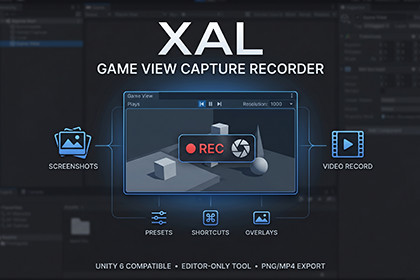
Capture Game View screenshots and MP4 videos with presets, burst mode, safe area overlays, shortcuts, audio recording, and post-capture validation.XAL Game View Capture Recorder is a production-ready Unity Editor tool for capturing Game View screenshots and MP4 videos with platform presets, burst screenshots, capture queues, safe area overlays, shortcuts, audio recording, and post-capture validation.Create store screenshots, social media captures, trailer clips, QA references, marketing images, and gameplay recordings directly inside the Unity Editor.Designed for Unity 6, this tool helps developers capture clean PNG screenshots and MP4 recordings from the Game View without setting up runtime systems or writing custom capture code.Key Features- Capture PNG screenshots from the Unity Game View- Record MP4 video through Unity Recorder- Game audio capture support when available through Unity Recorder- Current Game View resolution support- Automatic Game View resizing for selected presets- Landscape, portrait, and square capture workflows- Custom resolution support- Timestamped export file names- Flexible naming template with tokens- Burst screenshot mode: single, 3, 5, or 10 frames- Capture queue for exporting multiple presets in sequence- Post-capture PNG validation- Detects empty, invalid, wrong-size, or fully black screenshots- Preview-only safe area overlays- Unity Shortcut Manager integration- Game View focused shortcut fallback- Start, stop, pause, and resume recording controls- Recording max duration options: manual, 10s, 15s, 30s- Non-blocking Editor notification toasts- Optional mouse cursor overlay for screenshots- Editor-only implementation with no runtime build impactPreset LibraryIncludes practical presets for store pages and social media capture workflows:- Current Game View- 1920 x 1080- 1080 x 1920- 1280 x 720- 720 x 1280- 2048 x 2048- Steam Screenshot- Steam Store Capsule- Steam Library Capsule- Steam Library Header- Steam Hero Graphic- TikTok Vertical- TikTok Square- YouTube Shorts- YouTube Thumbnail- YouTube 1080p- Instagram Reel- Instagram Story- Instagram Feed Portrait- Instagram Square Post- App Store Portrait- App Store Landscape- Google Play Portrait- Google Play Landscape- Google Play Feature Graphic- Square Social Post- X / Twitter Landscape- Facebook Link Share- Custom ResolutionPreview OverlaysComposition guides are drawn over the Editor Game View only and are never included in exported screenshots or videos.Included overlays:- Rule of thirds- Center guide- TikTok UI safe zone- YouTube Shorts safe zone- Instagram Reel safe zone- Instagram Feed portrait safe area- Instagram Square post safe area- Square crop guide- Mobile safe area- Steam capsule crop guideScreenshot WorkflowTake a screenshot with one click, a shortcut, burst mode, or the preset capture queue.Each PNG can be validated after capture to help detect common production issues such as black frames, empty files, invalid PNG output, or resolution mismatches.This makes the tool useful for:- Store screenshots- Steam page images- Mobile store screenshots- Social media posts- Vertical video thumbnails- QA evidence- Marketing capture passes- UI layout checksVideo Recording WorkflowMP4 recording is powered by Unity Recorder when installed.The tool can start recording directly from the Game View workflow, enter Play Mode when needed, capture game audio when supported, and stop automatically after a selected duration.Recording controls include:- Start Recording- Stop Recording- Pause Recording- Resume Recording- Manual stop- Auto stop after 10, 15, or 30 secondsPause and resume are implemented as safe MP4 segments so Play Mode continues running without corrupting the recording.Shortcut SupportAll shortcuts are configurable through Unity Shortcut Manager.Supported shortcut actions:- Take Screenshot- Start/Stop Recording- Start Recording- Stop Recording- Pause/Resume Recording- Open Tool WindowThe tool displays the currently assigned shortcut keys inside the window.When the Game View has focus during Play Mode, the tool also includes a shortcut fallback so capture actions remain responsive while testing gameplay.Naming TemplateCreate clean export names using tokens:- {type}- {preset}- {resolution}- {date}- {time}- {scene}- {index}Example:Screenshot_TikTokVertical_2026-05-15_15-30-12_01.pngRecording_YouTubeShorts_2026-05-15_15-30-12_01.mp4Editor-Only and CleanXAL Game View Capture Recorder is built as an Editor-only tool.It does not add runtime systems, scene dependencies, game objects, managers, or build-time code to your final player builds.The package includes:- EditorWindow tool- Resolution preset utility- Shortcut Manager integration- Game View shortcut fallback- Unity Recorder bridge- Preview overlay system- Demo scene- Offline documentation- Third-party notices fileUnity Recorder DependencyMP4 recording requires Unity Recorder.Install from:Window > Package Manager > Unity Registry > RecorderPackage id:com.unity.recorderScreenshots remain available even if Unity Recorder is not installed. The tool displays a clear warning when video recording is unavailable.Recommended For- Indie developers- Asset Store publishers- Mobile game developers- Steam game developers- Trailer creators- QA teams- UI designers- Marketing teams- Social media content creators- Developers preparing screenshots for store pagesUse XAL Game View Capture Recorder to capture screenshots, record gameplay videos, test safe areas, export platform-ready images, and prepare store assets faster directly inside the Unity Editor.Technical Details- Type: Unity Editor extension- Category: Tools / Utilities- Namespace: xal- Target Unity Version: Unity 6 or newer- Runtime Impact: None, Editor-only implementation- Main Menu Path: Tools > XAL > Game View Capture Recorder- Supported Exports: PNG screenshots and MP4 video- Screenshot Capture: Unity ScreenCapture in Play Mode, Editor Game View render fallback when available- Video Recording: Uses Unity Recorder when installed- Optional Dependency: com.unity.recorder- Audio Recording: Game audio capture enabled when supported by the installed Unity Recorder API- Shortcuts: Integrated with Unity Shortcut Manager- Game View Resizing: Uses guarded Editor reflection for Game View resolution presets- Preset Support: Landscape, portrait, square, social media, mobile store, Steam, YouTube, Instagram, TikTok, Google Play, App Store, and custom resolutions- Overlays: Preview-only Editor Game View overlays, not included in final exports- Validation: PNG existence, file size, decode, resolution, and black-frame checks- Assembly Definition: Editor-only asmdef included- Build Compatibility: No runtime scripts or scene managers are added to player builds- Documentation: Offline documentation and demo scene included

