






HDG Potential Visible Set World Streaming System
Holey Donut Games
$27.49
(no ratings)
Jump AssetStore
Potential Visible Set System for large streaming worlds.
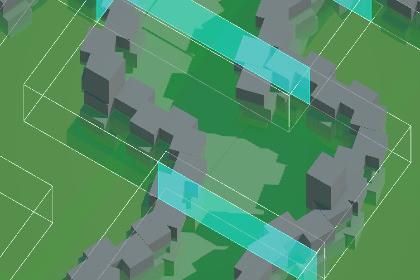
A PVS System improves performance in large worlds by dynamically loading only the parts of the world the player can currently see.A PVS (Potentially Visible Set) System improves performance in large worlds by dynamically loading only the parts of the world the player can currently see.Instead of keeping an entire world loaded at all times, the world is subdivided into sectors.At runtime, the system determines which sectors are potentially visible from the player’s current location and loads only those sectors into memory.Sectors that are not visible are unloaded automatically.This allows games to support:* Larger environments* Lower memory usage* Reduced rendering cost* Faster scene traversal* Better CPU performance* More scalable world designThe system supports:* Building a large seamless world as multiple scenes.* Runtime sector streaming* Portal-based visibility* Always-loaded important objects* Door-controlled portalsHow It WorksThe world is divided into overlapping visibility regions called Sectors.Each sector contains all of the game objects which overlap that Sector. Objects can be contained in multiple sectors, but the engine keeps track and will only load them once.During the build process, the tool creates a scene for each Sector. These scenes are loaded additively at runtime.Build process:1. You supply a list of scenes to load and process.2. Each scene is opened and its contents moved into a pool of all objects.3. Each object is broken down into multiple objects following simple rules:a. If the object is not marked static, store it as a whole object.b. If the object is static, break its children down into separate objects.c. If the object has certain specific components, like a LODGroup, do not break it down - doing so would break the special component.This is applied recursively to 'flatten' the hierarchy.4. Each object is assigned an ID.5. Each object is assigned to one or more sectors.6. A scene is created for each sector.7. These scenes are added to your scene list in player settings.At runtime:1. Starting from the camera's current position, determine which sectors are visible.2. Load those sectors.3. Unload anything that's no longer visible.WorkflowStep 1 — Build Your WorldCreate your world normally using scenes, prefabs, terrain, and gameplay objects.The system works with:* Single scenes* Multi-scene setups* Additive scene loading workflowsStep 2 — Place SectorsAdd Sector volumes throughout the world.Sectors should:* Cover all traversable areas* Contain (or at least overlap) every object that should ever be loaded at runtime.* Objects that are not in any sector will be placed in a scene labelled -1 so that you can identify them and fix it.* Slightly overlap neighboring sectors* Match logical spaces where possibleProper overlap is important so the system can determine transitions correctly.Portals are automatically placed wherever sectors overlap during the build process.Optional door components can dynamically enable or disable portals at runtime.Step 3 — Mark Important ObjectsGive important objects an ImportantObject component and set the partition they should be placed in.These objects will be assigned to a special scene that is always loaded.Step 4 — Build the PVSCreate a game object and give it a PVSEngine component.Configure your list of scenes to be included by the PVS Engine.Click full rebuild to generate the streaming scenes.These days AI seems unavoidable. Googling to resolve a problem no longer results in a list of links to old forums to dig through. Instead it comes with an AI summary. Gemini has helped find solutions to errors and ChatGPT has found issues in my math.

