






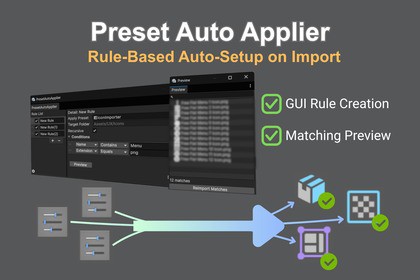
Preset Auto Applier: Rule-Based Auto-Setup on Import
TK-GizmoLab
$9.90
$19.80
50%OFF
(no ratings)
Jump AssetStore
Tired of manually changing import settings? Preset Auto Applier automates asset setup based on folder paths. Save time and prevent configuration mistakes without writing any code!Preset Auto Applier provides advanced, useful features on top of those offered Unity's standard PresetManager. It automates the tedious process of applying specific import settings to your assets based on custom, path-based conditions. Perfect for developers who want a fast, direct way to keep their project consistent without writing a single line of code.Note: This asset applies presets to project assets during import. It does not support scene objects or components that are not saved as asset files.● The ProblemAs your project grows, importing hundreds of textures, audio clips, or 3D models becomes a repetitive nightmare.Time-Consuming: Manually applying the same import settings again and again.Human Error: Forgetting to change settings, causing unexpected increases in build size and memory consumption.Standard Preset Limits: It is difficult to create flexible, automatic application rules tailored to your folder structures using Unity's default PresetManager.● The SolutionPreset Auto Applier provides a intuitive GUI to easily build automation rules. No need to write any Glob patterns.Auto-Apply on Import: Set up a rule once, and every matching asset is automatically configured when imported.Matching Preview: Instantly see which assets match your current rules directly in the preview window, eliminating the anxiety of incorrect settings.● Key FeaturesIntuitive Rule Creation: Easily define rules using string matching (e.g., folder paths, file names) via a clean, developer-friendly GUI.Preview Tool: A dedicated preview window displays all assets that match your conditions, giving you full confidence and preventing unintended settings changes.Version-Control Friendly: All rule configurations are stored in a ScriptableObject, making it extremely easy to version control (Git) and share across your team.Rules are created by combining 'Target Folder', 'File Name Conditions', and 'Extension Conditions'.Available file name conditions include StartsWith, EndsWith, Contains, and Equal.For advanced users, who need more detailed conditions, direct Regular Expression (Regex) input is also supported (Glob patterns are not supported).When used together with Unity's default PresetManager, Preset Auto Applier executes after it. This means it will override the settings applied by the default PresetManager.Supported Unity Version: 6000.0.64+ or higher (including all Unity 6 versions)Source Code included: Full C# source code is included for easy customization.Detailed Guide: A comprehensive manual is included in the package as Readme.pdfCoding assistance, primarily for Regex.Drafting and translating the Asset Store description. I have made revisions since then.

